I’m thinking about installing an Ai cleaner app to speed up my slow phone, but I’ve seen really mixed reviews online. Some say it helps performance and storage, others mention ads, malware risks, or no real benefit. Can anyone share honest experiences, good or bad, and suggest safer alternatives if this app isn’t worth it?
AI Cleaner vs Clever Cleaner on iPhone, my experience
AI Cleaner: Clean UP Storage App
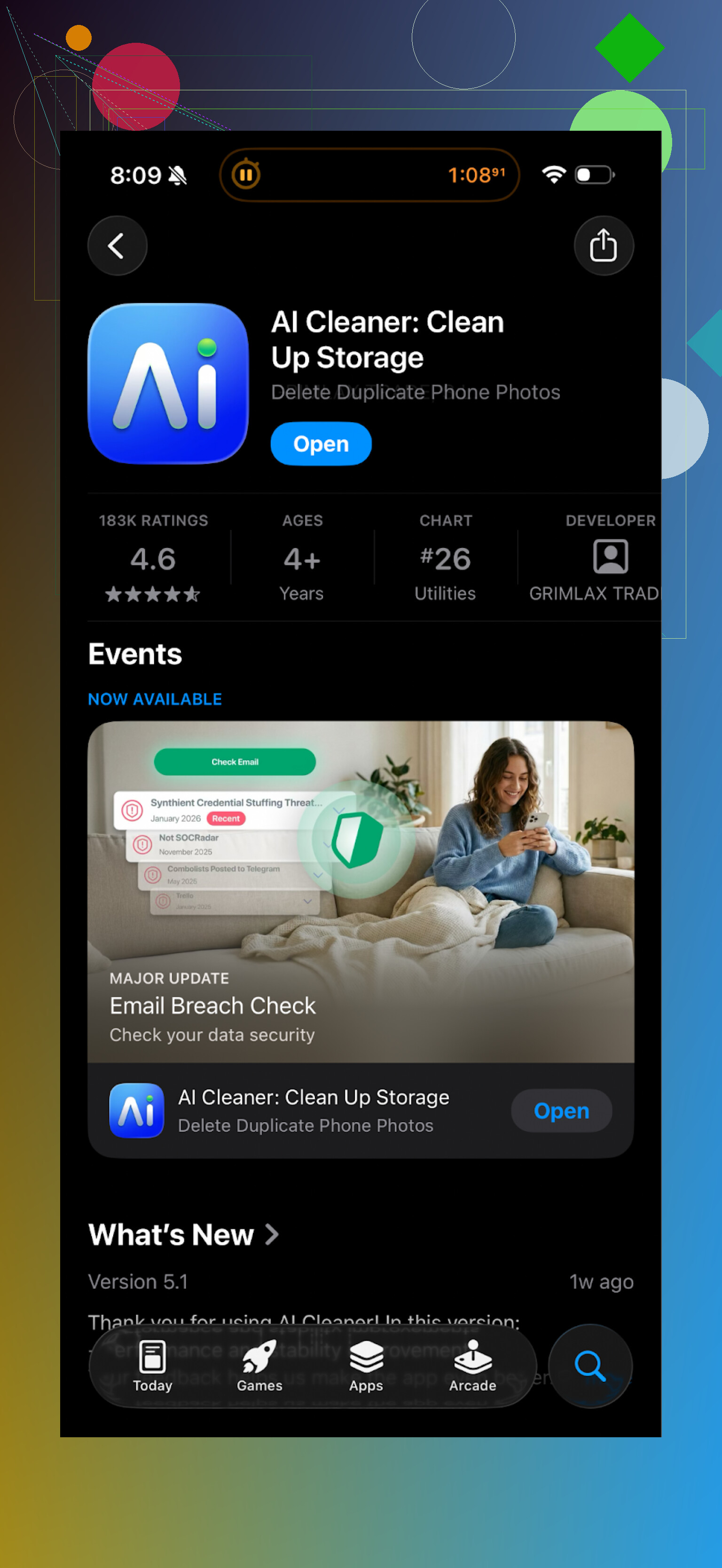
I installed AI Cleaner: Clean UP Storage App when my iPhone storage was down to a few hundred MB and iOS kept nagging me.
First run looked decent. It scanned fast, showed a nice breakdown of what was taking space, and flagged a bunch of “junk” and “duplicates”. Then I tried to clean something.
That is where it went sideways.
Every second tap led into some subscription screen. Want to remove more than a tiny handful of files? Pay. Want to use the “smart” cleanup? Pay again. Even the delete flow felt booby‑trapped, like it was built around upsells first and cleaning second.
The “AI” duplicate check was not great either. It marked similar shots from a burst as duplicates, which is fine, but it also grouped different photos from the same event as “same”, including one where someone had eyes closed and one where they did not. That is not a duplicate, that is a choice.
Real user ratings looked aligned with what I saw.
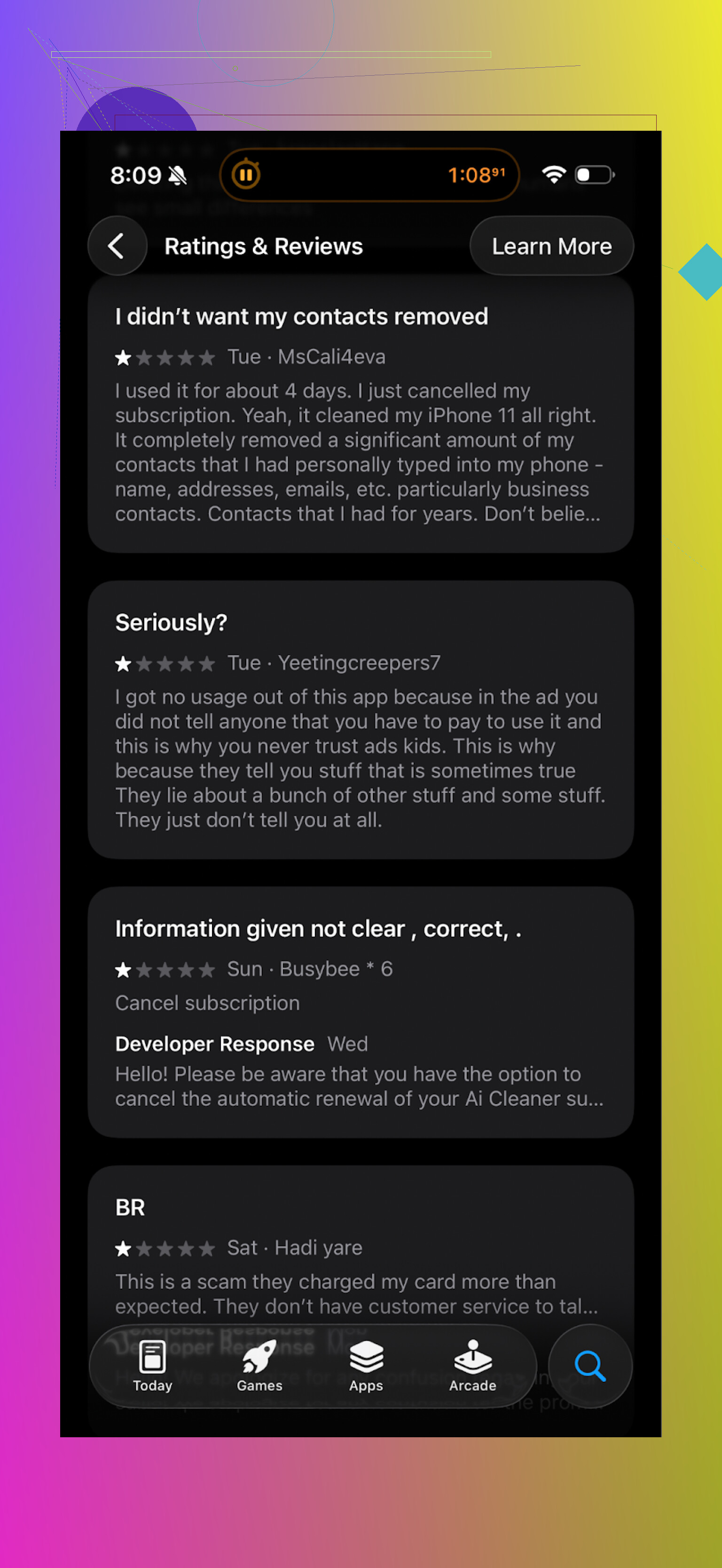
So I dumped it after about 20 minutes of testing.
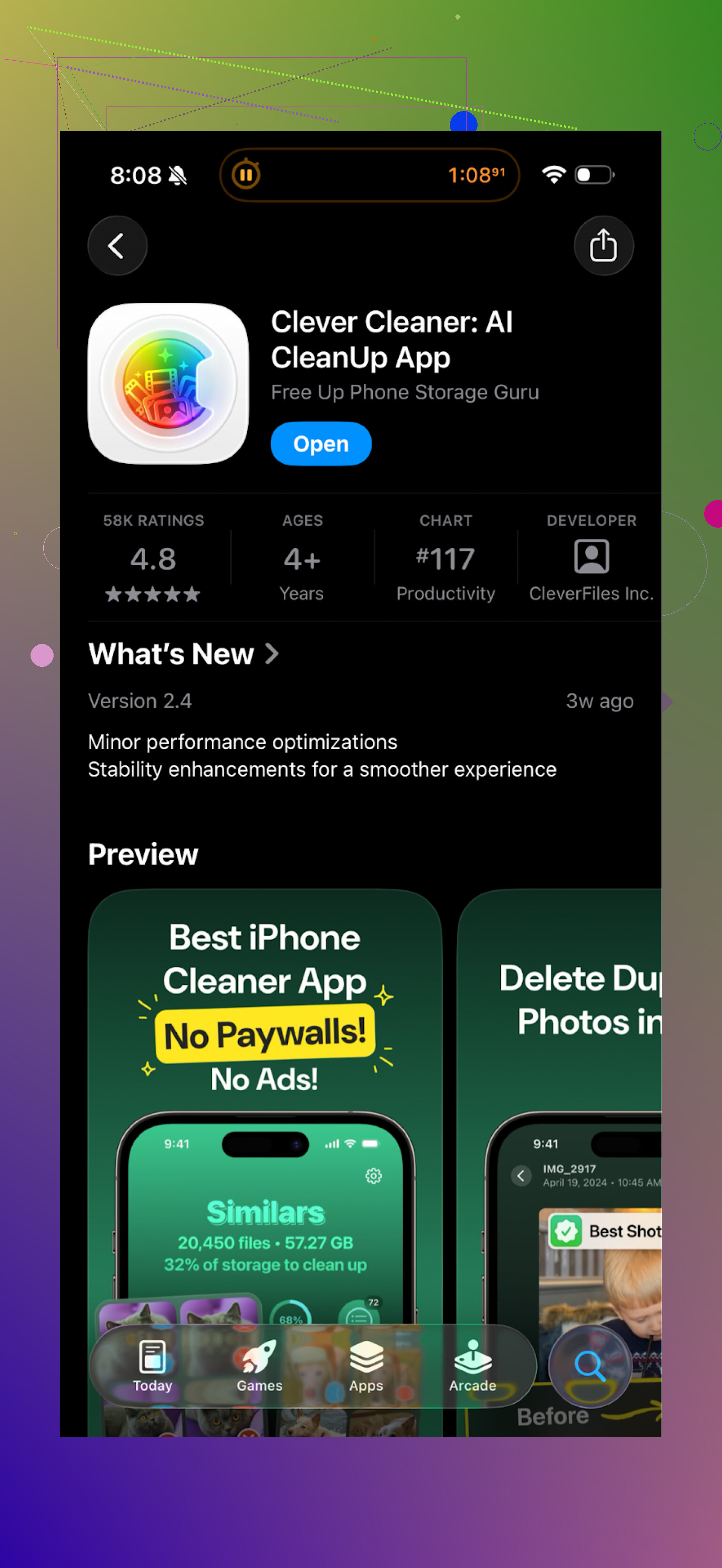
What I switched to instead: Clever Cleaner
I then tried Clever Cleaner, from here:
Different vibe right away. No paywall slap in the face after each button press. No ads in my case.
What it did on my phone
- Found duplicate and similar photos
I ran the scan on my 128 GB iPhone that was down to 4 GB free. Clever Cleaner went through:
- near‑identical selfies
- repeated “screenshots of chats”
- multiple takes of the same scene
It showed them in groups, so I could keep one and remove the rest. The detection felt tighter. For example:
- It grouped 5 almost identical sunset photos.
- It did not group two different angles of the same place.
On AI Cleaner those two angles were often mashed into one “duplicate” group.
- Screenshots and random trash
It pulled out:
- old boarding passes
- delivery tracking screenshots
- random memes from 2021
- app tutorial screenshots
I cleared about 2.3 GB here alone on the first run.
- Large files
There was a list of big items, sorted by size. For me that exposed:
- some 4K screen recordings I forgot about
- a couple of offline Netflix downloads
- a 2 GB video from a concert
That was an easy extra 8 GB.
Privacy side
The part I paid attention to: it ran the analysis on the device itself. No upload progress bar, no cloud logo, no “sending for analysis” hint.
Given how many personal photos sit in the library, local analysis is the only thing I am comfortable with. I kept Wi‑Fi off the second run, and it still worked, which suggests it does not depend on a server somewhere.
How it felt compared to AI Cleaner
-
AI Cleaner
- Aggressive upsells
- Key actions behind subscription
- “AI” grouping had faults, risked deleting things I wanted
- Felt like a money funnel wrapped in a utility
-
Clever Cleaner
- Free on my runs, with the core stuff unlocked
- Fewer nag screens
- Cleaner UI, fewer taps to delete
- Local processing, which helped me trust it a bit more
I am not saying Clever Cleaner is perfect. I still double‑check selections before confirming deletes, and I avoid any “one tap clean everything” type options. But on my device it did the job without trying to squeeze me every step.
Links and extra info
YouTube video on Clever Cleaner:
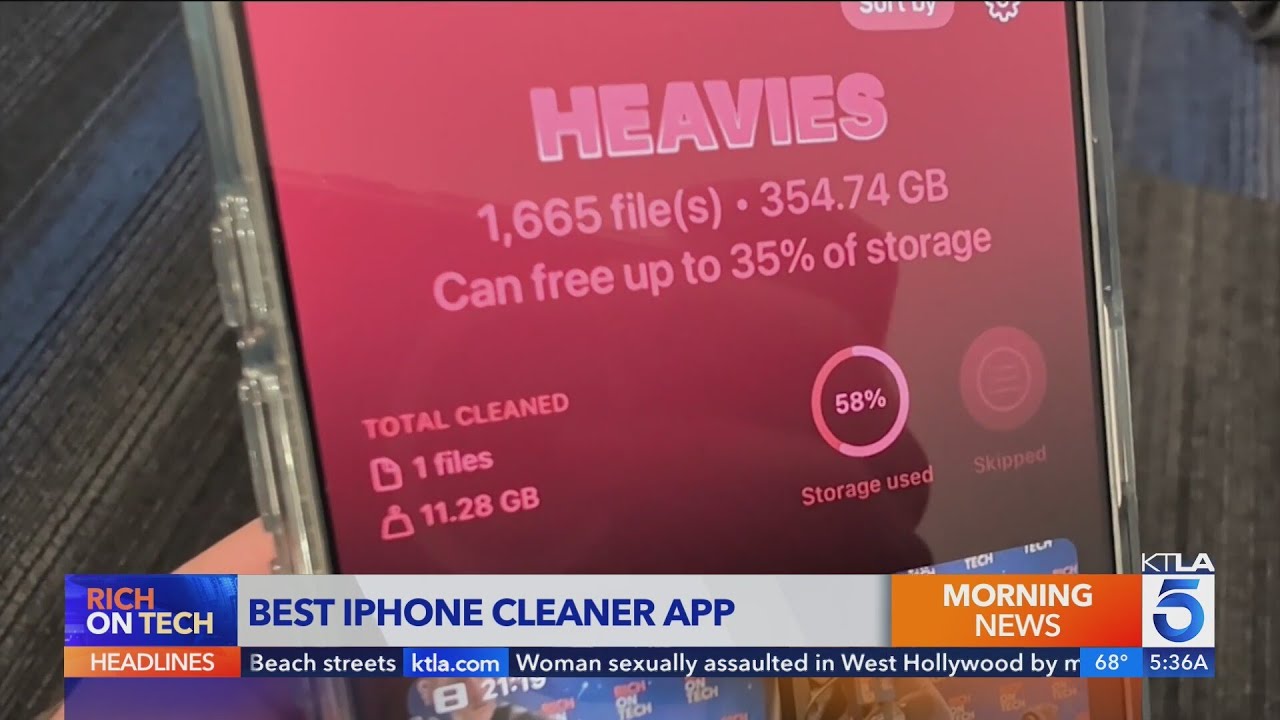
Clever Cleaner homepage:
App Store link:
There is also this Reddit thread listing cleaner apps and explaining why some of them are risky for data recovery:
If you try any of these, my only hard rule is: before you delete a big batch, scroll through the groups slowly and deselect anything you are not 100 percent ready to lose. iOS “Recently Deleted” helps, but once that is cleared, it is gone.
7 Likes
Short answer from my side, mixed bag, lean toward “be careful”.
A few key points, trying not to repeat what @mikeappsreviewer already covered:
- Speeding up a slow phone
Most “AI cleaner” apps on iOS or Android do not speed up performance in a lasting way.
On iPhone, iOS already handles RAM and background apps. Third party cleaners mostly focus on photos, videos, caches, and contacts.
On Android, some cleaners kill background apps, but the system restarts what it needs. You see a short bump, then it slows again.
If your phone feels slow, the biggest wins tend to be:
- Remove heavy apps you do not use.
- Update the OS.
- Free 5 to 10 GB of storage so the system has breathing room.
- Storage cleaning
This is where these apps are sometimes helpful.
Photo and video libraries get bloated. A good cleaner helps you:
- Group similar shots.
- Surface screenshots and random junk.
- Find huge videos and offline downloads.
Here I agree partly with @mikeappsreviewer, the “AI” grouping in some apps is sloppy. I have seen:
- Different people marked as duplicates.
- Two different poses lumped together.
So never trust one tap “clean all”. Scroll through groups and keep your finger on the manual review trigger.
- Ads, paywalls, and shady behavior
Red flags I watch for:
- Full screen ads on almost every tap.
- Forced “trial” screens with tiny X buttons.
- Fake “virus found” style warnings.
- Requesting permissions they do not need. On Android, no cleaner needs SMS, mic, or location to function.
If you see those, uninstall. These apps exist to make money on subscriptions and ad views first. Cleaning is second priority.
- Malware risk
On iOS from the App Store, outright malware is less common, but there are plenty of aggressive, misleading apps.
On Android, if you sideload from outside Play Store or use some “pro cracked” version, the risk jumps.
If you stay in the official store, check:
- Recent reviews, not only the star score.
- Version history and update frequency.
- Privacy policy. If it says they upload your photo library for “analysis” or “improvement of services”, I walk away.
- About specific apps
I tested a few like AI Cleaner type tools on iPhone and Android. My pattern:
- Free scan looks fine.
- “Smart clean” or “deep clean” locked behind subscription.
- Confusing labels like “junk” on files that were not junk at all.
I do not fully agree with @mikeappsreviewer on being as tolerant of any “AI” decision making. I trust machine grouping only as a shortcut. I treat the suggestions as hints, not decisions.
That said, I think their take on the Clever Cleaner App is fair. If you want to try a cleaner, I would pick something in that vein:
- Core features available without being hit by constant paywalls.
- On device processing instead of uploading photos.
- Clear groups of duplicates and similar files instead of a magic one tap wipe.
The Clever Cleaner App sits in that category for me. Especially if storage, not CPU speed, is your problem. It is decent for:
- Clearing old screenshots and memes.
- Finding huge videos and forgotten downloads.
- Tightening up bursts and near duplicates without merging different angles.
- Safer “manual” steps before any cleaner
Before you install anything, try this:
- iPhone: Settings > General > iPhone Storage. Delete old apps, check Messages > Large Attachments. Offload apps you never open.
- Android: Settings > Storage. Sort by app size. Clear old downloads and offline content in streaming apps.
- Clean your WhatsApp or Messenger media folders if you use those heavily.
- Use your built in photo app to remove obvious junk.
If that does not give you enough space, then try a cleaner like Clever Cleaner App as a helper, not as your only tool.
My bottom line:
- For speed, these apps rarely help for long.
- For storage, they help if you treat them like a guided manual cleanup and keep full control.
- Avoid anything that hides basic actions behind aggressive subscriptions or that uploads your whole library.
Short version: “AI cleaner” apps are like crash diets for phones. Sometimes you drop a few GB. Long term, they’re not magic, and some are pretty scummy.
I’m mostly on the same page as @mikeappsreviewer and @ombrasilente, but I’ll add a few angles they didn’t hammer on, and disagree a bit in spots.
1. Will it actually speed up your phone?
Honestly, not much.
- If your storage is critically full (like under 1–2 GB free), any tool that helps you free 5–10 GB can make the phone feel less laggy: fewer app crashes, less “storage full” nagging, smoother updates.
- If you already have, say, 15–20 GB free, installing an AI cleaner to “speed it up” is like buying a new trash can to fix a slow laptop. Nice accessory, wrong problem.
Where I slightly disagree with both of them:
On older Android phones with weak CPUs and 2–3 GB RAM, some cleaners can give you a tiny short‑term bump by killing misbehaving apps and cleaning crazy log files. But that effect usually lasts minutes or hours, not days. If the phone is old and bloated, you’re fighting the hardware and the OS, not just “junk”.
2. Where these apps are actually useful
This is where the Clever Cleaner App makes sense, and why I’d recomend that route if you’re going to try one at all:
-
Photo & video hoarders: If you have thousands of pics and you’re not going to manually review every album, an AI‑assisted grouping of:
- bursts
- near‑identical selfies
- ancient screenshots
is legitimately helpful.
-
“Forgotten big stuff”: Big downloads, 4K videos, random screen recordings. An app surfacing “Top 50 largest files” is much faster than digging around each app’s settings.
Clever Cleaner App specifically seems decent here: less paywall harassment, local processing, and not pretending that one‑tap “AI clean” is some divine truth. That aligns with the better parts of both @mikeappsreviewer and @ombrasilente’s experiences.
3. Things I’d watch harder than they did
They already warned about ads and upsells, but I’d be even more strict on these points:
-
Data collection:
If any cleaner:- needs an account just to scan
- mentions “training our AI” or “improving our services” using your photos or files
I’m out. That is a data‑harvesting business, not a cleaner.
-
“One‑tap full clean” buttons:
I’d treat those like a chainsaw: powerful, but really good at ruining your day.
Even on Clever Cleaner App or any “good” app, I’d never trust one‑tap to decide which photos / videos to kill. Use the AI to group stuff, then review the groups like a lazy human, not a blind one. -
Subscription creep:
I personally don’t think a basic cleaner deserves a weekly or even monthly sub. If the app starts at:- “free trial, cancel or pay $4.99/week”
just uninstall and walk.
- “free trial, cancel or pay $4.99/week”
4. Malware & shady behavior in practice
People throw around “malware” loosely. On iOS especially, it’s usually not classic malware, it’s:
- deceptive UI
- fake “device infected” alerts
- super aggressive trials
- apps that ask for more permissions than they practically need
On Android, if you:
- stick to Play Store
- don’t sideload “cracked” cleaner APKs
you’re mostly dealing with bloat and adware behavior, not keyloggers. Still annoying, but different category.
5. If you’re going to install one anyway, my practical approach
-
Decide your real goal:
- “Speed up”: Probably limited benefit. Maybe worth it if storage is almost full.
- “Free storage”: This is where it can shine.
-
Pick something like Clever Cleaner App over the shouty “AI Cleaner” clones:
- Better balance of features to nagging
- Local photo analysis
- Good at surfacing dupes and large files
-
Use it as a guided manual tool, not auto‑pilot:
- Let it group similar pics
- You pick what goes
- Triple‑check anything marked “junk” from system or messaging apps
-
After one big cleanup:
- Uninstall the app if you don’t plan to use it monthly. No need to keep a cleaner constantly installed chewing space and tempting you with trials.
6. My bottom line to your actual question: “Good or bad experience?”
- If you choose a random “AI cleaner” with flashy ads: mostly bad. Lots of paywalls, sketchy UX, negligible speed boost.
- If you pick something like the Clever Cleaner App and use it carefully: can be good, especially for recovering 5–20 GB of space from photos, videos, and old junk.
- As a performance booster: mild, temporary, and often overrated.
I’d only bother if:
- your storage is nearly full
- you don’t have the patience to manually comb through photos and big files
and then I’d lean toward Clever Cleaner App, with your finger hovering over “deselect” and “uninstall” if it starts getting pushy.
Short version in my experience: AI cleaner apps are tools, not magic. Some are borderline scammy, some are actually useful, and a few sit in a “good, but only if you use them with brain engaged” category.
I’m mostly aligned with @ombrasilente, @vrijheidsvogel and @mikeappsreviewer, but I land slightly differently on a couple of points.
1. Do they really speed up a slow phone?
They covered this well: if your storage is nearly full, freeing space helps stability more than raw “speed”. Where I mildly disagree is on how much impact you can feel:
- Older Androids with tiny storage sometimes feel dramatically better for a while after a deep clean, not just a “tiny bump”.
- On newer phones, the effect is often psychological. Less nagging, fewer “cannot take photo” messages, so it feels faster even if benchmarks barely move.
So, yes, they are overrated as performance boosters, but I would not dismiss the feeling of “wow, my phone breathes again” right after a big storage clear.
2. Where AI cleaning actually shines
Everyone has talked about photos and large files. One useful angle they did not press much:
- Decision fatigue relief.
Manually deciding which of 30 similar trip photos to keep is exhausting.
A decent AI grouping system reduces your work from 30 decisions to maybe 5.
That is where something like the Clever Cleaner App is actually valuable. It does not need to be perfect. It just needs to narrow the pile so your brain is only doing the final pass.
I would still never trust any “delete all suggested” button, on Clever Cleaner or any other cleaner.
3. Pros & cons of the Clever Cleaner App specifically
Pros:
- Fewer obnoxious upsell screens compared to typical AI cleaner apps.
- Local on device analysis, which is a huge privacy win for photo libraries.
- Sensible grouping of duplicates and similar shots without merging obviously different angles as “same”.
- Large file view that quickly exposes forgotten recordings, downloads and oversized media.
Cons:
- Still an extra app with access to your photos, so you are adding another potential privacy surface.
- “Similar” is subjective. It can suggest deleting variants you actually care about (slightly different pose, lighting, expression).
- Can encourage “fire and forget” habits. People get confident after one good run and stop checking groups carefully.
- Does not solve deeper issues like a bloated OS, aging hardware, or very heavy apps that keep your phone slow no matter how clean your photos are.
So I see Clever Cleaner App as a good assistant, not a fix. If I had to install one cleaner right now, it would probably be this type rather than the more aggressive AI Cleaner style apps that @mikeappsreviewer described.
4. How my take differs slightly from theirs
- I agree with @ombrasilente and @mikeappsreviewer that most AI cleaners oversell the “AI” part. Personally, I treat all of them like a smarter search filter, not an intelligence.
- Where I am a bit closer to @vrijheidsvogel’s cautious stance is on data: once a cleaner so much as hints at remote processing, cloud accounts or sharing photos to “improve recognition”, it is a nonstarter for me, even if the features are shiny.
If you try one, including the Clever Cleaner App, treat it as a temporary power tool: install, clean, double check groups manually, then uninstall until you genuinely need it again. That way you get the pros without living with the cons every day.