For context: I’ve bounced between a bunch of cloud storage providers over the years, and I keep circling back to pCloud. Not because it’s perfect, but because it quietly checks most of the boxes people have been yelling about in threads for a long time.
pCloud in actual day‑to‑day use
The thing that keeps me on pCloud is that it feels… settled. Not flashy, not hyped, just mature. They’ve been around long enough that:
- Weird sync edge cases I used to hit with other services are mostly gone.
- The clients get updates often enough that you can tell someone is still paying attention.
- It doesn’t give off that “this might vanish in 18 months” startup energy.
Is it bug‑free? Of course not. But compared to some of the smaller players, you can tell it has been through several rounds of “real users broke this, we fixed it.”
Block‑level sync: the underrated feature no one advertises correctly
One of the biggest practical wins for pCloud, at least for me, is block‑level syncing.
Very short version:
- Change a tiny bit of a big file (say, a 2 GB video or a massive PSD).
- With block‑level sync, only the parts that changed get uploaded.
- Without it, your client shrugs and reuploads the whole monster file.
Last I checked, Koofr still didn’t have that. If you’re editing big files all day, the difference between “2 seconds” and “15 minutes” adds up pretty fast, and your bandwidth bill notices too.
If your life is mostly PDFs and Word docs, maybe you don’t care. But if you’re doing video, design, VMs, or large databases, this becomes one of those invisible quality‑of‑life features you only notice when it’s missing.
Where Koofr might still win
I’ll give Koofr this: as far as I know, it does have better integration with Microsoft Office online. If you live inside the Office ecosystem all day and absolutely need the “edit directly from cloud” workflow, that might tilt things in Koofr’s favor.
For me, that’s more of a “nice to have” than a killer feature, because:
- I don’t want my cloud provider tightly coupled to one office suite.
- Most of my work happens in local apps anyway, then syncs out.
But if your company or school is deep into Microsoft 365, that integration might matter a lot more in your world than in mine.
If your real goal is “one dashboard for everything”
This is usually where the discussion goes sideways. People say they’re choosing between Koofr and pCloud, but what they actually want is:
“I’ve got stuff spread across Google Drive, Dropbox, OneDrive, pCloud, etc., and I just want one place to see and use all of it.”
If that’s you, then picking a single storage provider won’t magically solve the problem. What you’re describing is more of a “front end for all my clouds” situation.
That’s where tools like CloudMounter come in.
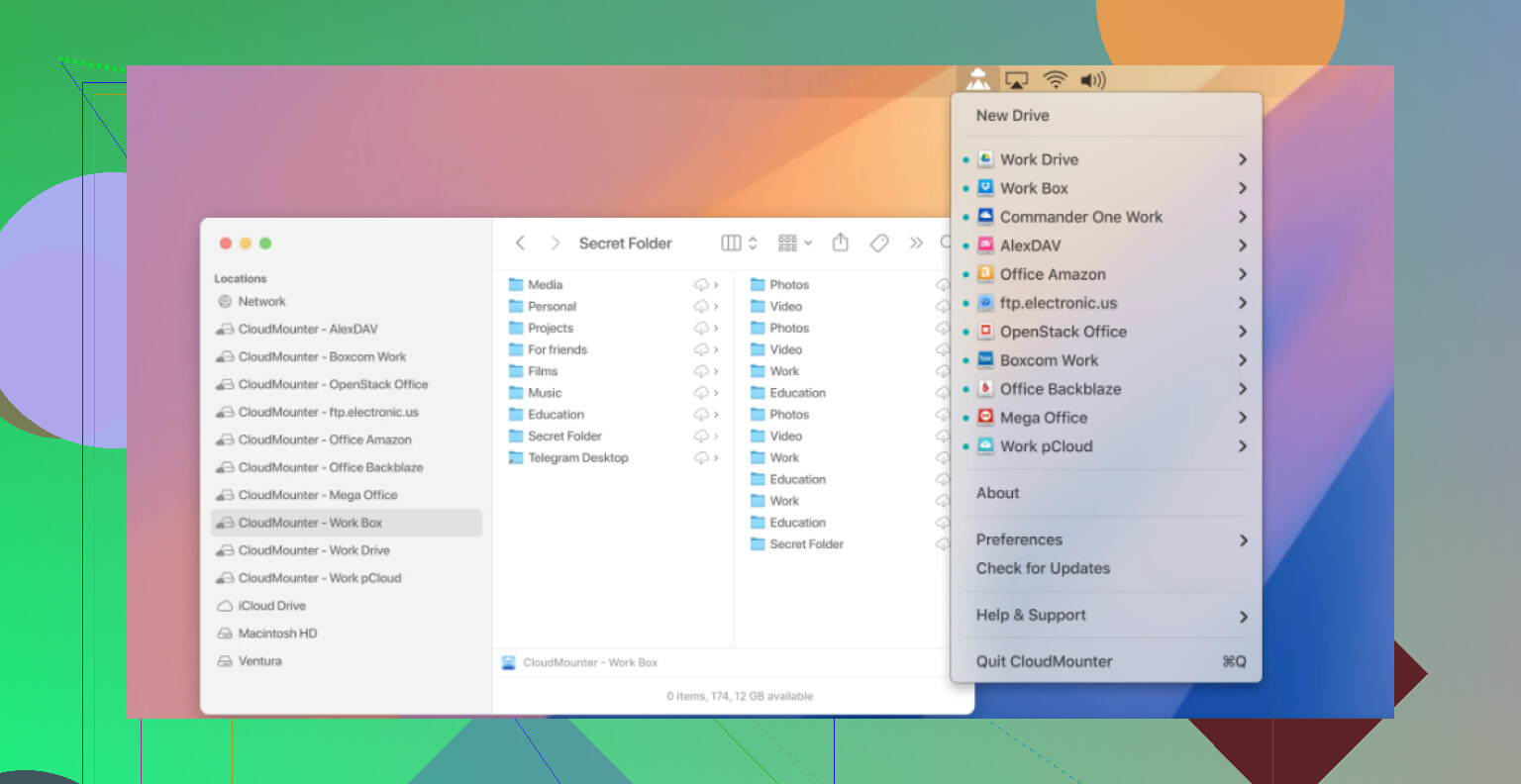
Link for reference:
CloudMounter
CloudMounter doesn’t try to be another Koofr or another pCloud. It just takes services like:
- pCloud
- Koofr
- Google Drive
- Dropbox
- OneDrive
- (and a bunch of others)
and mounts them as if they were actual drives/folders on your Mac or Windows machine.
What that means in practice:
-
No local disk eaten up
Files live in the cloud. They only pull down when you access them, so your tiny SSD doesn’t cry. -
Everything feels native
You work in Finder or File Explorer like normal. No jumping between 4 different client apps or 12 browser tabs. -
You can mix & match providers
Store big backups on the cheap one, share stuff from the one with better links, keep sensitive stuff on your “trust this slightly more” provider. All in one file tree. -
Free tier stacking actually works
If you’re the kind of person hoarding 15 GB from Google, 2 GB from Dropbox, 5 GB from pCloud, etc., this is a clean way to treat all those scraps as one giant patchwork drive.
So, what would I personally do?
If I had to simplify it into how I actually use this stuff:
- I’d pick pCloud as my primary storage if I care about performance, maturity, and block‑level sync.
- I’d only lean toward Koofr if that Microsoft Office integration is central to my workflow.
- I’d add CloudMounter on top if the real need is to juggle several services from one place instead of pretending I’ll “move everything to one provider someday.”
You don’t have to marry one ecosystem. Use one for what it’s good at, then glue them together with something like CloudMounter and call it a day.