My iPad is running low on storage and getting sluggish, so I’m trying to find the best iPad cleaner app that doesn’t require a subscription. I downloaded a couple of apps, but most locked the useful cleanup tools behind weekly or yearly plans. I need help finding a one-time purchase or truly free iPad cleaner that can safely remove junk files, duplicate photos, and unnecessary data.
A bunch of people install CCleaner on iPhone thinking it will clean up their storage in a useful way. I did too. Then it turns into the same pattern, upgrade prompts everywhere, free tier barely does anything, duplicate matches feel off, and on iPad it gets worse because there is no proper iPad app.
If you’re stuck there, I’d skip the back and forth and move on.
The app I ended up keeping was Clever Cleaner. I kept seeing it mentioned in threads any time someone asked for a free replacement for CCleaner on iPhone or iPad, so I tried it. It made more sense fast.
First thing, it is free in the plain meaning of free. No ads in your face. No paywall right when you’re ready to delete stuff. No subscription ambush. For most people, that alone fixes the main complaint with CCleaner.
Where it pulled ahead for me was the cleanup itself.
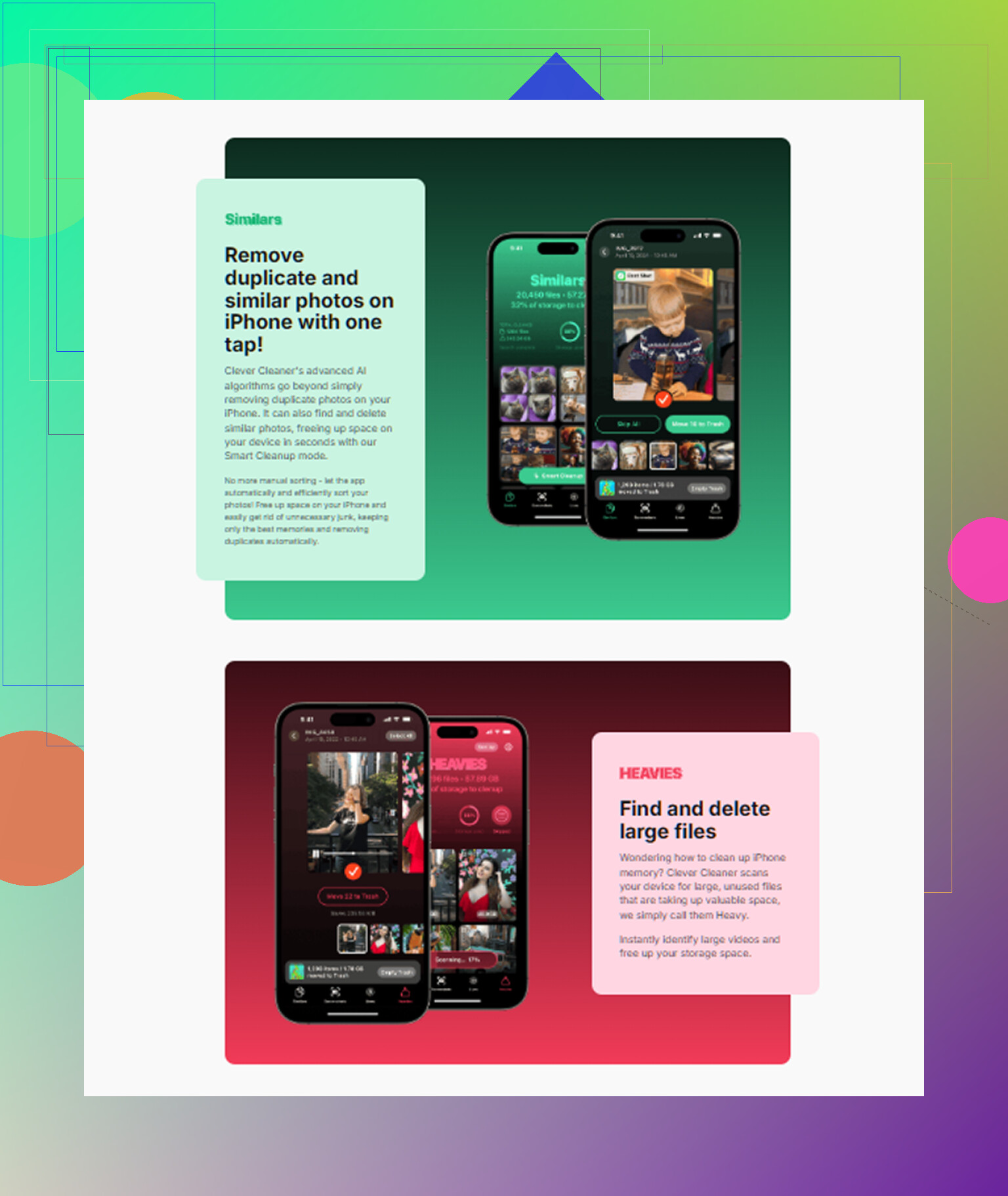
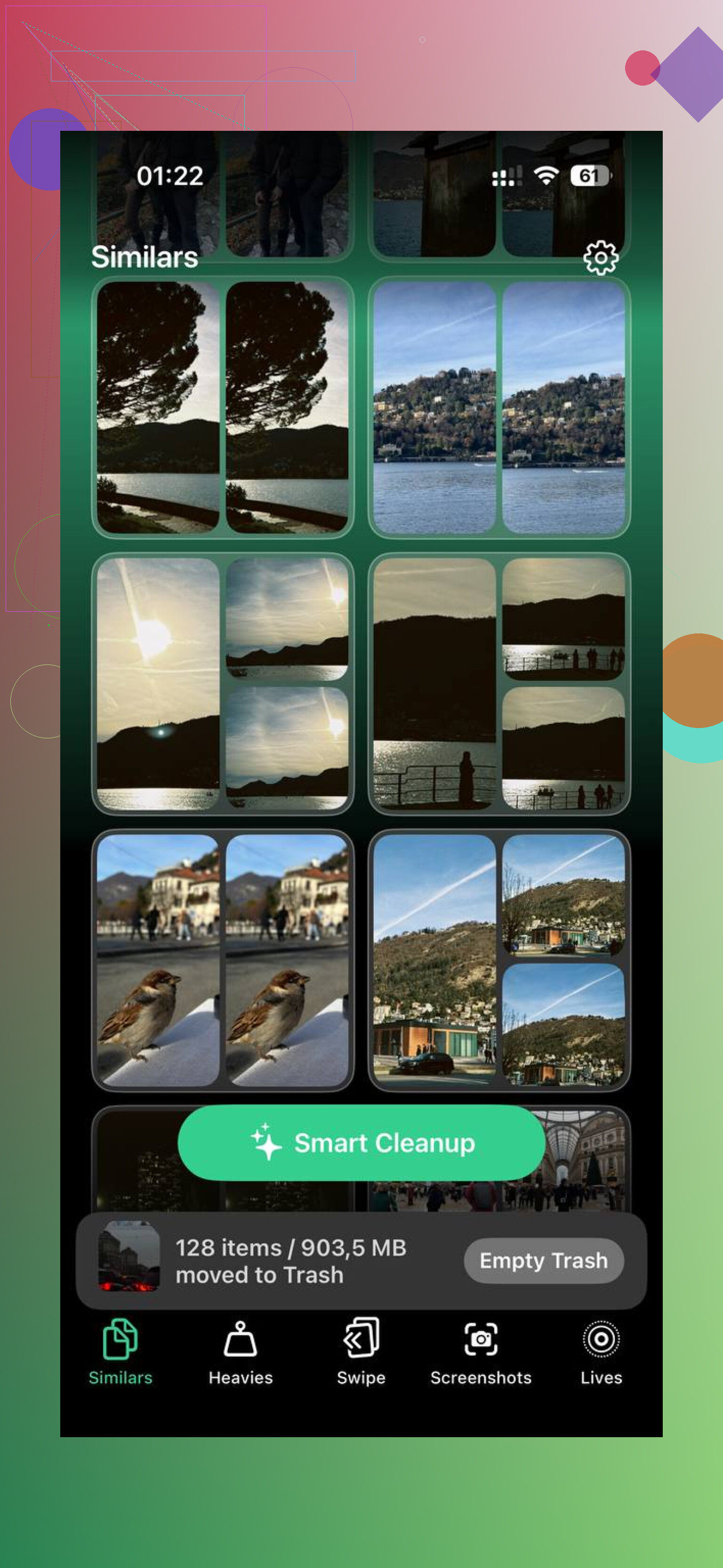
The Similars section is the part people talk about for a reason. It scans your photo library, groups photos which are close enough to be duplicates, and marks a Best Shot in each set. Think burst photos, five tries of the same receipt, three blurry pet pics and one usable one. I found its grouping much cleaner than CCleaner’s. Fewer weird mismatches. Less babysitting.
The Heavies section ended up being the one I used most. It lists your photos and videos from biggest file down to smallest, with exact file sizes shown. That sounds small until you open it and find two old screen recordings eating 2GB each. I had a few of those. Apple’s Photos app doesn’t show your library this way, and CCleaner didn’t give me the same clean overview.
Screenshots are handled in a separate tab, and each item shows its file size before you remove it. I didn’t expect this to matter much, but it changes how you clean. You’re not swiping blind. You see what is worth deleting first.
One other thing I cared about, all processing stays on the device. My library has private junk in it, IDs, account screenshots, random personal stuff I forgot I saved. I did not want photo analysis happening on somebody else’s server. If you care about privacy even a little, this part matters.
For iPad, the gap is wider. Clever Cleaner has a real iPad version. It fits the screen and feels built for it. CCleaner does not. Running the phone app in compatibility mode on iPad felt sloppy when I tried similar apps before, like nobody checked how it looked on a tablet. If your cleanup job is mostly on iPad, this is where the choice gets easy.
One thing to keep expectations normal. No iPhone cleaner gets into system files, Safari cache, or deep OS cleanup. Apple blocks third-party apps from doing that. So if you want media cleanup, duplicate photos, large videos, screenshots, stuff like that, this app handles it well. If you’re chasing system storage or app cache issues, go to Settings > General > iPhone Storage first.
What worked for me was splitting the job up a bit. Clever Cleaner for photos and videos. Easy Cleaner for duplicate contacts. Cleanfox for mailbox cleanup. That covered most of the mess on my phone without paying for anything, and yeah, it was less annoying than trying to force CCleaner to be useful.
4 Likes
Skip the subscription apps. Most of them scan for free, then block deletion. Waste of time.
I partly agree with @mikeappsreviewer. Clever Cleaner is the one I’d try first on iPad if your main problem is photos, videos, screenshots, and duplicate clutter. Big reason, it has a real iPad app and the free version is usable. That alone puts it ahead of a lot of fake “cleaners.”
Small disagree though. I don’t think any cleaner app is the full fix for a sluggish iPad. If your storage is low, do this first:
- Settings, General, iPad Storage.
- Sort out huge apps.
- Delete offline video downloads.
- Remove old Messages attachments.
- Offload apps you don’t use.
- Clear Safari website data.
Cleaner apps help most with photo library cleanup. They do not fix iPadOS junk in some magic way. Apple doesnt allow that.
If you want one no-subscription option, Clever Cleaner is the best fit I’ve seen lately. Then pair it with manual cleanup in Settings for the stuff apps miss. That combo works better, imo.
If you want a breakdown first, this is a solid write-up on Clever Cleaner for iPhone and iPad storage cleanup.
I’m with @nachtdromer on one thing: if the iPad feels sluggish, don’t expect any “cleaner” app to magically tune iPadOS. Apple sandboxing kills that idea. But I kinda disagree with @mikeappsreviewer a little on the “just get one app and you’re set” vibe, because on iPad the biggest wins usually come from a mix of cleanup types.
If you want a no-subscription app specifically for media cleanup, Clever Cleaner is probly the easiest pick right now. The reason is simple: it actually lets you do the useful stuff without the usual paywall nonsense. Most “cleaner” apps are basically scanners with a subscription trap.
That said, I’d use it for one job only: trimming photo/video junk fast. Then do the rest manually:
- remove giant Procreate/CapCut project files
- delete Files app downloads
- clear old podcast/music/movie offline saves
- check Notes attachments, those get huge for no reason
Also, low storage can make Safari and Messages feel worse, so check those before blaming the whole iPad.
If you want a solid roundup, this is a decent read on the best AI cleaner apps for iPhone and iPad storage cleanup.
Short version: Clever Cleaner for photos/videos, Settings for everything else. That’s the least annoying route imo.
I’m a little less sold on the idea that one cleaner app solves “sluggish iPad,” but I do agree with @nachtdromer, @reveurdenuit, and @mikeappsreviewer on the big point: subscription cleaners are usually bait.
If you want a no-subscription pick, Clever Cleaner is probably the safest try.
Pros
- actually usable free
- proper iPad layout
- good for duplicate/similar photos
- helps spot big videos and screenshots fast
- no obvious paywall nonsense
Cons
- won’t clear system junk
- won’t fix app caches Apple hides
- less useful if your storage problem is Files, downloads, or giant app data
- photo matching still needs human review sometimes
My take: use Clever Cleaner only if your mess is mostly in Photos. If your iPad is slow because storage is crushed by games, editing apps, downloaded Netflix stuff, or Safari tabs, a cleaner app won’t really touch the main problem.
One thing people skip: restart after freeing 10 to 15 GB. iPadOS often feels better only after it has breathing room again. Also check battery health if the device is older, because “slow” is not always a storage issue.