Top Data Recovery Solutions for Mac & Windows: Free & Paid Options
Introduction
Data loss can strike unexpectedly—accidental deletions, system crashes, or formatting mishaps can all lead to lost files. Fortunately, there are recovery tools, both free and paid, that can help retrieve your valuable data. Let’s explore some of the best options available for Mac and Windows users tailored to various needs.
1. Disk Drill (Mac & Windows)
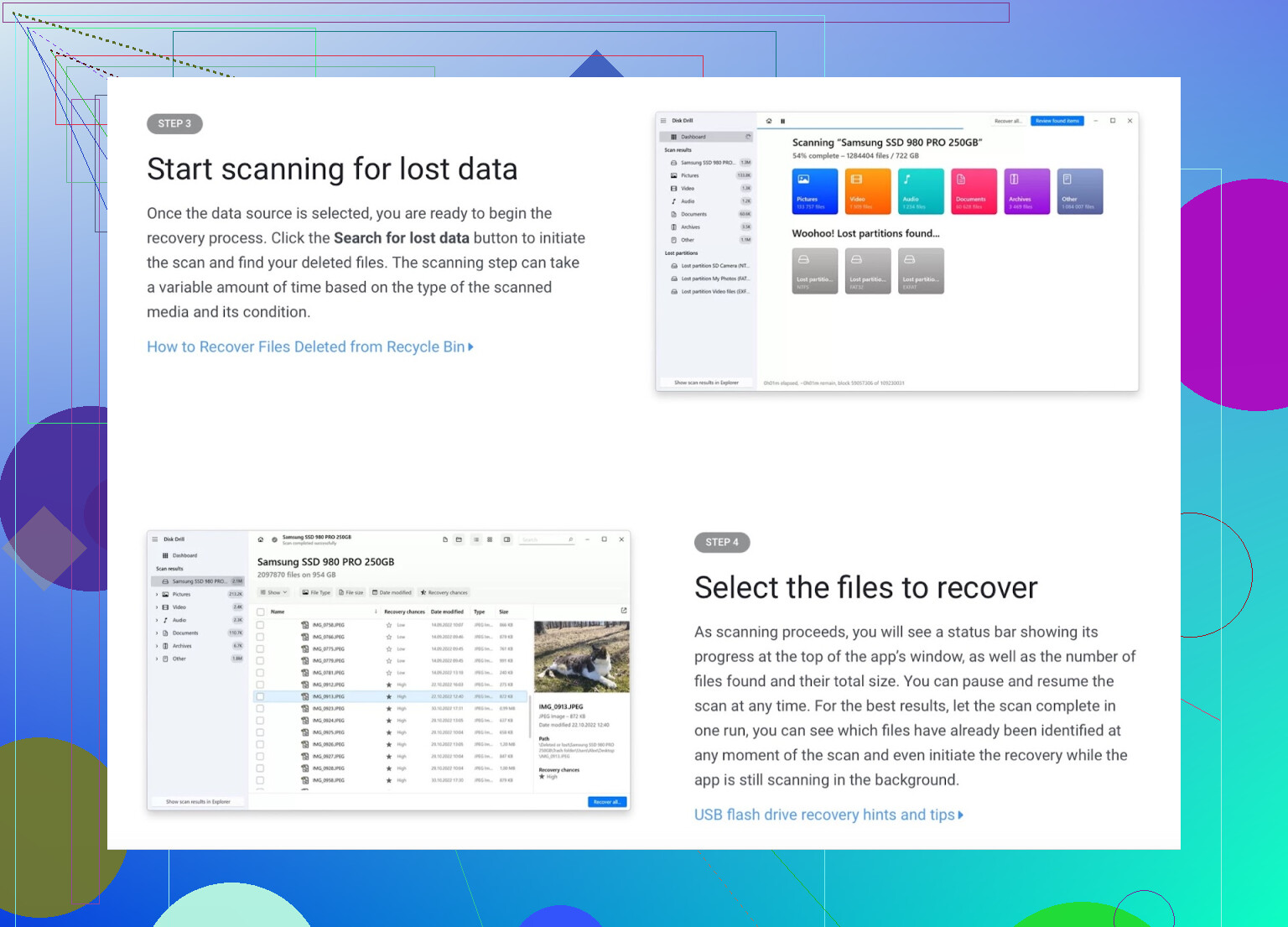
Why Choose Disk Drill:
Disk Drill is like a personal assistant for lost files, guiding users through recovery with ease. Designed for beginners yet powerful for professionals, it supports over 400 file types.
Pros:
- User-friendly interface: Perfect for those new to recovery tools.
- Wide file support: Recovers documents, photos, videos, and more.
- Additional features: Shields your files with Recovery Vault for future security.
- Free version: Retrieve up to 500MB on Windows.
Cons:
- For Mac users, the free plan only offers file previews.
- Deep scans may take a while, depending on storage size.
- A paid license is required for full recovery.
Verdict:
Disk Drill is intuitive, powerful, and perfect for recovering everything from everyday files to professional projects.
Explore Disk Drill here
Community feedback on Reddit
YouTube insights: https://www.youtube.com/watch?v=IGEizr1WZ3E
2. EaseUS Data Recovery Wizard (Mac & Windows)

Why Choose EaseUS:
EaseUS simplifies data recovery into a quick, three-step process. Its AI-powered scanning ensures a deep recovery experience tailored to your needs.
Pros:
- Ease of use: Recover lost files with minimal effort.
- Smart scanning: AI-driven technology to locate deep-buried files.
- Free recovery: Restore up to 2GB of data for free.
- Advanced capabilities: Recovery for lost partitions and RAW files.
Cons:
- Limited free recovery may not suffice for larger files.
- Deep scan functionality is time-intensive.
- Advanced recovery options require purchasing the full version.
Verdict:
A dependable choice for modern users, EaseUS simplifies complex recovery while delivering excellent results.
Checkout user reviews on Reddit.
3. Recuva (Windows Only)
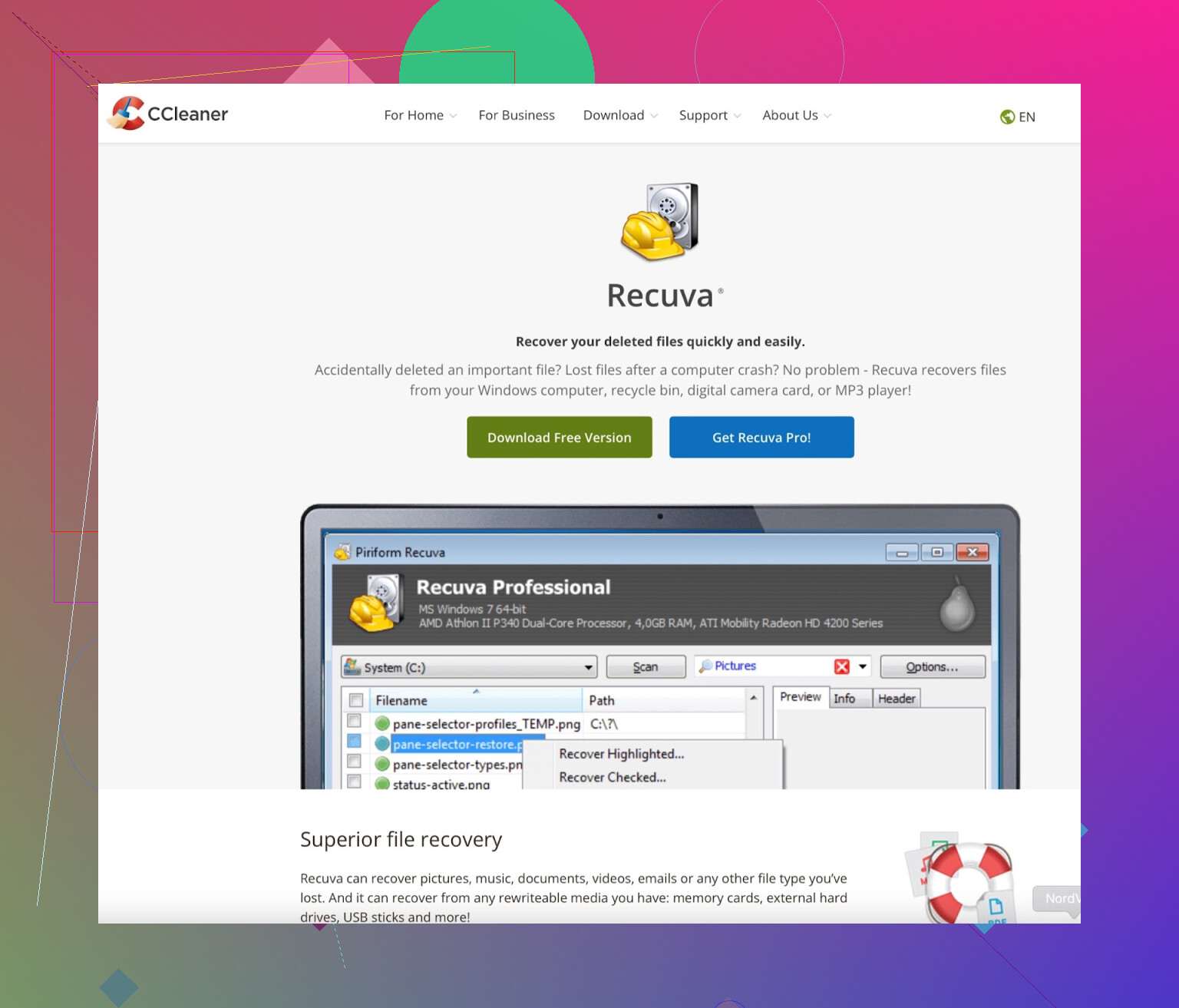
Why Choose Recuva:
Recuva stands out as a lightweight yet effective tool. Whether you deleted a critical file seconds ago or months ago, its recovery capabilities remain impressive.
Pros:
- Totally free: Unlimited recovery of files.
- Portable and fast: Can run from external drives without installation.
- User simplicity: Designed with accessibility in mind.
Cons:
- Windows-exclusive—there’s no version for Mac users.
- Lacks the extensive, advanced features competitors provide.
- May have issues retrieving heavily corrupted files.
Verdict:
For straightforward file recovery on Windows, Recuva is a stellar choice without any cost.
Join discussions on Reddit.
4. Stellar Data Recovery (Mac & Windows)
Why Choose Stellar:
Stellar shines through its multi-faceted recovery abilities, catering to photos, videos, emails, and more.
Pros:
- Handles recovery for diverse file types seamlessly.
- Works across numerous storage devices.
- Free plan available for up to 1GB file restoration.
Cons:
- File size limits on the free plan.
- Some scans may feel sluggish.
- Unlocking advanced tools costs extra.
Verdict:
An unbeatable option when you need robust scanning and professional-grade file repair.
5. TestDisk & PhotoRec (Mac & Windows)
Why Choose TestDisk & PhotoRec:
For tech-savvy individuals, these open-source tools provide unparalleled customization to recover files or repair lost partitions.
Pros:
- Totally free with no hidden charges.
- Exceptional at data and partition recovery.
- Compatible across multiple operating systems.
Cons:
- Exclusively command-line driven—no graphical interface.
- Not suitable for users unfamiliar with terminal commands.
Verdict:
A top-tier choice for seasoned users who confidently navigate open-source systems.
6. R-Studio (Mac & Windows)
Why Choose R-Studio:
A go-to tool in professional environments, R-Studio offers intricate recovery options, tackling even the most complex data disasters.
Pros:
- Reliable RAID recovery capabilities.
- Works seamlessly over networks.
- Extensive file system support.
Cons:
- Overwhelming for non-technical users.
- Requires purchase for meaningful access—no free version.
Verdict:
Unbelievably powerful, but best left to seasoned professionals who can navigate its complexities.
7. Wondershare Recoverit (Mac & Windows)
Why Choose Recoverit:
Recoverit earns its name by being engineered for simplicity with a focus on specialized recovery, such as damaged video repairs.
Pros:
- Exceptionally beginner-friendly interface.
- Compatible with over a thousand file formats.
- Unique multimedia restoration tools.
Cons:
- 500MB restriction in the free tier.
- Extended scans may test your patience.
Verdict:
Fantastic for those getting started or multimedia users needing specialized solutions.
8. Ontrack EasyRecovery (Mac & Windows)
Why Choose Ontrack:
Frequently cited by professionals, Ontrack’s suite of tools is robust, reliable, and invaluable for extreme recovery scenarios.
Pros:
- Supports email and RAID recovery.
- Allows up to 1GB of free retrieval.
- Vastly trusted within data recovery circles.
Cons:
- Some free-tier restrictions (e.g., 25MB per file).
- Premium features come at a steep cost.
Verdict:
An invaluable asset for high-stakes recovery operations.
9. Prosoft Data Rescue (Mac & Windows)
Why Choose Prosoft Data Rescue:
Known for its cloning feature, Prosoft allows users to work safely on a clone of a damaged or failing drive.
Pros:
- Expert recovery for failing drives.
- Perfected for Mac users.
Cons:
- Users pay per recovery attempt.
- Absence of lifetime licensing options.
Verdict:
Tailored for Mac enthusiasts dealing with intensive recovery needs.
10. MiniTool Power Data Recovery (Windows Only)
Why Choose MiniTool:
This pocket-sized solution packs enough power for basic file recovery tasks without unnecessary fuss.
Pros:
- Simple to operate.
- Free up to 1GB of data recovery.
Cons:
- Exclusively for Windows users.
- Limited utility for advanced recovery cases.
Verdict:
An easy, effective solution for Windows users with modest recovery requirements.
Closing Tips: Best Options by Category
- For Beginners: Disk Drill, EaseUS, Recoverit.
- Best Free Choices: Recuva (Windows), TestDisk (Mac & Windows).
- For Experts: R-Studio, Prosoft, Ontrack.
- Video Recovery: Disk Drill, Recoverit.
For minor losses, start with free tools. For serious data issues, a paid solution may be your best bet.