I’ve been seeing a lot of ads for an Ai Cleaner app that claims it can quickly free up a ton of storage space on my phone, but I’m not sure if it actually works or is just another gimmicky cleaner. Has anyone tested it in real everyday use, and does it safely remove junk without deleting important files or slowing things down? I’d really appreciate some honest reviews and tips before I install it.
I tested a bunch of these “AI cleaner” apps on iPhone and Android because my storage was a mess too. Short version. Most of them do the same thing, some add fake “AI” marketing on top.
Here is what they usually do:
-
Junk and cache cleanup
• They clear app cache, temp files, ad leftovers.
• On Android you often see a few hundred MB freed.
• On iOS it is more limited, since the system controls a lot of cache. Results are smaller. -
Photo and video cleanup
• They scan for similar photos, dupes, screenshots, blurred shots.
• This part helps the most. If you take lots of photos, you can free gigs.
• Important thing. You still need to review before deleting. The “AI” guess is not perfect. -
Big files and apps
• They list large videos, downloads, and apps you do not use.
• This is simple, but effective if you never check storage settings.
Where they fail:
• “Phone speed up 300 percent” type claims are misleading.
• CPU “cooling” and “battery life extender” are mostly nonsense.
• Some run constant background junk, which eats battery and data.
• Some show aggressive ads and push subscriptions.
What worked best for me:
On iPhone, the most useful tools were photo cleanup and large file detection. System cache is handled by iOS, so any app claiming huge “system cleanup” is overselling.
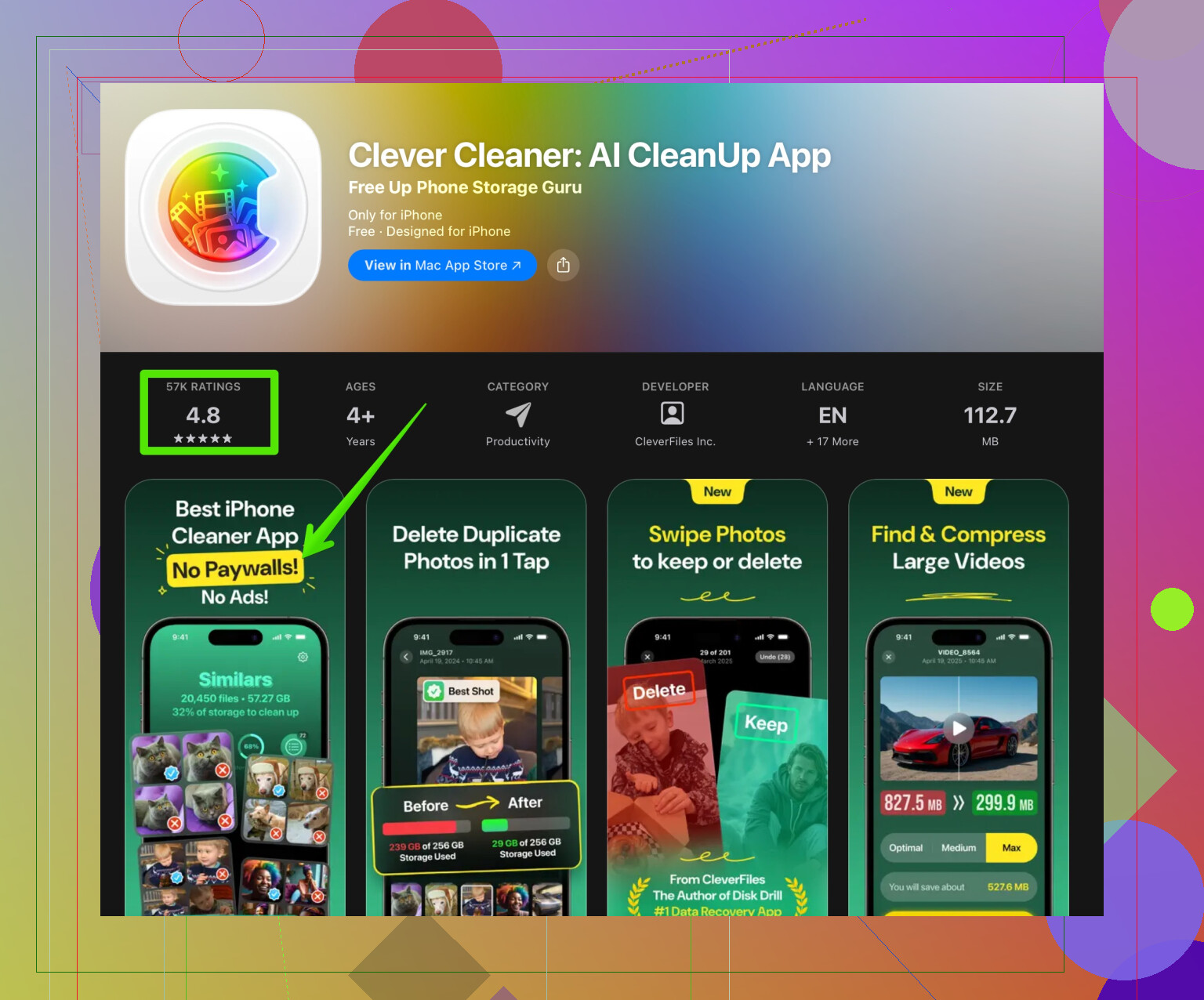
If you want something that focuses on storage and not gimmicks, I had decent results with Clever Cleaner. It helped remove duplicates, similar photos and old screenshots in a clear way.
Here is the link if you want to check it on the App Store.
Clean up iPhone storage with Clever Cleaner
Tips before you try any cleaner app:
• Always back up photos to iCloud, Google Photos, or a computer first.
• Turn off auto subscription trials if you only want to test.
• Avoid apps that ask for weird permissions or spam notifications.
• Run one cleaner at a time. Do not stack multiple “optimizers”.
If you prefer manual cleanup instead of another app:
• On iPhone. Settings > General > iPhone Storage. Sort by largest apps. Remove ones you do not use.
• Open Photos > Albums > Recently Deleted. Empty it.
• Delete old WhatsApp / Messenger media inside each app.
• Offload unused apps from iPhone Storage settings.
So yes, some AI cleaner apps help free space, especially with photos. They are not magic and you still need to review what you delete. Clever Cleaner did the job on my phone without being too annoying, which is more than I can say for half the others I tried.
Same boat here, those “Ai Cleaner” ads followed me around like I owed them money, so I actually tried a few just to see if they’re for real.
Short answer: yes, they can free space, but not in the magical way the ads suggest, and a lot of the “AI” is just marketing fluff.
What they’re actually good at (when they’re not total trash):
-
Finding useless media you forgot about
The biggest wins I got were from old screen recordings, TikTok drafts, downloaded reels, screenhots of stuff I don’t even remember saving, and duplicate pics from taking 10 shots of the same coffee. “AI” here is mostly pattern matching similar photos and flagging fat video files. -
Surfacing stuff you never check
Some of these apps highlight huge offline playlists, giant chat backups, and temp downloads you forgot exist. That part is actually useful if you never dig into your storage settings.
Where I don’t fully agree with @techchizkid:
-
iOS “system” cleaning is not always harmless
A couple of the so‑called AI cleaners I tried said they could clear “system junk” on iPhone. What they really did was aggressively clear in‑app cache for things like social media. That can temporarily save space, but it also means your apps re-download content and you lose offline data. It felt more annoying than helpful, and the space came back slowly as I used the apps again. So I wouldn’t rely on any app claiming massive, permanent “system” cleaning on iOS. -
Background services can be worse than the bloat you’re cleaning
Some cleaners keep “scanning in real time” and sitting in the background, which costs battery and data. Imo, that’s a net negative. I prefer tools that you open manually, run once, and close. No resident junk “optimizer” needed.
As for the specific “Ai Cleaner” you’re seeing in ads: if it screams stuff like “clean 20GB in 1 tap” or “300% faster phone,” treat that as a red flag. The real gains tend to be:
- A few hundred MB to maybe a couple GB from photos, videos, and cached stuff
- Bigger wins only if you are a digital hoarder with tons of media
One app that didn’t drive me insane with popups and still helped clean storage was the Clever Cleaner App. The “AI” sorting for similar/duplicate photos is actually decent and the interface makes it pretty easy to review things so you don’t nuke important pics by accident. If you want something that focuses on freeing up photo and video storage instead of fake CPU “boosting,” it’s worth a look here:
cleaning up cluttered iPhone storage with Clever Cleaner
Couple of extra things that a lot of people skip:
-
Check your messaging apps
WhatsApp, Telegram, Messenger, etc can easily eat multiple GB with photos, videos, and voice notes saved over months or years. Most “AI cleaners” barely touch that unless they integrate with those apps directly. -
Cloud tricks
On iPhone, “Optimize iPhone Storage” in Photos is often a bigger win than any cleaner app if you already use iCloud. Same vibe on Android with Google Photos’ “Free up space” button. Not as flashy as an AI label, but more reliable. -
Watch the paywalls
A ton of these cleaners lock the “AI” photo cleanup behind a weekly subscription that adds up to more than a streaming service. Do a quick run during the free trial, cancel fast if it looks scammy, and check if it’s actually deleting stuff or just pretending with fancy progress bars. Had one app that “cleaned” gigabytes, but my used storage barely changed. Total clown show.
So yeah, they can work, but:
- They are not magic
- “AI” is mostly a smarter filter for photos and large files
- The real storage wins are from you confirming what gets deleted
If you want to experiment, I’d start with something more straightforward like Clever Cleaner App instead of whatever hyper-aggressive “Ai Cleaner” is being blasted in ads. And back up your photos first, seriously. One mis-tap while half‑asleep and poof, 5 years of memories gone.
38 Likes
Short version: those “Ai Cleaner” apps are 80% marketing, 20% legitimately useful, and how much they help depends more on your habits than their buzzwords.
Where I partly disagree with @techchizkid: I actually like having one focused cleaner installed, but I treat it as a manual tool, not something that runs all the time or promises to “boost performance.” If an app talks more about “CPU speed” than “here is what we will delete,” I uninstall it instantly.
A few angles that have not been covered much:
1. What these apps almost never fix
-
Bloated OS updates
If your system partition is huge, no cleaner is touching that. Only OS updates or a full reset will change it. -
App hoarding
40 apps you never open will eat more storage than any cache. Cleaner apps rarely encourage you to uninstall things; they just poke at temporary files. -
“Ghost” storage issues
Sometimes iOS or Android misreports space or holds on to “Other” / “System” storage after failed updates. No third-party cleaner reliably fixes that. Usually needs a backup & restore or at least an OS-level cleanup.
2. What to look for in a legit cleaner
Skip the magical “1 tap = 20 GB” stuff and look for:
- Clear categories: media, large files, duplicates, screenshots.
- A review screen before deletion, not instant auto-delete.
- No permanent VPN / “security scan” running all day.
- A one-time or cheap subscription, not an absurd weekly charge.
3. Clever Cleaner App in particular
Since it was mentioned already, here is a more blunt take.
Pros
- Genuinely decent at clustering similar photos and near-duplicates instead of just exact copies.
- Interface makes it hard to accidentally erase an entire album in one tap. Review step is pretty sensible.
- Focuses on photos / videos instead of fake “RAM boosting,” which is the only area where these apps can really give you multi‑GB wins.
- On iPhone especially, its approach plays nicely with the system. It does not pretend to hack into “system files.”
Cons
- If you are disciplined about manually cleaning your camera roll and using iCloud / Google Photos tools, Clever Cleaner App will feel redundant and a bit overpriced.
- Photo AI suggestions are not perfect. It sometimes flags artsy blurred shots or documents as “unneeded,” so you absolutely cannot trust it blindly.
- Like most cleaners, it is still tied to that “AI” marketing, which can give some people a false sense of safety. You still need to read what you are confirming.
4. Some extra tricks that beat any “AI cleaner”
To avoid repeating @techchizkid’s points:
-
Sort apps by size in system settings
Delete the top 3 you never use. That is often an instant gigabyte or two. -
Look at “Downloads” and in-app offline data
Video apps, maps and language packs for translators can quietly balloon over time. -
For Android:
Use the built-in “Files by Google” tools. Its “large files” and “blurry photos” filters do 70% of what paid cleaners brag about, with less noise.
5. When an Ai Cleaner is actually worth installing
- Your gallery is chaos and scrolling it feels like doomscrolling.
- You have years of burst shots, memes and screen recordings and no energy to sort them.
- You want a one-time intensive cleanup, then uninstall or rarely open it.
In that case, trying something like Clever Cleaner App for a focused photo/video purge makes sense, as long as you treat it like a scalpel, not a magic wand. Back up first, go through its suggestions slowly, and ignore any app that sounds more like a casino slot machine than a utility.
Alternative, simpler plan:
iPhone
- Photos, Optimize iPhone Storage.
- App Store, Offload Unused Apps.
- Settings, General, iPhone Storage, Messages, Review Large Attachments, delete the top 20.
- Messages, Keep Messages, set 1 Year.
Takes 10 mins. Often frees multiple GB.
Android
- Google Photos, Storage saver, then Free up space.
- WhatsApp, Storage and data, Manage storage, clear large videos.
- Telegram, Data and Storage, Keep media 30 days.
Do this monthly. No extra apps, no subs. If you forget, add a calendar ping, i know it’s boring but it works.