I accidentally deleted several GoPro video clips from my SD card before backing them up, and I’m trying to find a reliable way to recover them. These footage files are really important, and I need help choosing the best GoPro video recovery software or method that actually works.
Been there. It sucks.
First thing I’d do, stop using the SD card right now. No new clips. No format. No “repair” button in random apps. When GoPro footage gets deleted, the data often stays on the card for a while. The problem is overwrite. One more ride, one more test clip, one more mistake, and your odds drop.
Stuff I’d check before recovery software
- If you pay for a GoPro subscription, sign in and check the cloud Media Library and the Trash folder.
- Put the card back in the camera once and see if the GoPro offers its own file repair prompt.
- Browse the card for LRV files. Those are the low-res preview files. Not ideal, still better than nothing if the full video is gone.
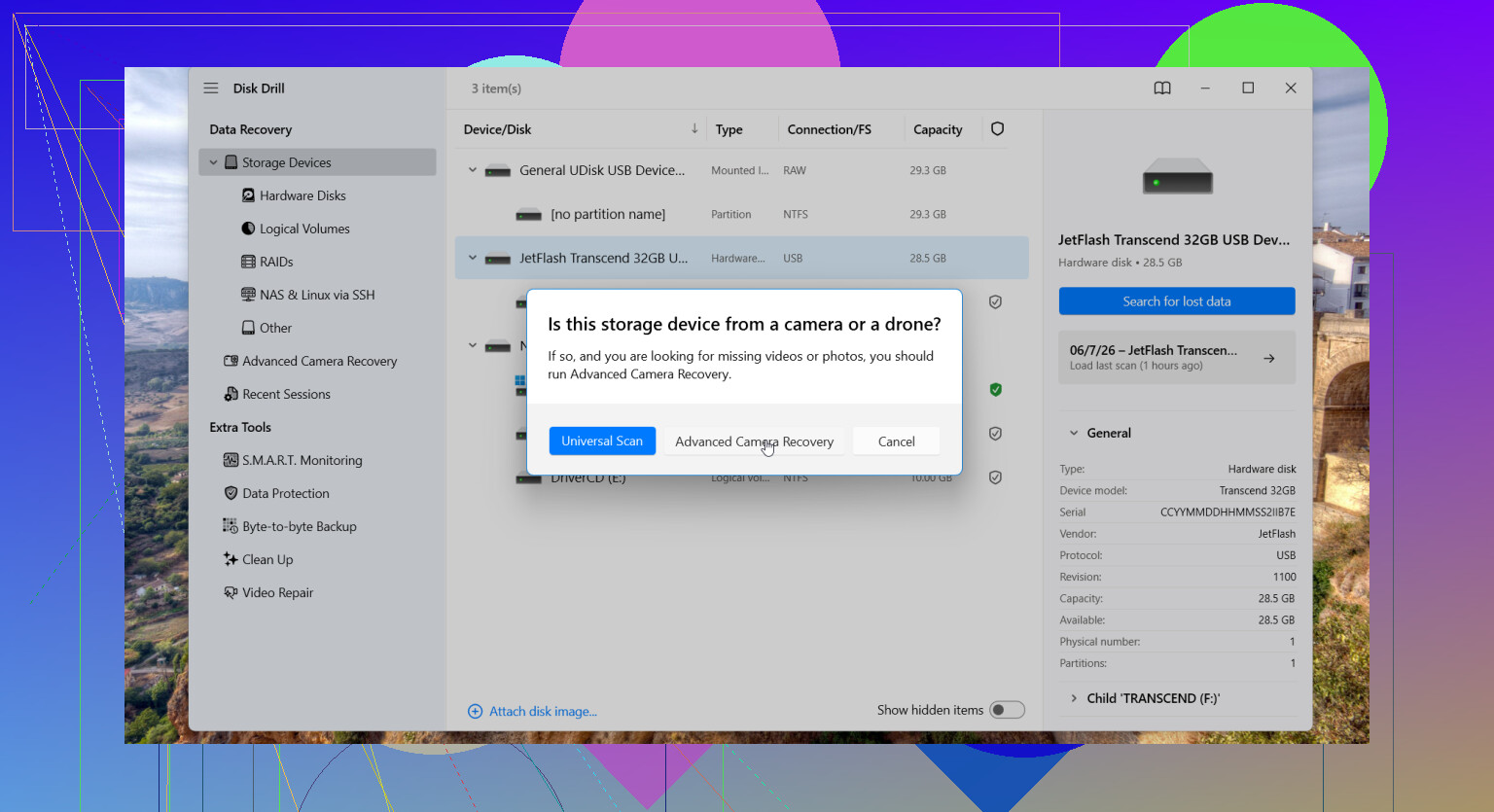
If the main footage is missing from the card, I’d try Disk Drill. I used it once on a camera card after a messed-up transfer, and it pulled back more than I expected. The part worth trying for GoPro media is the Advanced Camera Recovery mode shown here:
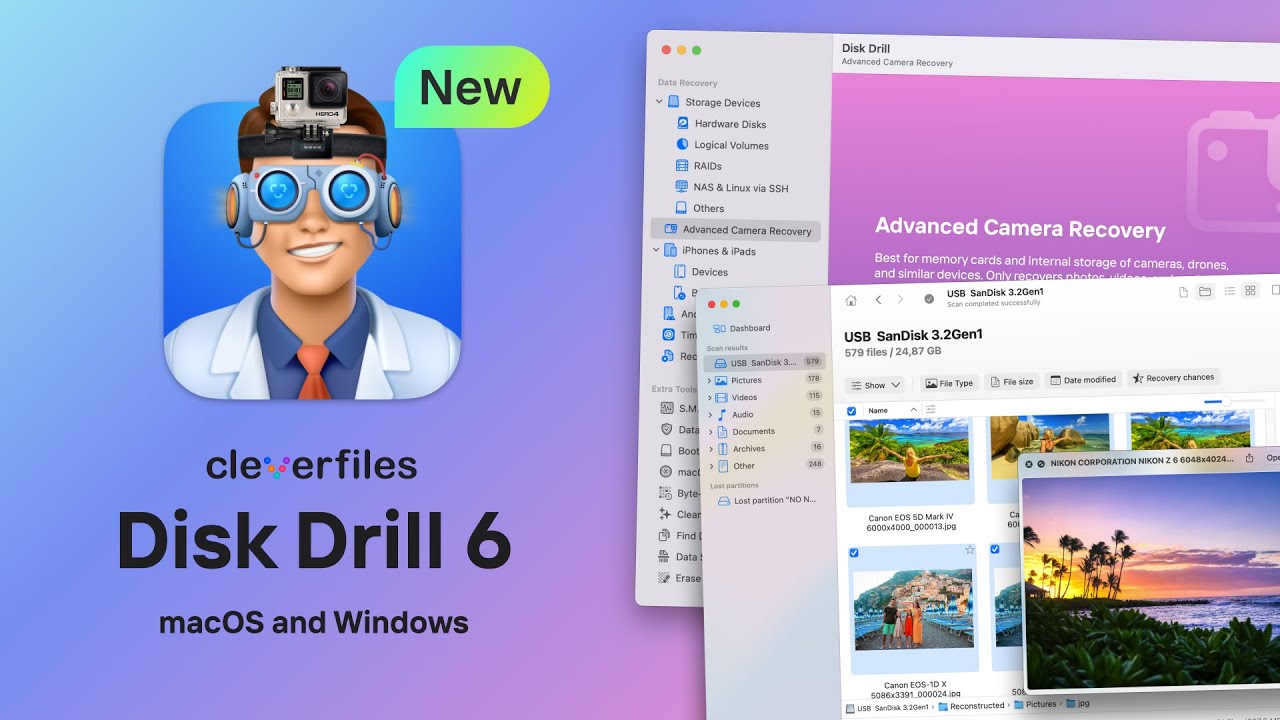
Why this matters, GoPro footage is often fragmented. The camera writes video in chunks all over the card, sometimes a lot of them. Some recovery apps find pieces but fail when it’s time to rebuild the file. End result, you get an MP4 with the right name and size, then it won’t open. Or it plays 11 seconds and dies. I’ve seen both.
Disk Drill’s camera mode is meant for stuff like action cams, drones, and dash cams, where fragmented video is common. It supports GoPro formats, including MP4 and LRV, and tries to rebuild the file structure instead of handing you a pile of broken scraps.
Three practical things people skip
- Use a card reader. Don’t connect the GoPro itself if you don’t need to. Direct camera connections fail in weird ways.
- Save recovered files to another drive. Never put them back onto the same SD card.
- If the card throws errors, disconnects, or reads slow, make a byte-for-byte image first. Scan the image, not the card. Safer move.
If you haven’t recorded much since the footage disappeared, your chances are still decent. Not guaranteed. Still worth trying before doing anything else.
16 Likes
If the clips were deleted and you did not shoot new footage after, your odds are still decent.
I agree with @mikeappsreviewer on one big point, stop using the card. I disagree a bit on putting it back in the GoPro to test stuff. I would skip tht part unless the card is stable and readable. Every extra write op is a risk.
For software, I’d look at Disk Drill first. It tends to do better with camera cards than a lot of generic file undelete apps, especially when the GoPro video got split into fragments. That matters with action cam footage. A lot. If you recover an MP4 and it shows the right file size but won’t play, fragmentation is often why.
My approach:
- Put the SD card in a reader.
- Make a disk image first if the card is old, glitchy, or slow.
- Scan with Disk Drill.
- Preview anything it finds before recovery.
- Recover to your computer, not back to the SD card.
If Disk Drill misses the files, PhotoRec is a free fallback. It’s ugly, but sometimes pulls raw video data off damaged cards. The downside, filenames and folder structure are often gone, and GoPro clips come back messy.
Also check this video if you want a clean step by step on GoPro and camera card file recovery:
step by step camera SD card recovery guide
One more thing people miss, GoPro often saves THM and LRV sidecar files. If you find those with matching timestamps, they help you identify which deleted clips belong to which session. Not perfect, still usefull.
If the clips were only deleted and the card was not reused, recovery is still very possible. I mostly agree with @mikeappsreviewer and @suenodelbosque, but I’m a little less optimistic about relying on camera behavior or side files to tell you much. Sometimes that just burns time when you should be scanning ASAP.
What I’d add is this:
- Check for exFAT corruption, not just deletion. A lot of GoPro cards look like “deleted files” when the file table is actually damaged.
- On Windows, you can use a tool like R-Studio or UFS Explorer if Disk Drill doesn’t find playable results. They’re less beginner-friendly, but stronger when the card’s filesystem is messed up.
- If the recovered MP4s are found but won’t open, try Grau Video Repair Tool or restore.media afterward. Recovery and repair are two diffirent steps, and people mix them up.
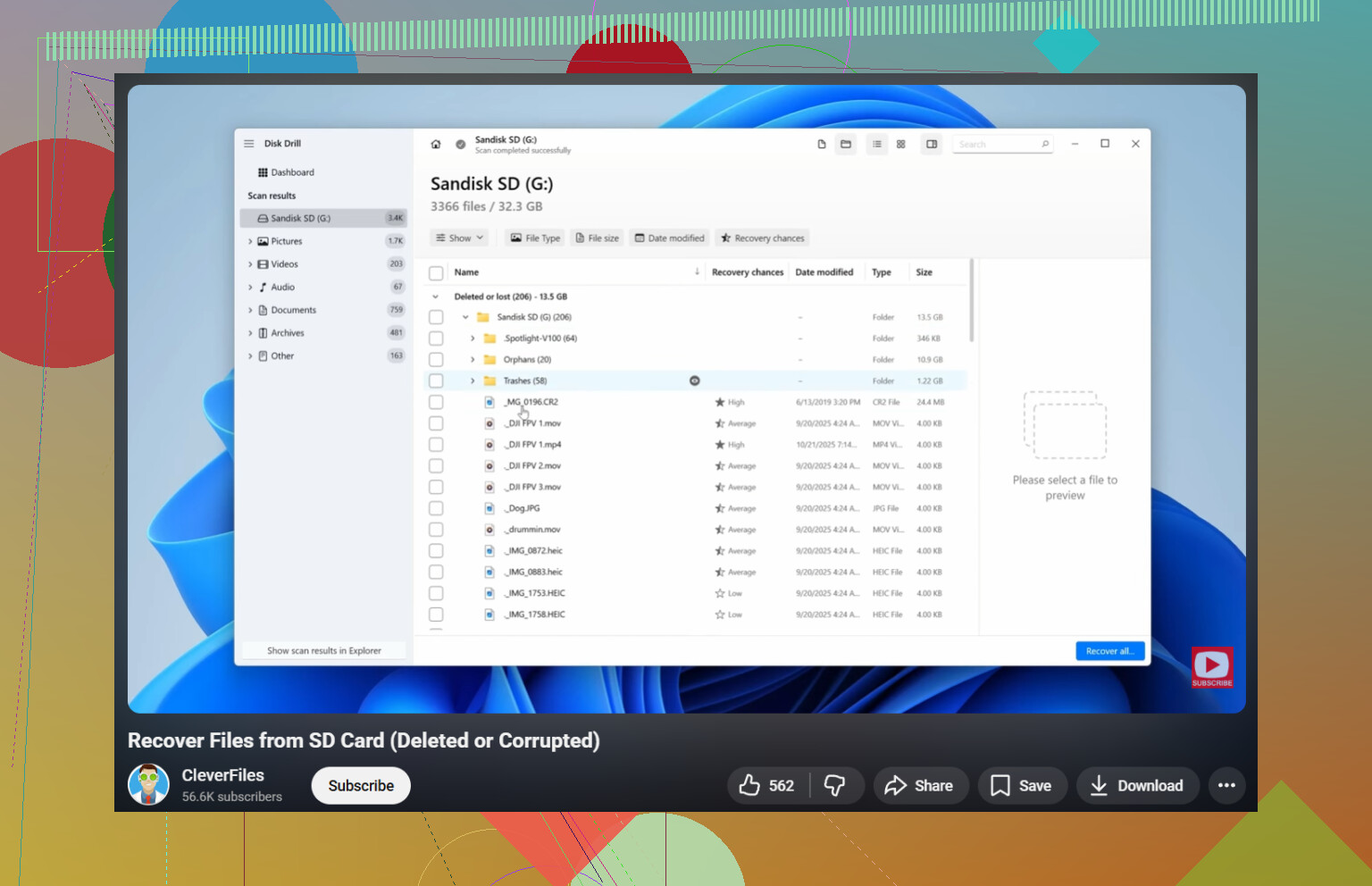
For easiest first attempt, yeah, Disk Drill is probably the most practical choice for GoPro video recovery on an SD card because it handles deleted media and fragmented camera footage better than a lot of basic undelete apps. I’d use that first, then move to heavier tools only if needed.
Also worth reading: GoPro Hero 8 lost video recovery tips from real users
One blunt truth: if you shot new footage after deleting the old clips, some of them may be gone for real. Not maybe. Actually gone. But if you stopped in time, there’s still a solid shot.
I’m with @suenodelbosque and @reveurdenuit on the biggest rule: treat that SD card like evidence now, not storage.
Small disagreement with @mikeappsreviewer though: I would not put the card back in the GoPro just to see what happens unless you have no other option. Cameras love writing little bits of metadata, and that is exactly what you do not want.
My take: for deleted GoPro clips, Disk Drill is a solid first swing because action cam footage is often fragmented, and basic undelete tools choke on that.
Pros of Disk Drill
- easy to use
- good with SD cards and camera media
- preview support helps filter junk
- better-than-average results on fragmented video
Cons
- not the cheapest option
- deep scans can take a while
- if the card has serious filesystem damage, you may still need something more advanced
What I’d do differently from the usual advice:
- recover everything from the same recording session, not only the missing clips
- keep the recovered LRV/THM files too
- sort results by timestamp and file size first, not filename
- if recovered MP4s are unplayable, that does not mean recovery failed, it may mean the file needs repair afterward
So yes, Disk Drill is probably the best place to start. If it finds the clips but they are broken, switch from “recovery problem” thinking to “video repair problem” thinking. That distinction saves a lot of time.