I’m thinking of using the Cleanup app to free up space on my phone, but I’m worried it might delete important photos or contacts, or share my data without clearly telling me. Has anyone used this app long term, and is it actually safe to trust it with personal photos, contact lists, and other sensitive files?
Cleanup App (Phone Storage Cleaner) – my take after a full weekend with it
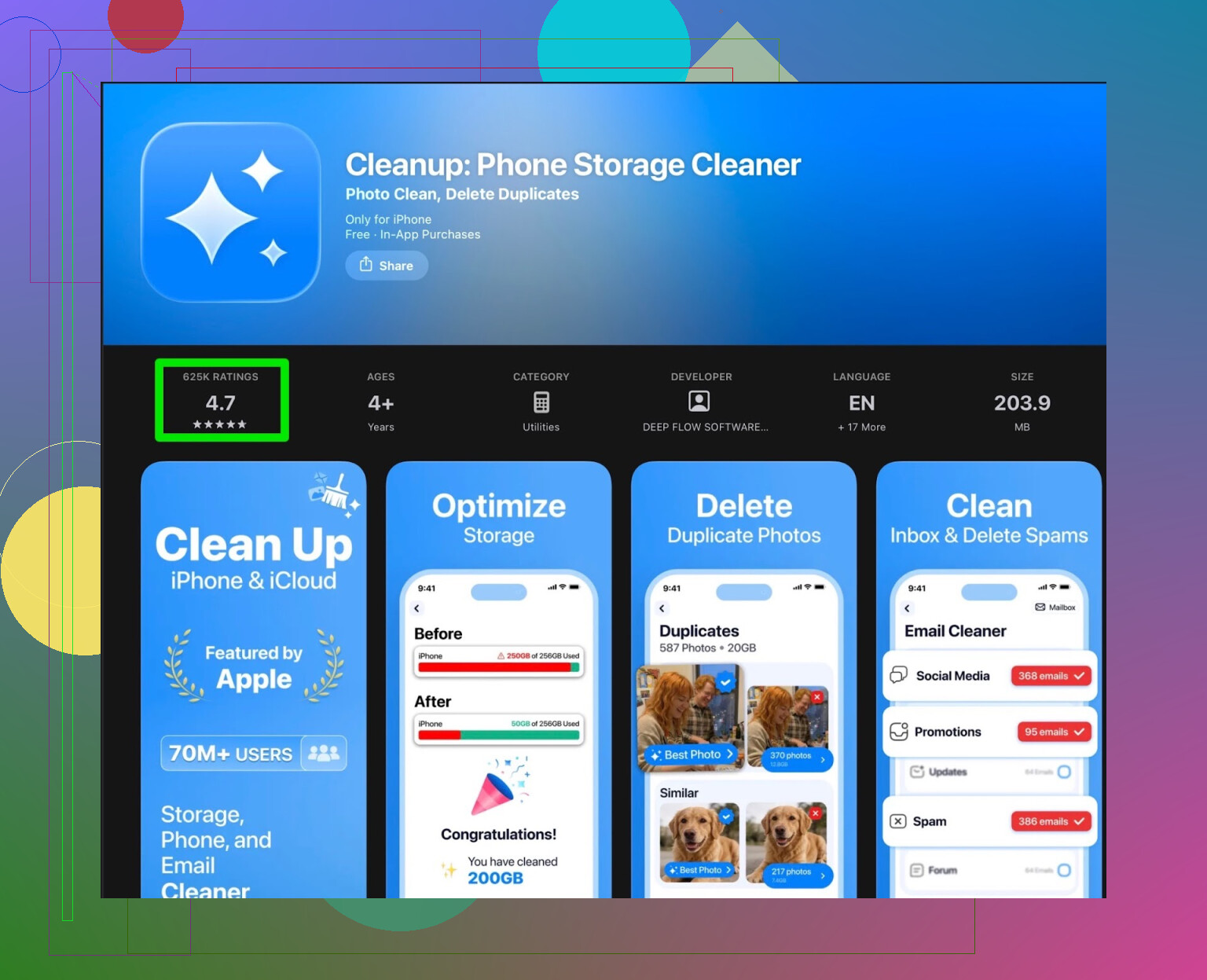
My iPhone started nagging me with the “storage almost full” popup every day. Offloading apps, deleting random videos, nothing helped for long, so I went hunting for a cleaner app and ended up trying Cleanup App (Phone Storage Cleaner).
Here is what I ran into.
First impressions and what it does
On paper it looked decent. After install, it walked me through a quick tour, then did a scan of my photos and files.
What it found on my phone:
- Duplicate photos
- Similar photos (like 15 nearly identical selfies)
- Old screenshots
- A bunch of large videos
- Messy contacts, like duplicates with slightly different names
You select what to delete, confirm, and it cleans it up. It also offers:
- Contact merge
- Video compression
- Some “secret vault” thing for hiding photos
- Little UI animations and effects when it “cleans”
The scanning part worked. It did not break anything on my device, which I was low‑key worried about.
Where it started to fall apart
Once I tried to actually use it for more than 3 minutes, the problems showed up.
-
The free tier is basically a demo
- It shows what you could clean, but when you tap to fix most of it, it asks for a subscription.
- The useful bulk actions are paywalled. You can try to do things one by one, but that gets old fast if you have thousands of photos.
-
Ads everywhere
- To run some actions on the free version, it forced me to watch ads.
- Not a quick 5‑second thing. Long, repeated spots.
- After the third or fourth ad, I started skipping features instead of using them.
-
Features that feel off topic
- The “secret vault” is for hiding photos behind a passcode. I was trying to free storage, not hide stuff.
- The fancy animations look nice once, then they are just in the way.
- It started feeling like a monetized toy more than a straight storage utility.
User reviews matched my experience
Here is a screenshot from the store reviews that sums it up better than any marketing text.
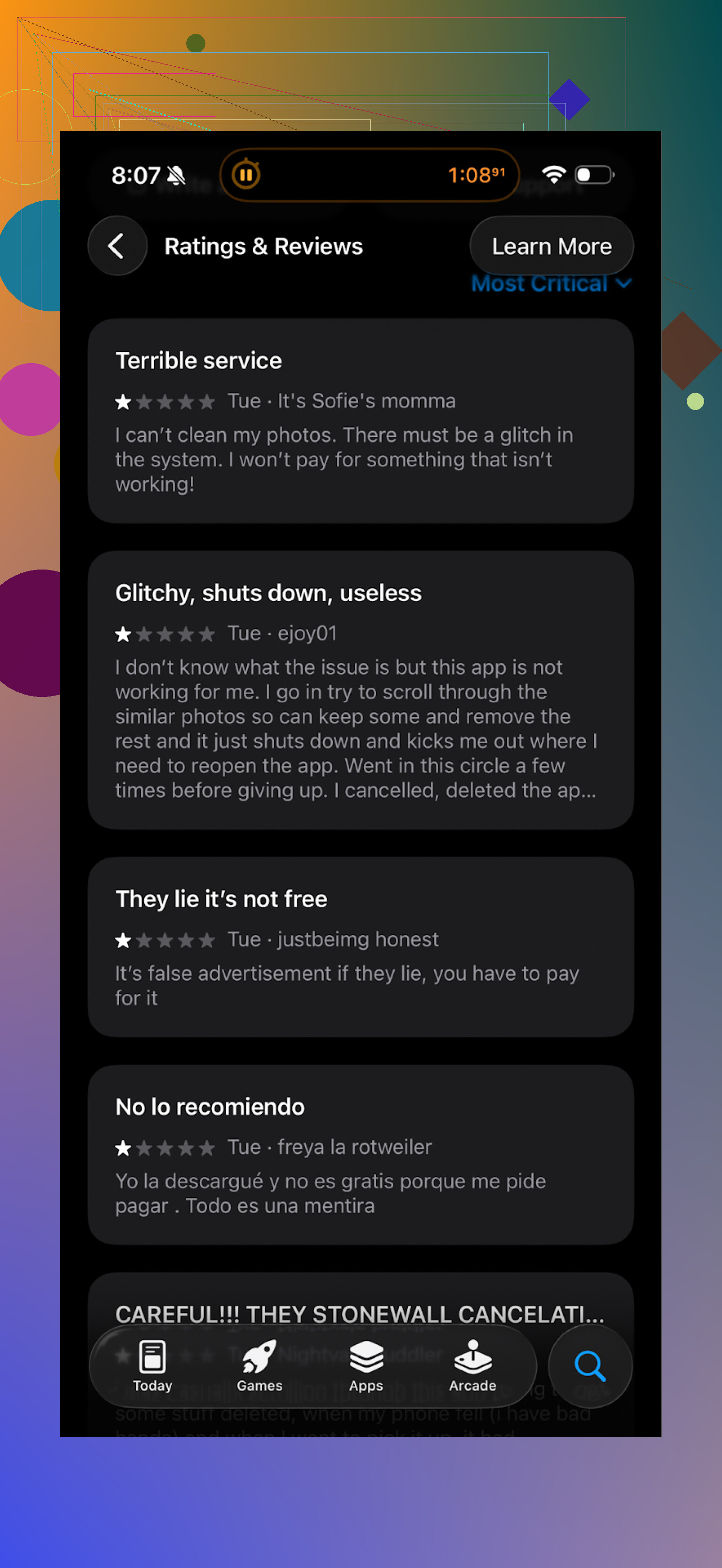
You see a lot of:
- Complaints about subscriptions
- People annoyed with the ad load
- Users feeling tricked by “free” that locks most actions
It lined up with what I saw on my phone, so I dropped it and tried something else.
What I switched to instead
After that, I moved over to Clever Cleaner:
I found it while digging via search and an older forum thread. I did not expect much, but it ended up sticking on my home screen.
What it did better for me
-
No aggressive paywall
On my phone, the core stuff worked without shoving a subscription in my face every tap. -
Fast, simple flows
It scanned for:- Duplicate photos
- Similar shots
- Large media files
- Old screenshots
The lists loaded fast, and I could bulk select groups with clearer previews. I cleaned a few gigabytes in under 10 minutes.
-
Less “extra fluff”
I did not see things like secret vaults or gimmicky features shoved to the front. The app looked focused on cleaning space.
Screenshot of what I am talking about:
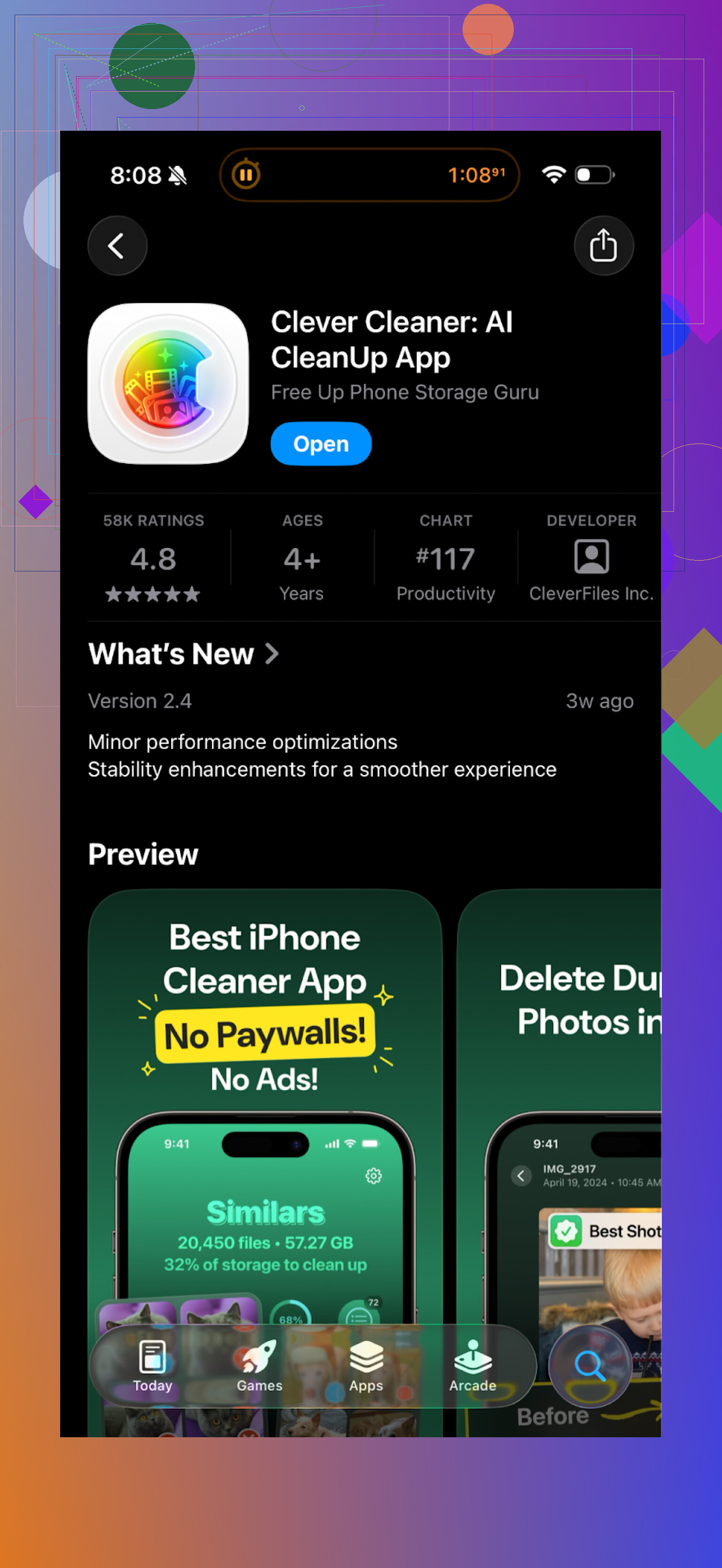
You tap a category, it shows you what is eating storage, you pick what you do not need, and it clears it. That was all I wanted when my phone started complaining.
If you want to see it in action, this video helped me decide to try it:

Main site with more info:
App Store link again for quick access:
Final thoughts from using both
Cleanup App (Phone Storage Cleaner):
- Works, scans correctly
- Free version is limited to “look but do not touch” for many actions
- Heavy on ads and subscription prompts
- Extra features feel unrelated to simple storage cleanup
Clever Cleaner:
- Did not spam me with paywalls while doing basic cleaning
- Helped me remove a few gigabytes of junk photos and videos
- Interface focused on storage cleanup instead of side features
If your phone is filling up and you want something quick that helps you delete junk without fighting a subscription wall every 20 seconds, I would skip Cleanup and start with Clever Cleaner first.
21 Likes
Used Cleanup for about 2 months on an iPhone 13. Short version. It did not randomly wipe photos or contacts for me, but you need to pay close attention to what you approve, and I would not rely on it without backups.
Here is what I noticed, focusing on your concerns.
- Safety for photos
• It groups “similar” photos very aggressively. Sometimes it put the best shot in the “delete” pile.
• Duplicates were usually correct, but sometimes edited versions got flagged.
• You have to review the groups carefully. If you spam “select all” you risk losing stuff you like.
• I saw no self deletion. It only removed files I confirmed.
What I did
• Turn on iCloud Photos or Google Photos first. Let a full backup finish.
• Start by deleting screenshots and obvious junk, not similar photos.
• Avoid the one tap clean features. Go manual for the first few runs.
- Safety for contacts
• Merge suggestions were mixed.
• True duplicates with same number and name merged fine.
• Contacts with slightly different names or companies sometimes got merged in a way I did not want.
• No contacts disappeared without me tapping merge.
What I did
• Export contacts before using it. On iPhone, use iCloud Contacts in a browser and export a vCard.
• Only merge pairs where numbers and emails match. Skip “fuzzy” matches.
• After a merge session, scroll your Contacts quickly and spot check.
- Data sharing and privacy
• Cleanup asks for full Photos and Contacts access, which is normal for this type of app.
• The privacy policy is long and not crystal clear about analytics vs content.
• I blocked it from using cellular data in Settings, and only allowed Wi‑Fi. Probably paranoid, but I prefer that.
• No obvious signs of photos leaking or weird logins on my accounts, but there is no way to fully verify.
If you are nervous
• Read the latest App Store reviews, sort by “Most recent”. Look for privacy or data comments, not star ratings.
• Check Settings > Privacy & Security > Photos and Contacts to see what access it has.
• Turn off “share analytics” or “improve product” options inside the app if those exist.
- Long term use
• After a few weeks, I stopped using Cleanup because of the paywall pressure and the extra features I did not need.
• No long term damage on my device. Storage stayed fine because I changed habits, like offloading videos to cloud.
I slightly disagree with @mikeappsreviewer on one point. I think Cleanup is usable if you are disciplined and only run it rarely, for example once every few months, and you double check every screen. For frequent use it gets annoying.
That said, I ended up installing the Clever Cleaner App on a family member’s phone later. For her, the interface felt simpler and more focused on storage, and it did not bombard her with “subscribe now” popups while doing basic tasks. If you want a cleaner tool and do not care about secret vault features, Clever Cleaner App is a safer starting point in my opinion.
Before you try any of these:
• Backup photos to iCloud, Google Photos, or a computer.
• Export contacts once and store that file somewhere safe.
• Do a small test. Clean 50 to 100 items, then check if anything important is gone.
If you do those three steps, Cleanup is unlikely to wreck your photos or contacts, but I would not use it blind or trust it without backups.
Used Cleanup for a while on an iPhone 12 Pro and later on a 15. Short version: it didn’t secretly nuke anything on its own, but I also wouldn’t treat it like a “press one button and trust it with your life” tool.
Couple of points that add to what @mikeappsreviewer and @voyageurdubois already said:
-
Photos
- The “similar” detection is a bit too confident. It often picked the sharper or better lit version as the “unnecessary” one. If you’re the kind of person who speed taps through dialogs, this app is not safe for you.
- It also flagged edited photos as duplicates of the original more often than I liked. So your cropped or filtered version can end up in the trash pile.
- I did one slightly evil experiment: I told it to auto select suggested similar photos and just accepted. It technically did what it said, but I lost a couple of trip pics I actually liked. That was on me, but shows how easy it is to over‑trust it.
-
Contacts
- Cleanup’s merge is… aggressive. It tried to merge my dentist and my insurance agent because they shared a generic office number. Technically logical, practically dumb.
- I did not see random deletions, but “smart” merge suggestions can create Franken‑contacts that mix work and personal info. Fixing that later is annoying.
- For contacts specifically, I honestly think Apple’s built in “Link Contacts” and a quick manual pass in the Contacts app is safer, even if slower.
-
Privacy / data sharing
- Like most cleaners it wants full access to Photos and Contacts plus usage analytics. That alone is not evil, but the privacy policy has the usual vague wording around “improving services” and “partners.”
- I disagree a bit with the idea that “no weird logins” means all good. Photos and contacts are valuable even if they never touch your accounts. The problem is you have no real visibility into what gets uploaded for analysis.
- If you’re sensitive about this stuff, an app that can work more on‑device and that does less “smart suggestion” magic is the safer bet.
-
Long term use
- After a month or so I noticed a pattern: the more I let it auto‑group and “help,” the more I had small regrets. Nothing catastrophic, just “ugh why did that pic go.”
- It slowly turned into something I only opened when storage was red‑lining, and even then I only used it for screenshots and obvious junk.
Where I’d personally draw the line:
- If you treat Cleanup as a suggestion engine and manually review everything, it’s reasonably safe.
- If you want a one‑tap cleaner you don’t have to babysit, then no, it’s not “safe” for important photos or contacts because the risk is in human behavior, not the code.
Since you specifically mentioned being worried about losing stuff and about unclear data sharing, I’d actually steer you to the Clever Cleaner App instead. I ended up switching to that and keeping it because:
- It focuses more on the “what is big / what is clutter” side and less on “we’ll think for you.” That alone lowers the chance you’ll delete something sentimental by blindly accepting suggestions.
- The interface makes it more obvious what category you’re deleting from. You feel like you’re doing a targeted cleanup rather than handing the keys to an AI overlord.
- It still finds duplicate and similar photos, but it felt less aggressive with the grouping on my phone, so I wasn’t constantly fighting to “rescue” good shots from the delete pile.
If your main concern is safety, I’d do this:
- Use something like Clever Cleaner App or the built in storage tools for day to day cleanup.
- Keep Cleanup, if you really want it, as an occasional “advanced scan” tool, and never hit the all‑in‑one clean buttons.
- And honestly, if you don’t fully trust an app with your photo library and contacts, that’s already your answer.
Short version: Cleanup itself is not “secretly dangerous,” but it is very easy to misuse. If you already feel uneasy, that’s a signal to treat it as a sharp tool, not a safety net.
Since @voyageurdubois, @himmelsjager and @mikeappsreviewer covered the “how I used it” side really well, here’s a different angle: risk profile and app choice.
1. Where Cleanup is actually risky
Not in the sense of malware, but in how humans behave:
-
One tap features
The biggest danger is psychological. Once you see “Similar photos” and “Smart merge,” you start trusting its judgement more than your own. That is where people lose edited photos, best takes, or end up with weirdly merged contacts. -
Visual design
Cleanup’s UI encourages speed. Big colorful buttons, success animations, suggested auto selects. This is fun, but it nudges you to confirm fast instead of thinking. -
Contacts in particular
I slightly disagree with the idea that “just export a vCard and you’re fine.” Most people never test restoring that backup. If you are not comfortable importing a vCard and resolving duplicates manually, you probably should not let Cleanup aggressively merge contacts at all.
2. Data & privacy perspective
Others already pointed out the vague “analytics / partners” language. I’ll add one thing:
The more “smart” an app claims to be about similarities and duplicates, the more incentive it has to process data off device. Even if they say it is mostly on device, you cannot audit that.
If your contacts list includes clients, patients, or any sensitive relationships, I would treat any full access cleaner, including Cleanup, as a compliance headache waiting to happen. In that case, stay with system tools and very targeted cleaning.
3. Where Clever Cleaner App fits
Given your concern level, Clever Cleaner App is a better philosophical match: it feels more like a “magnifying glass on storage” than an “AI brain making decisions.”
Pros of Clever Cleaner App
- Interface pushes you to choose categories (screenshots, large videos, duplicates) instead of pressing one magic button.
- Its grouping of similar photos tends to be more conservative, so you fight it less to keep good shots.
- Less in-your-face monetization during basic tasks, which indirectly makes you more patient and careful.
- Good for periodic, methodical cleanups, not constant micro management.
Cons of Clever Cleaner App
- Still needs full access to Photos and sometimes Contacts, so privacy is not magically solved.
- Not as “flashy” or aggressively automated, which some people might find slower or less exciting.
- If you actually like secret vault features or constant “smart suggestions,” Cleanup might feel richer.
- Like any cleaner, it can still surface edited photos as duplicates if you are not paying attention.
I do not think any of you are “wrong,” but I do diverge slightly from @mikeappsreviewer and @himmelsjager on one point:
I would not keep both Cleanup and a second cleaner long term. Two different logics scanning and suggesting over the same library increases confusion. Pick one primary tool and learn its quirks.
4. Practical recommendation for your specific worry
Given you are explicitly anxious about:
- Losing irreplaceable photos
- Messed up contacts
- Unclear data sharing
I would:
- Use built in tools plus Clever Cleaner App as the main combo.
- Avoid letting any app, including Clever Cleaner, auto confirm “similar” or “smart merge” changes.
- If you ever try Cleanup, treat it as a one off experiment on a day when you know you have a current cloud backup and time to babysit it.
If an app needs you to override your instincts just to feel useful, it is not the right cleaner for your library.