I’m thinking about replacing my real photos on LinkedIn and my portfolio with AI-generated headshots to look more polished and consistent. I’ve seen people say it helps with personal branding and standing out, but I’m worried it might seem fake or inauthentic to recruiters and clients. Has anyone tested AI headshots for professional profiles, and did they help or hurt your personal brand and engagement?
Your profile picture does more work than people think.
On LinkedIn, your site, Instagram, whatever, it is usually the first thing anyone sees.
I ignored mine for years. Same blurry office photo everywhere. Then I tried a few AI headshot tools and realized how much easier it is to keep things updated without booking a photographer every time I want a slightly different look.
Below is what I learned, what worked, and where it got weird.
AI headshots as a branding tool
Here is the simple version of why people bother with this stuff:
-
Same face, same vibe, everywhere
When your photo matches across LinkedIn, your newsletter, your course page, and your site, people connect the dots faster. I saw this when I synced mine across everything in one afternoon. Replies on cold outreach went up a bit on LinkedIn, and people stopped asking “are you the same person as on X profile”. -
Different context, different flavor
I run separate things. A more formal consulting profile and a casual creator account.
With AI, I kept my face consistent, then made:- Slightly sharper, office lighting, neutral background for LinkedIn
- Softer, warmer colors, casual outfit for Instagram and my site
- A bit more stylized, high contrast one for a personal blog
-
No photographer, no studio, no scheduling
I used to overthink scheduling a “proper” shoot. Now I spend one afternoon taking a batch of selfies, feed them to an app, then pick what looks decent. Not perfect, but good enough for daily internet use.
One of the apps I tried was Eltima AI Headshot Generator. It works on iPhone. You upload a few selfies, pick a style, and it generates a batch of headshots.
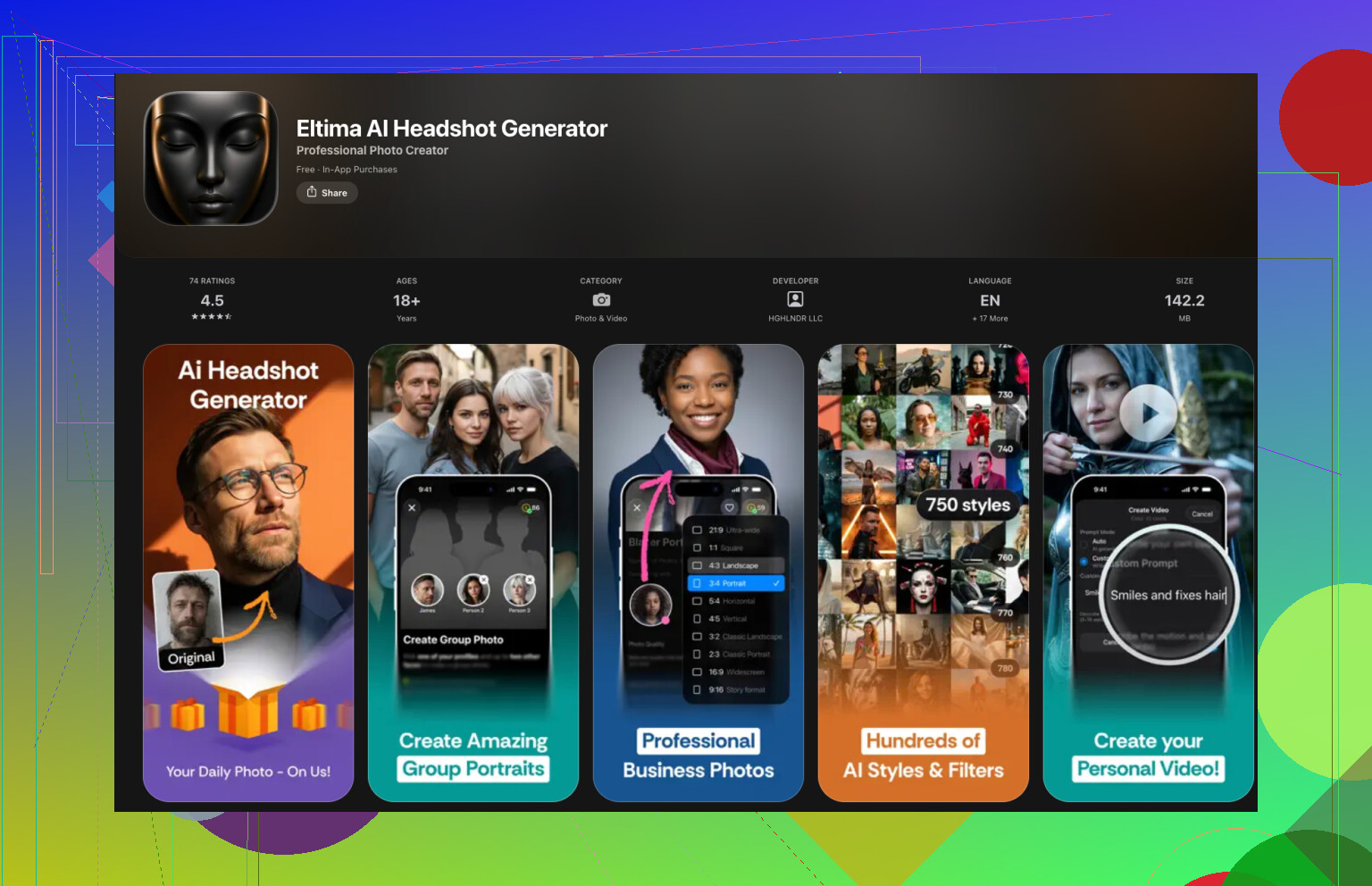
App link, if you want to see the screenshots yourself:
Example use case that surprised me
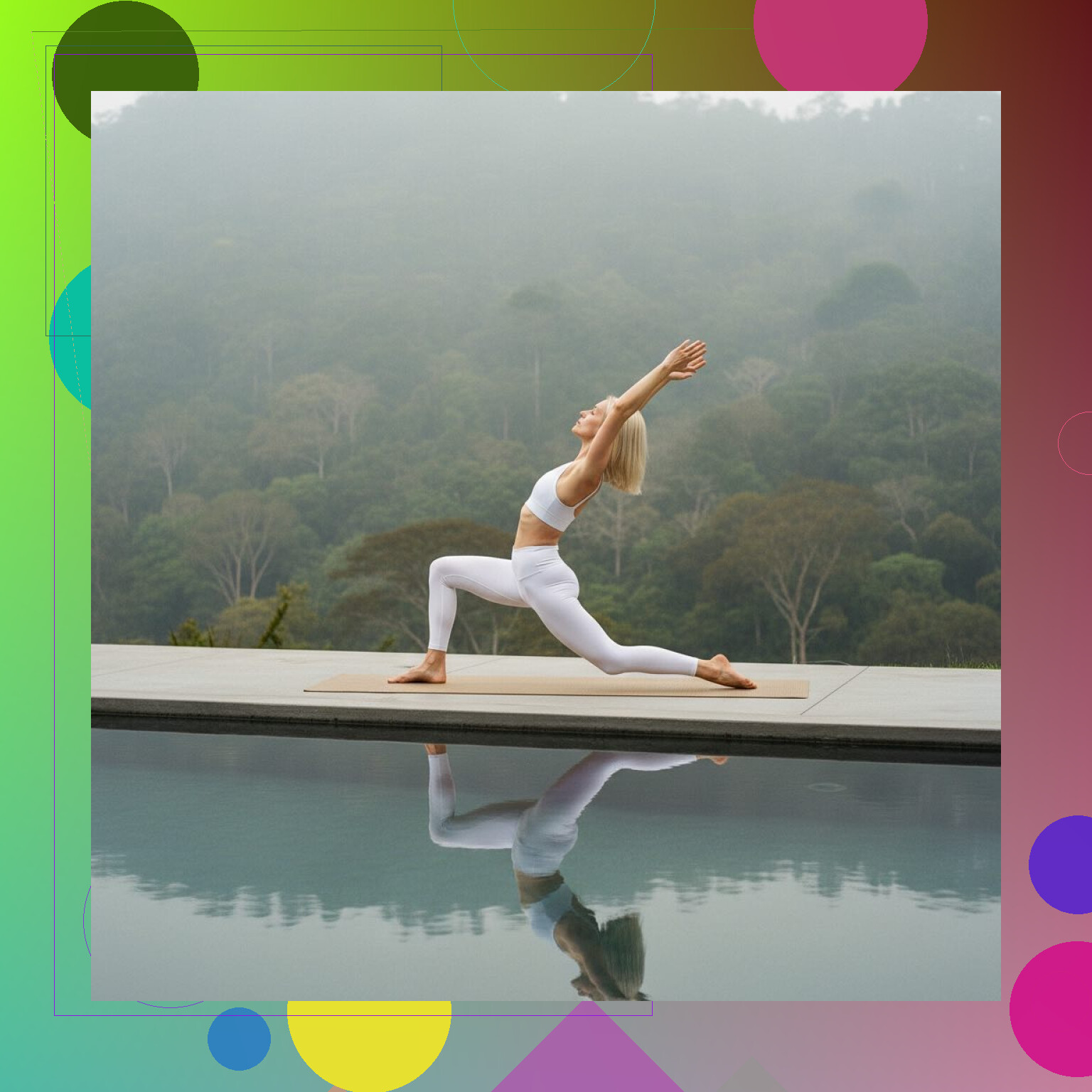
I tested it with a friend who runs yoga classes and wanted better promo material. She hates photoshoots. We tried this:
- We fed the app a mix of normal selfies, no yoga poses
- Picked styles that looked like “outdoor wellness” and “studio fitness”
- Generated sets where she appeared:
- Doing yoga poses on a mat
- In different outfits
- Indoors, outdoors, even near a pool
Did everything look perfect? No. Some outputs were weird around hands and feet. But a good chunk looked solid enough for:
- Landing pages
- Instagram posts
- Thumbnails for her video course
What stood out was the lighting and perspective. A lot of shots looked like they came from a mid range photographer, not AI. We deleted the obviously off ones, kept the good ones, and she had more usable photos in one evening than she ever got from a 2 hour photoshoot.
Here is roughly the style we got:
Adding more personality or brand vibe
Another category of tools lets you push things past a basic “nice headshot”.
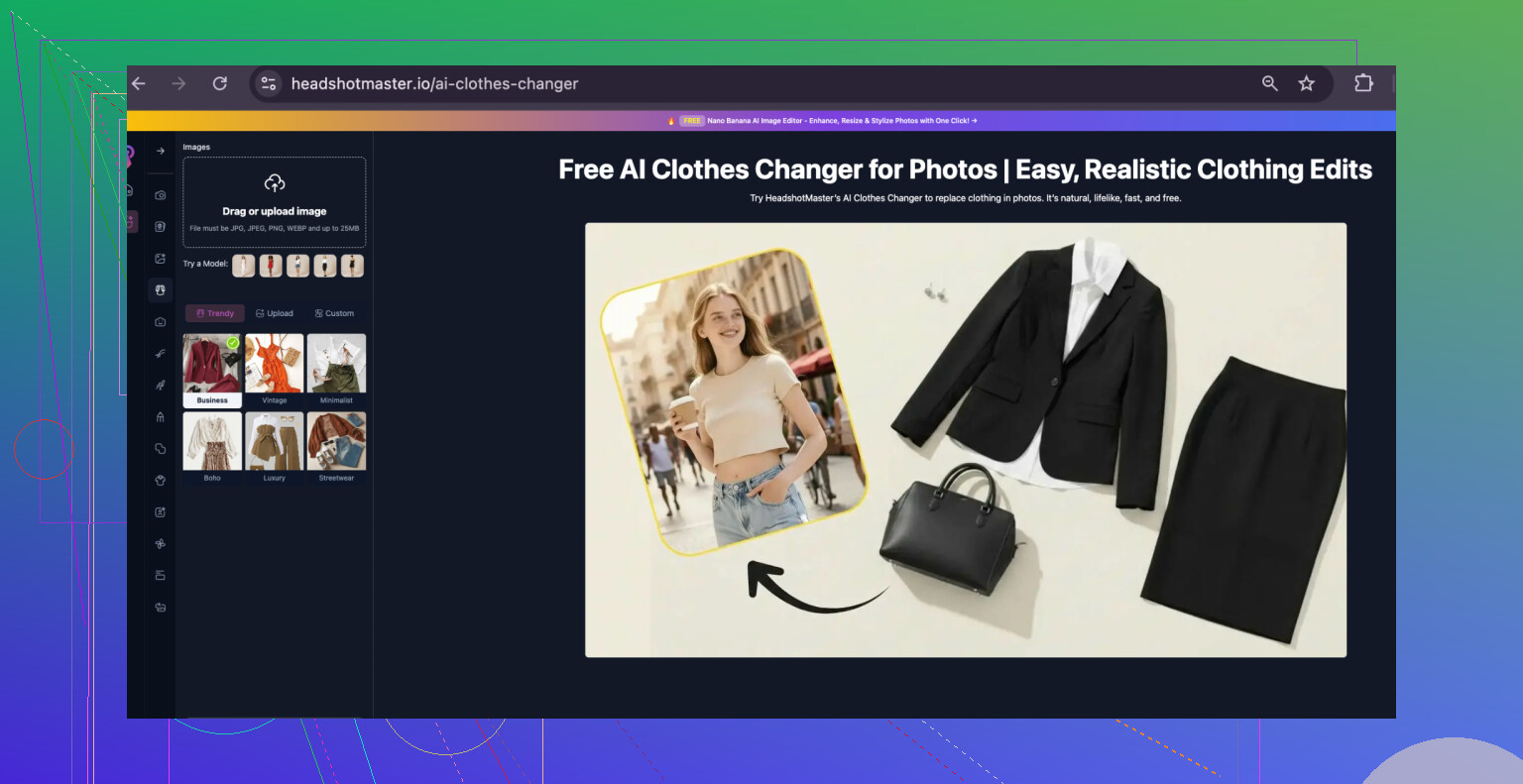
One example is HeadshotMaster io. It lets you:
- Adjust background themes
- Add subtle props or environment hints
- Match outfits to your company’s style or colors
This helped one founder I know who wanted “startup, techish, casual” for their whole team page, without renting a coworking space and dragging everyone in.
So they:
- Used AI headshots of the team
- Picked a consistent backdrop with muted office tones
- Slightly tweaked clothing styles so nothing clashed
Result, the team page finally looked like one company, not a collage of random passport photos.
Getting more realistic AI headshots
I messed this part up the first time. If you feed the model garbage, you get garbage back. These are the tweaks that helped:
-
Start with clear, simple selfies
- Face fully visible
- Neutral expression or slight smile
- Good light from the front or side
- No heavy face filters
I got better results from 10 boring, well lit photos than 30 stylish selfies with filters and shadows.
-
Match the style to what you actually do
If you are a developer, a hyper glossy fashion style looks weird on LinkedIn.
If you run fitness coaching, a corporate suit with a stock office background feels fake.
I try to pick:- One style for “professional default”
- One for “casual but still me”
- One for more creative stuff
-
Keep angles and expressions similar
The training set works better when your face looks like the same person each time.
I had worse results when I mixed:- Sunglasses
- Heavy side profiles
- Different hairstyles and facial hair
Now I batch a few selfies in one consistent look and stick to that.
-
Manually review and lightly edit
I do a quick pass and check:- Hands, ears, hairline, teeth
- Glasses frames
- Jewelry
- Text or logos in the background
If something feels off, it usually is. I throw it out or fix tiny things in a basic editor. Even small adjustments, like fixing skin blur or brightening eyes, made the photos pass the “does this look like a normal photo of me” test.
Small photo upgrades, noticeable effect
I noticed a pattern once I updated my photos everywhere:
- People stopped asking “is this your real profile” on Telegram and LinkedIn
- My email signature clicked better with my site photo
- Intro pages on my course and coaching pages felt more coherent
Nothing dramatic, but the overall impression felt more stable. You look like the same person across everything you run. That matters more once you sell anything under your own name.
Where AI headshots fit
I would not use AI for everything. If you want magazine cover quality, a good photographer still wins. They control light, pose, and expression in a way apps do not match yet.
For the day to day internet stuff though, AI headshots are a decent tool:
- Updating all your social profiles in one afternoon
- Quickly testing different vibes for your brand or project
- Generating themed images for niches like yoga, coaching, fitness, online teaching
Tools worth checking if you care about this:
- Eltima AI Headshot Generator for iPhone
Info page: Eltima AI Headshot Generator App - Create Pro Photos in 2026
App Store: Eltima AI Headshot Generator App - App Store
If you sell fitness courses, do coaching, or run a one person business, this lets you keep your face consistent online without setting aside a weekend and a budget for photoshoots.
3 Likes
Short answer for LinkedIn and a portfolio: use AI headshots, but not as a full replacement and not if they look too “AI perfect”.
A few things I see over and over in hiring and client work:
-
Trust and authenticity
• Recruiters and clients look for signals of “real person”.
• Over-polished AI faces trigger a tiny “something is off” reaction for some people.
• A 2023 survey from ResumeBuilder reported about 4 in 10 hiring managers dislike obviously AI edited headshots.
• If your field values authenticity, coaching, therapy, education, early stage startups, I would keep at least one clearly real photo live. -
Where AI works well
• For consistency across platforms, I agree with @mikeappsreviewer. One face, same vibe, helps people recognize you faster.
• For thumbnails, landing pages, speaking promo, AI headshots work fine if they look like “a good photo of you” and not a different person.
• For roles in tech, design, marketing, people are more tolerant of AI-assisted visuals. -
Where a real photo still wins
• LinkedIn main profile pic. I’d keep this either a real photo or an AI-enhanced version of a real photo.
• “About me” on your portfolio. People often check this right before reaching out. A real shot lowers friction.
• Press or conferences. Organizers prefer real-looking, non-stylized pics. -
Practical setup that tends to work
Instead of full replacement, try a hybrid:
• Use one clean, real headshot as your “anchor” image on LinkedIn and your portfolio bio.
• Generate AI versions that stay close to that original. Same hair, same general clothes style, similar lighting.
• Use those AI versions for: banners, thumbnails, course graphics, social headers.
• Avoid fantasy lighting, exaggerated skin smoothing, weird bokeh, or fashion-mag style if you work in a conservative industry. -
How people react in practice
What I see from clients:
• Subtle AI edits on real photos get positive feedback. Skin cleaned up, background simplified, colors consistent.
• Full-on AI avatars get mixed results. Some people are impressed, some see it as “poser” energy.
• The more “people-facing” your role, sales, coaching, leadership, the more that second group matters. -
Specific suggestion for you
If you want “polished and consistent” without killing trust:
• Get one decent real photo, even from a friend with an iPhone in natural light.
• Use AI to improve and match that look across platforms.
• Only go 100 percent AI on secondary visuals, like your portfolio project pages or newsletter header.
• If you do go full AI on LinkedIn, add recent video content or posts. That helps people feel you are real even if the photo looks a bit generated.
So yes, use AI headshots as a tool in your stack. I would not flip every public-facing photo to AI only, especially on LinkedIn. That tradeoff skews a bit too far away from trust for a lot of viewers.
Short version: AI headshots can help your brand, but “full replacement everywhere” is where it starts to backfire.
A few angles that @mikeappsreviewer and @waldgeist didn’t lean on as much:
-
People sniff out “face mismatch” fast
The big risk is not “this looks AI” but “this does not look like you in real life.”- If someone meets you on Zoom and your face shape, skin texture, or age looks notably different than your LinkedIn photo, you instantly lose 10 trust points.
- That matters more than whether the pic is AI or real. Mild AI polish is fine. Obvious “better looking cousin of you” is not.
-
Field and seniority matter a lot
- Early career in tech, design, marketing: AI headshot is mostly a non-issue as long as it looks normal. People expect experimentation.
- Senior roles, client-facing, leadership, coaching, therapy, consulting: people are subconsciously looking for “would I trust this person with money / team / emotions.” Too-perfect AI faces can read as insecurity.
If you are selling you (services, expertise, coaching), I’d keep at least one clearly human, slightly imperfect photo in the most important spots.
-
“Polished” is overrated compared to “aligned”
The question is less “is AI better than real?” and more “does this photo match the story the rest of my profile tells?”- Super glossy, cinematic AI portrait + casual, messy LinkedIn about section = weird.
- Slightly imperfect but real photo + thoughtful summary, detailed projects, decent writing = more coherent.
So, I would optimize for fit with your narrative, not max sharpness or flawless skin.
-
Ethics and signaling
This part is subtle, but people do pick up on it.- If your headshot is entirely AI generated, you are technically showing an image that never existed. That is different from retouching.
- Some folks are starting to see undisclosed AI portraits as the visual equivalent of lying on a resume. That might be a bit extreme, but perception is shifting.
I am not saying “label it AI” in big letters, but I would avoid going too far from your real appearance so you do not feel like you are catfishing on your own profile.
-
Where I actually disagree slightly with both of them
They both leaned on “keep LinkedIn real / mostly real.” I think that is usually smart, but not a hard rule.
Cases where I think a mostly AI headshot is ok on LinkedIn:- You have a real base photo and the AI version is extremely close: same age, same features, same vibe. It is basically an AI retouch.
- Your real photos are low quality and you cannot easily get new ones. Then an AI-upscaled, AI-styled version might genuinely be more honest to how you look today than a 7 year old grainy selfie.
In those cases, I would not stress if 90 percent of the pixels are AI as long as it still looks like a plausible current photo of you.
-
A more strategic setup than just “replace everything”
Since you asked about personal brand, think in tiers of trust instead of “AI vs real”:High trust surfaces
- LinkedIn profile photo
- Portfolio “About” section
- Company team page if you’re the founder
Recommended: real photo or a very lightly AI-processed one that still clearly looks like an actual camera shot. Small fixes: background, color, minor skin smoothing, that’s it.
Medium trust surfaces
- LinkedIn banner
- Portfolio case study thumbnails featuring your face
- Newsletter header, course intros
Recommended: AI versions are totally fine here, even slightly stylized, as long as they resemble your anchor headshot.
Low trust / brand flavor surfaces
- Social posts, YouTube thumbnails, “fun” personal brand stuff
- Slides, promos, experiments with different outfits or environments
Here you can go more wild with AI and test what actually gets attention, clickthrough, etc., without risking “this person looks fake” on your main identity points.
-
A quick gut-check test before you swap everything
Grab an AI headshot you like and ask:- Would a coworker who has seen me on Zoom twice recognize me instantly from this photo?
- Would I be comfortable if this exact image was shown next to a screenshot of me talking live on a call?
If the honest answer is “ehh not really,” it is too far for LinkedIn and your main portfolio photo.
So yeah, AI can absolutely tighten up your brand and give you that consistent “same face, same vibe” effect that @mikeappsreviewer talked about, and the hybrid approach that @waldgeist suggested is very sane.
I just would not flip the switch to “zero real photos anywhere.”
Keep at least one honest, non-hyperpolished image as your anchor, then let AI do the heavy lifting everywhere else.