I deleted a bunch of screenshots on my iPhone to free up space, but my storage still looks almost full. I noticed they’re sitting in the Recently Deleted album, and now I’m not sure if those files still count against storage until they’re permanently removed. I need help figuring out if I should delete them from Recently Deleted too and how long it takes for iPhone storage to update.
I ran into this too. My Screenshots album turned into a junk drawer. Random QR codes, shipping updates, stuff I sent to someone and never looked at again, old receipts from orders I barely remembered. It feels harmless until iPhone throws the storage warning and you see how much space got burned on throwaway images.
Short answer, yes. Recently Deleted still takes up storage.
When you delete a screenshot from the main library, iOS does not wipe it on the spot. It moves the file into Recently Deleted for 30 days. So the photo is gone from your view, but the storage is still occupied until you empty that folder too. I missed this the first time and wondered why my free space barely moved.
Bulk delete with the Photos app
Open Photos. Go to Albums, or Collections on newer iOS versions. Scroll to Media Types and open Screenshots. Tap Select in the top right, then Select All, then tap the trash button. This clears them from the main library.
Then do the part people skip. Open Recently Deleted under Utilities. Face ID or your passcode will pop up. Tap Select, tap the three-dot menu, then Delete All. Storage usually updates after this second step, not before.
A cleaner way to sort the mess
The stock Photos app works, but I found it clumsy for large cleanups. You don't get file sizes in a useful way. You don't get a quick view of which items are eating the most space. If your Screenshots folder is huge, it gets annoying fast.
I had a smoother time with Clever Cleaner. In the Screenshots section, each image shows its size in the grid, so you know what deleting 20 or 200 of them will save. There’s also a swipe view. Left to remove, right to keep. Sounds dumbly simple, but on a crowded phone it felt faster than tapping through Apple’s layout.
It also sorts other storage hogs. The Heavies area puts your biggest media files near the top, which saved me time. Similars groups near-duplicate photos, like five shots of the same thing where only one is worth keeping. From what I saw, processing stays on the device, so your library is not getting shipped off somewhere else.
If you want to read more on it, here’s the link I saw, Clever Cleaner.
Stop screenshots from piling up in the first place
There’s a built-in option most people miss. After you take a screenshot, tap the thumbnail preview in the lower left. Edit if needed. Tap Done in the top left. Then pick the red Copy and Delete option instead of Save to Photos. This copies the image to your clipboard and removes it right away. I use it for login codes, order numbers, and tracking info.
If you want cleanup on a timer, Shortcuts works. Make a shortcut with Find Photos filtered to screenshots older than 7 days. Add Delete Photos after it. Then set an automation to run it on a schedule. iPhone still asks for confirmation, so it won’t silently erase stuff while you sleep.
If screenshots refuse to disappear
When deleted screenshots reappear, I usually suspect iCloud Photos first. Empty Recently Deleted by hand. Then check your connection. On weak Wi-Fi, Photos sometimes looks out of sync and acts weird for a bit.
If you removed something important by mistake, don’t write it off yet. First check Recently Deleted. If it’s gone from there too, dedicated recovery software tends to work better than waiting around and hoping iCloud kept some hidden copy.
Once you clear both places and the storage bar drops, it’s a relief. Mine freed up more space than I expected, tbh.
33 Likes
Yes, they still count.
On iPhone, deleting screenshots moves them to Recently Deleted for about 30 days. Until you remove them from there, the storage is still tied up. So if your storage number barely changed, that part is normal.
One thing I’d add to what @mikeappsreviewer said, storage bars do not always refresh fast. Photos and iOS storage reporting lag a bit. I’ve seen it take a few mins, sometimes longer, after a big cleanup. A restart helps more often than people admit.
Also check this path:
Settings > General > iPhone Storage > Photos
If the Photos size stays high after clearing Recently Deleted, look for sync delay from iCloud Photos. If Optimize iPhone Storage is off, full-size files stay on the phone longer. That trips people up a lot.
I slightly disagree with using extra apps first. For screenshots only, Apple’s built-in tools are enough most of the time. If your library is a mess across duplicates, large videos, and screenshots, then Clever Cleaner makes more sense. It’s an iPhone cleaning app with no ads or paywall stuff, and this post covers it well: best free iPhone cleaner app for clearing storage fast
Short version:
Delete from Screenshots.
Empty Recently Deleted.
Wait a bit or restart.
Check iPhone Storage again.
If it still looks full after all taht, the space problem is somewhere else, usualy videos, messages, or app data.
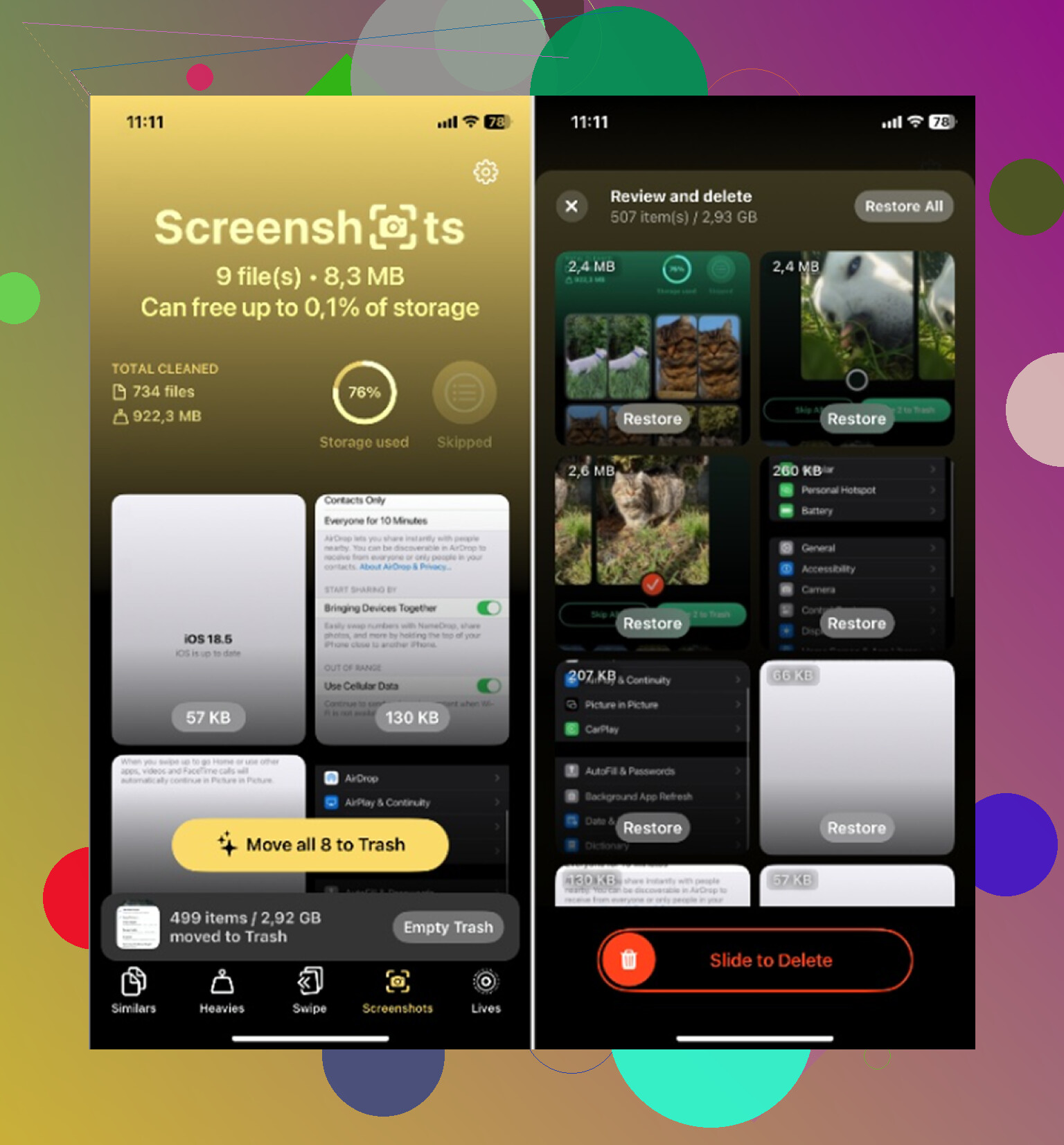
Yep, Recently Deleted still counts against storage. Apple treats it like a 30-day trash bin, not instant removal. So if your screenshots are sitting there, that space is not really back yet.
One spot where I kinda differ from @mikeappsreviewer and @sterrenkijker: sometimes people obsess over the Photos number too fast. iPhone storage reporting is weirdly laggy, and Photos has background indexing going on. So even after you clear things out, the bar can look wrong for a while. Annoying, but normal-ish.
What I’d check beyond the obvious:
- Compare Photos size in iPhone Storage vs actual free space
- Make sure iCloud Photos is done syncing
- Check if Messages is hoarding image attachments
- Look at Files app downloads too, people forget those all the time
Also, screenshots usually are not the real storage villain unless you had thousands of them. Short videos, 4K clips, and giant message threads are way worse.
If your photo library is messy overall, not just screenshots, Clever Cleaner is worth a look since it can surface bulky media and junk faster than the stock app. There’s a decent thread here about whether Clever Cleaner actually helps free up iPhone storage.
Delete screenshots on iPhone to free up storage? Yes, but they still use space until Recently Deleted is emptied. If your iPhone storage still looks full after deleting screenshots, the issue may also be Photos sync delay, cached app data, videos, or message attachments. Kinda dumb, but taht’s how iOS does it.

Yes, Recently Deleted still counts. That part the others got right, especially @sterrenkijker and @waldgeist. Where I slightly disagree is the idea that screenshots are usually the main problem. Unless you have a truly absurd pile, they often are not what keeps storage pinned near full.
What actually happens is this:
- delete screenshot from library
- file moves to Recently Deleted
- storage is not fully reclaimed until that bin is cleared
- even then, iPhone storage graphs can lag behind reality for a while
One extra thing worth checking: some screenshots get included in backups and sync activity, so the phone can feel “full” longer than expected while Photos finishes housekeeping. That makes it look like nothing changed.
If you want a faster audit than Apple’s Photos app, Clever Cleaner is decent for this.
Pros:
- easy to spot large screenshots and bulky media
- quicker triage than scrolling Apple’s grid
- useful if storage issues are really duplicates, videos, and junk mixed together
Cons:
- overkill if you only needed to delete one batch manually
- another app to install when built-in tools may be enough
- cleanup apps can make people focus on photos when Messages or app caches are the real culprit
So yes, empty Recently Deleted. But if space still barely moves after some time, I’d stop staring at Screenshots and check videos, message attachments, offline downloads, and bloated apps. That is where @mikeappsreviewer’s broader cleanup angle makes more sense.
The replies already cover clearing Recently Deleted. For a seperate way to free space, try offloading an unused app.
Go to Settings > General > iPhone Storage. Choose an app you rarely use, then tap Offload App. This removes the app while keeping its documents and data. Check App Size first, since offloading leaves Documents & Data behind.
I’d try this before installing a cleaner, especialy if you want to keep your remaining photos.
Make sure the number you’re staring at is device storage and not iCloud storage. People mix those two up all the time. If you deleted screenshots hoping the iCloud bar would drop and you’ve got Optimize Storage on, the full-res copies live in the cloud anyway, so clearing them on the phone barely touches that figure. Settings > General > iPhone Storage is the local one. Settings > your name > iCloud is the other. Sort that out before you start restarting the phone five times.
@sterrenkijker is right that a restart shakes the reporting loose more than people expect. I’d just warn against reading too much into the bar on the same day you do a big cleanup. iCloud needs to finish deleting on its end too, and if your Wi-Fi is weak that handshake drags. Give it overnight before you decide something’s broken.
The thing nobody’s touched yet is System Data, the old ‘Other’ blob. That category quietly swallows caches, logs, and leftover update files, and no amount of screenshot deleting touches it. If your storage looks stuck high and Photos is already small, that’s usually the real squatter. There’s no clean button for it, but it tends to shrink on its own after a reboot or two, and a very full phone shuffles it around automatically.
For the actual photo side, Clever Cleaner is what I’d open when the library is the problem. Beyond that, screenshots are rarely the villain unless you screenshot everything. I’d check your Messages attachments and your downloaded podcasts or offline video before blaming a few hundred PNGs. That’s where the gigabytes actually hide.