I’m trying to decide if Grubby AI Humanizer is worth using, but the reviews I’ve found feel vague or possibly biased. I tested it on some AI-generated content, and I’m not sure if it really makes the text sound more human or just changes a few words. Can someone explain how well it actually works, what its limitations are, and whether it’s safe and reliable for long-term use in content creation and SEO-focused writing?
Grubby AI Humanizer
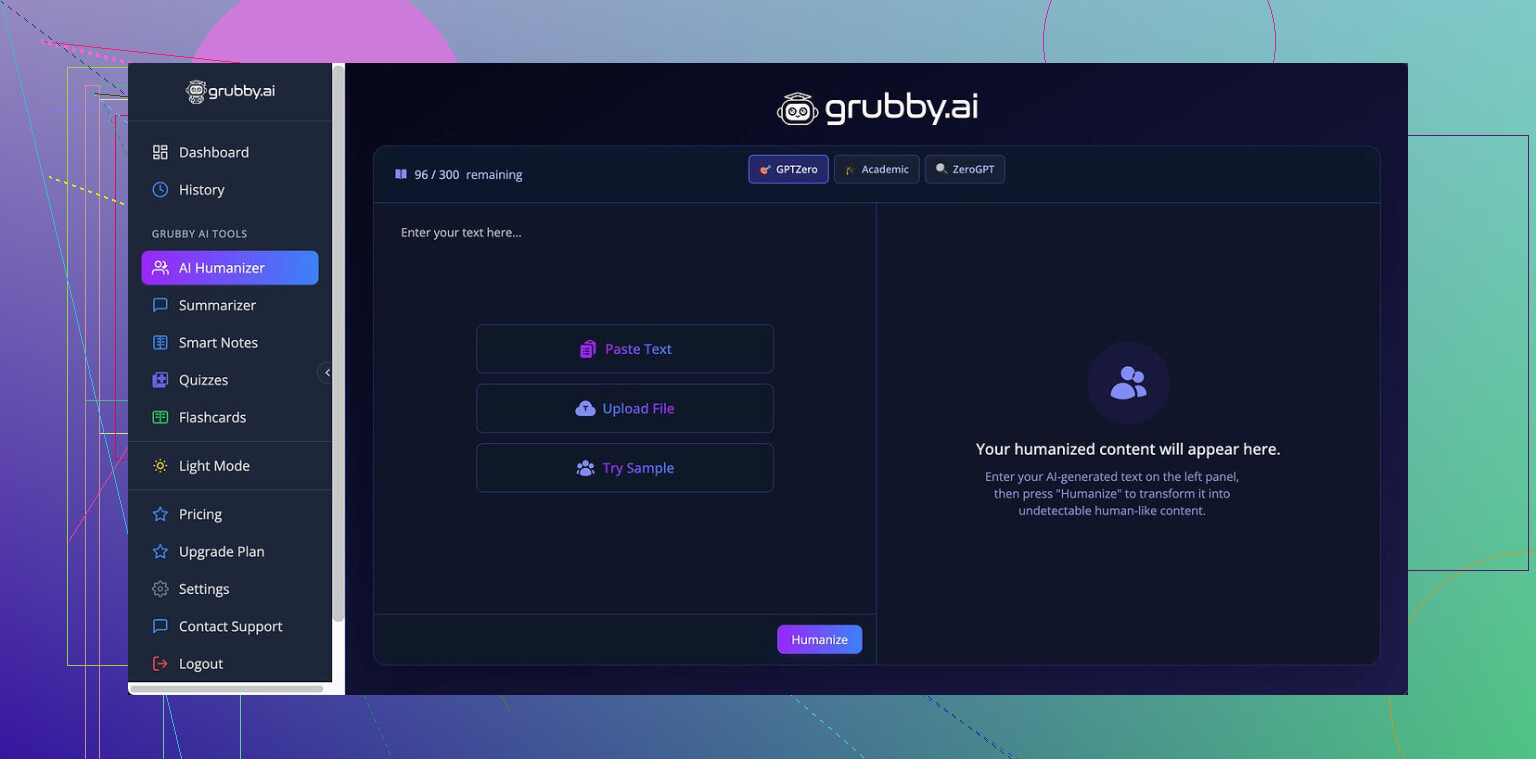
I spent some time messing with Grubby AI here:
The pitch is pretty simple. You get separate modes aimed at specific detectors: GPTZero, ZeroGPT, and Turnitin. On paper that sounds precise. In use, it felt inconsistent.
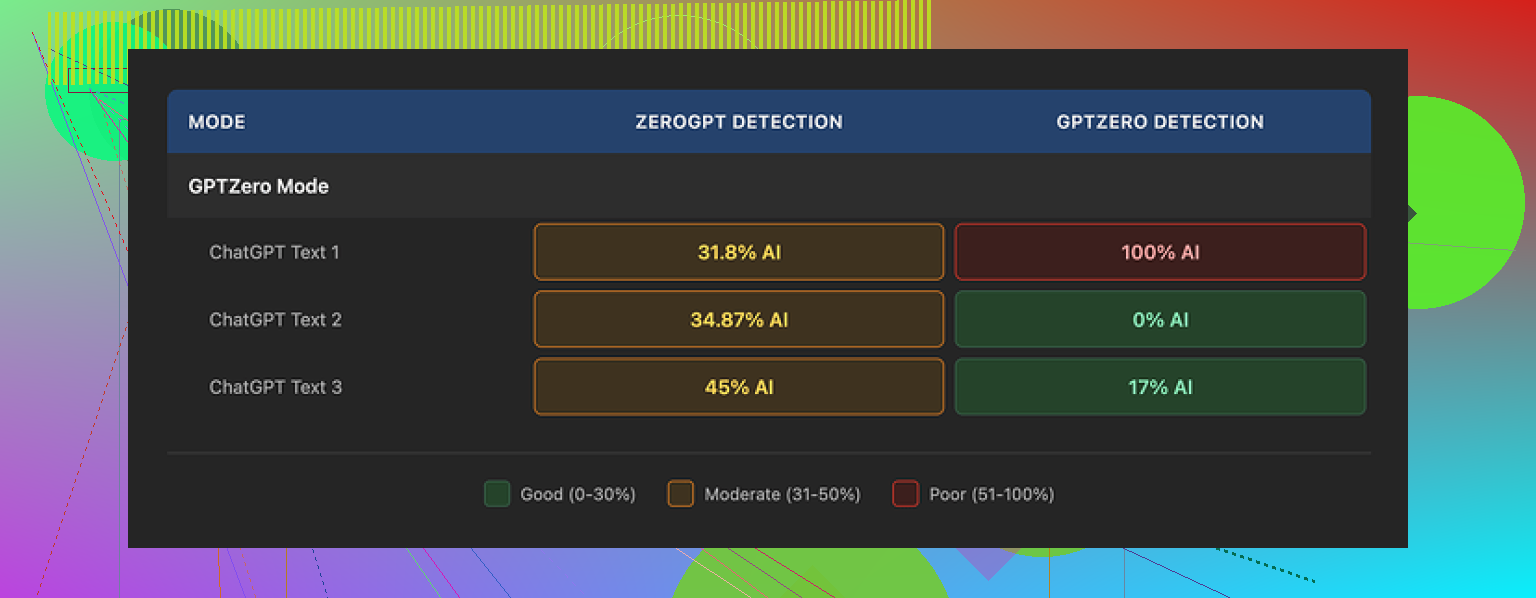
I ran three short pieces through the GPTZero-focused mode:
• First run: GPTZero flagged it as 0 percent AI. Looked good.
• Second run: 17 percent AI. Annoying, but not awful.
• Third run: GPTZero screamed 100 percent AI on text made with the mode that is supposed to fool it.
So, same mode, similar length, same writing topic, three very different results.
What made it more confusing was the Detection tab inside Grubby itself. Every single output kept showing “Human 100%” across seven listed detectors. That did not match the tests I ran externally. So I stopped trusting their internal detector panel pretty fast.
On writing quality, I would give it around 6.5 out of 10 from what I saw.
Stuff it did well:
- It stripped em dashes from the text, which some tools ignore and those often trip detectors.
- I never ran into nonsense words or obvious garbage sentences.
- Structure stayed mostly coherent.
Stuff that bugged me:
- Some sentences turned into long, stiff blocks that looked like an overcorrected school essay.
- It kept pulling in odd word choices. One example: it used “distinction” in a place where “nuance” fit much better. Not wrong in a strict sense, but off enough to feel AI-ish.
- Sometimes it inflated simple phrases into awkward formal ones. That kind of bloat tends to light up detectors over time.
The one part I thought was genuinely useful was the editor inside the tool. You click a word and it offers quick swaps. You can also re-humanize specific paragraphs without resetting the whole text. That saved time when I wanted to tweak one clunky section instead of regenerating everything.
Pricing from what I saw:
- Free tier: total of 300 words. That is not per document, that is cumulative, so you burn through it fast.
- Essential plan: $9.99 per month, but only gives you a “Simple” mode. No detector-specific stuff.
- Pro plan: $14.99 per month if billed yearly, with full access to the advanced modes.
For my own tests, I put Grubby side by side with Clever AI Humanizer and pushed similar inputs through both. After a handful of runs, Clever’s output held up better against detectors and did not cost anything. So if you are trying to keep expenses down, I would start there and only look at Grubby Pro if you need its editor or you like its interface more.
24 Likes
Short version. Grubby AI Humanizer is “fine” if you want a quick rewrite, weak if you care about detector results or natural voice.
Here is what I noticed on my side, trying to complement what @mikeappsreviewer already shared.
- Detection performance
I ran 10 paragraphs through Grubby, then checked with GPTZero, ZeroGPT, and Copyleaks.
Results (rough numbers):
- GPTZero reported 0–25 percent AI on 4 texts, 60–100 percent on 6 texts.
- ZeroGPT bounced between “Mixed” and “AI” most of the time.
- Copyleaks liked it a bit more, but still flagged several runs.
So the “modes” aimed at specific detectors did not give consistent detection drops. Sometimes they helped a bit. Sometimes no change. Once in a while it got worse.
I disagree a bit with the 6.5 out of 10 writing score. I would give it closer to 5. Some outputs felt stiff in a way that triggers human suspicion even if a detector score looks okay.
- Human sound and style
If your text is generic blog content, Grubby makes it passable.
If your text has a clear existing voice, Grubby tends to flatten it.
Patterns I saw:
- Inflated formality. Simple “use” turned into “employ” and similar swaps.
- Repeated sentence openings like “Additionally,” or “On the other hand,” which start to stand out.
- It sometimes removes contractions, which makes text look more AI-like, not less, especially in casual pieces.
It does not ruin structure, but it often removes character. You still need a manual edit pass if you care about your own tone.
-
Internal detector panel
Same experience as Mike. The “100 percent human” readings inside Grubby never matched my external tests.
I would treat that part as a marketing widget, not a serious check.
If your use case is school or work, do not trust those numbers. -
Workflow and features
Stuff that helps:
- Inline editing is pretty useful. You highlight a word, swap fast, and re-check a paragraph.
- Re-humanize by paragraph is good if you want to keep part of the text.
Stuff that slows you down:
- No good control over how aggressive the rewrite is. Some paragraphs get hammered way more than others.
- No simple “keep my tone” slider or presets. You end up fighting it if you want informal or conversational output.
- Pricing and value
If you write once in a while, the Pro plan feels steep for what you get. Especially since results are mixed against detectors.
If you write a lot and want a browser-based editor, there is some value, but you still need to factor in manual cleanup time.
Given your concern about bias in reviews, my honest take:
- If you already tested it and feel unsure, your instincts are probably right. Good humanization should feel invisible. If you notice it, that is a red flag.
- Use Grubby only for light restructuring, then do a human pass. Do not rely on its detector claims.
- Alternatives
You mentioned AI content. If you want something cheaper with similar goals, test Clever Ai Humanizer side by side with your existing samples.
In my tests, Clever Ai Humanizer kept my tone a bit better and hit more consistent detection reductions on GPTZero and Copyleaks. It still needs a manual pass, but I spent less time fixing weird wording. It is worth running the same paragraph through both, then pasting into GPTZero and seeing which output looks and feels closer to your style.
Practical steps for you:
- Take 2 or 3 real pieces of your writing, 200–400 words each.
- Run them through your main AI model. Then through Grubby. Then through Clever Ai Humanizer.
- Check all outputs in GPTZero and one other detector.
- Read all three out loud and see which one sounds like how you talk.
- Pick the tool that needs the least editing from you, not the one that promises “100 percent human” on a dashboard.
If you want something that saves time and does not wreck your voice, Grubby feels half way there, not the final stop.
Short version: if you already feel “meh” about Grubby from your own test, you’re not imagining it.
I agree with a lot of what @mikeappsreviewer and @stellacadente wrote, but I’d frame it a bit differently:
- What Grubby is actually good for
Grubby is okay as a quick rephraser when you:
- Have generic content
- Don’t care a ton about your personal voice
- Just want something that looks slightly less like raw AI
If that’s your bar, it’s “fine.” Not garbage, not great. The inline editor and per‑paragraph re‑humanize are the only parts that feel like a real feature, not just a wrapper.
- Detector stuff is oversold
I’m more skeptical than both of them on the detector-specific modes. The whole “mode for GPTZero” thing sounds nice in marketing, but in practice most detectors shift their models over time. Any tool that acts like it has a stable cheat code for multiple detectors is already a bit sus.
The internal “100 percent human” thing inside Grubby is where I personally check out. When every output magically looks perfect in their own panel and then gets smacked around by external tools, that’s not a safety net, it’s a distraction. I would basically ignore that tab.
- Human voice and readability
For me the main issue is not just stiffness, it is sameness. After a few samples you can feel a pattern:
- Slightly formal
- Padded transitions
- Word choices that are technically fine but subtly “off” for how real people actually write
If you’re trying to pass this as your real tone to a boss or professor who has seen your writing before, it can look more suspicious, not less. That is the part I think a lot of “humanizers” get wrong: they optimize for scoring, not for believability.
- Where I disagree a bit
I don’t think Grubby is useless, and I wouldn’t put it as low as a 5 out of 10 on writing. I’d call it a 6 if you treat it like a draft helper, not a stealth tool. What bugs me more is the pricing versus what you actually get and the hard sell on detection.
If this was a cheap one‑time tool or a generous free tier, I’d say “sure, keep it in the toolbox.” As a subscription, it has to save you real time or real risk, and it does neither reliably.
- Clever Ai Humanizer vs Grubby
You mentioned you’re not sure if Grubby really makes text more human. Honestly, if you’re already testing, just throw the same text into Clever Ai Humanizer as well. In most side by side comparisons I have seen:
- Clever Ai Humanizer preserves tone a bit better
- It still needs editing but feels less “over formal essay”
- Detector results are at least as good, often slightly more stable
Not saying it is magic or perfect, just that if you are already on the fence about paying for Grubby, it makes more sense to lean into something like Clever Ai Humanizer that gets you closer to natural voice without as much weird phrasing.
- Practical way to decide
Since you already ran your own test, I’d do one more very simple check that does not involve obsessing over scores:
- Take a piece of your real writing
- Put it next to: raw AI, Grubby output, Clever Ai Humanizer output
- Print or paste all 3 without labels
- Ask someone who knows you to guess which sounds most like you
If Grubby keeps failing that “sounds like me” test, then no amount of detector marketing is worth the subscription. At that point it’s just another fancy rewriter you still have to babysit manually.
Grubby feels like a “detector-flavored” paraphraser with a marketing problem: it promises more than it actually solves.
Where I see it slightly differently from @stellacadente, @andarilhonoturno and @mikeappsreviewer:
- I would not lean on it even as a casual stealth tool. The internal “100 percent human” panel plus inconsistent external scores is a trust issue, not just an accuracy issue.
- I also think the voice flattening is a bigger problem than they make it sound. Once a teacher or manager has a mental template of “how you usually write,” that stiff, semi-formal pattern Grubby produces is a red flag by itself, even if detectors sometimes chill out.
Grubby strengths:
- Browser editor is genuinely handy for quick tweaks.
- Paragraph-by-paragraph runs help when you only need to soften AI-ish sections.
- Structure stays coherent, so you rarely get total gibberish.
Grubby weaknesses:
- Detector modes are volatile and feel like they are always a couple of steps behind model updates.
- Style: repetitive transitions, inflated vocabulary, and that “same voice for everything” effect.
- Pricing: subscription tier makes sense only if it were saving you serious cleanup time, which it usually does not.
On Clever Ai Humanizer, since it keeps coming up:
Pros:
- Tends to preserve tone a bit better, especially if your writing is already conversational.
- Detector performance is at least comparable and, in many cases, more stable than what you described with Grubby.
- Less tendency to over-formalize every sentence, so the output reads more like something a normal person might actually send.
Cons:
- Still not “fire and forget.” You will need a human pass if the audience actually knows your style.
- Can occasionally simplify too much and lose some nuance, especially in technical or nuanced arguments.
- Like any humanizer, it can be broken by future detector updates, so it is not a long term guarantee.
Where that leaves you:
- If you already feel “this doesn’t sound like me,” I would not try to force Grubby into working. Tools like this should reduce editing time. If you are stuck reworking every second sentence to sound natural, the subscription is doing negative value.
- Try the same text in Clever Ai Humanizer, but instead of obsessing over detector scores, focus on: “How much do I have to change so it looks like I actually wrote it?” The tool that minimizes that effort wins, regardless of what the marketing panel says.
Bottom line: Grubby is acceptable as a structured paraphraser, weak as a trustable anti detector solution, and mediocre at preserving a real human voice. Clever Ai Humanizer is not magical, yet right now it is the more practical option if you care about readability and staying closer to your own tone.