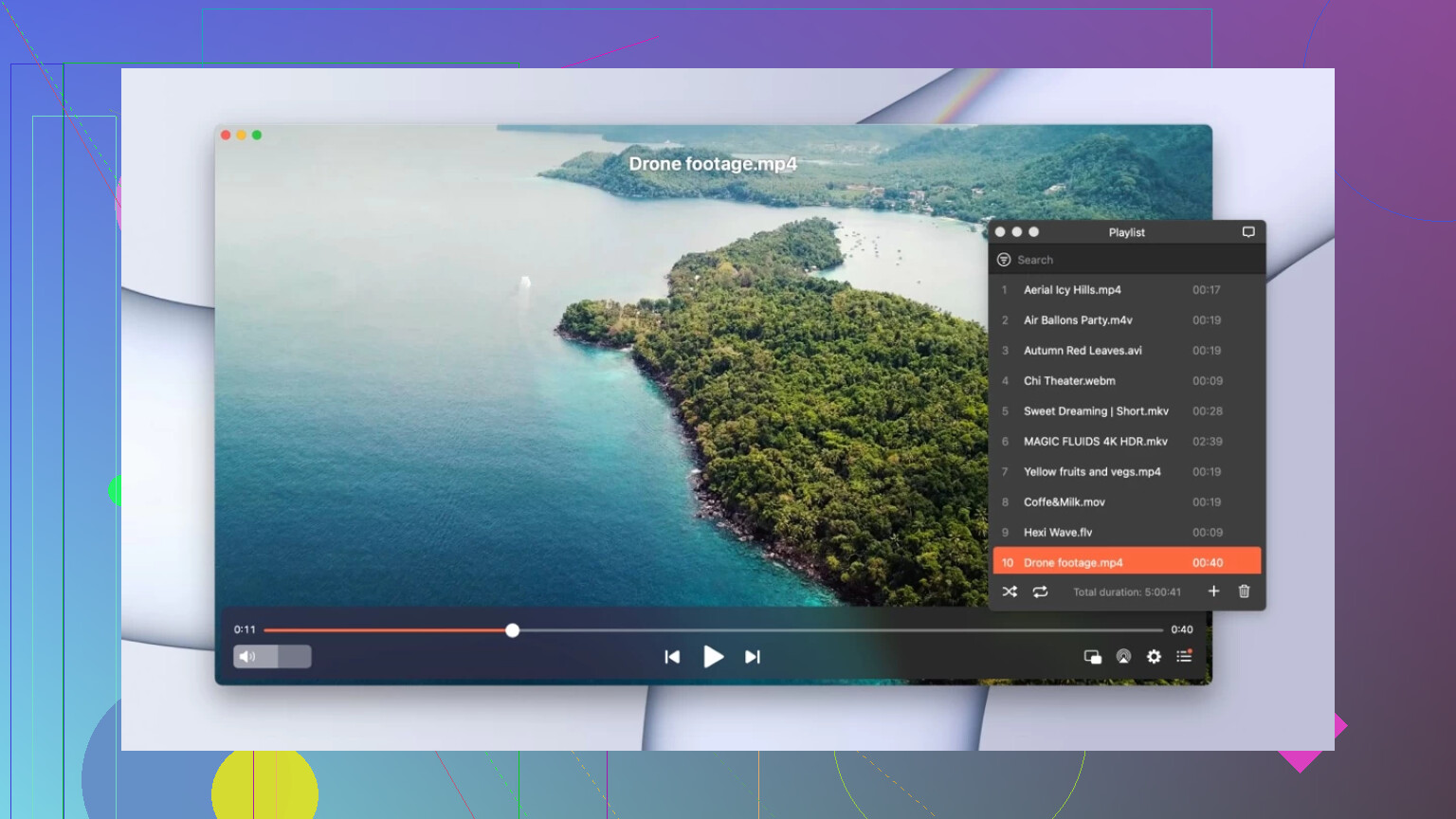
IINA Honest Review

Thinking about finally ditching 5kplayer for IINA because it looks way better on macOS, but I’ve got a few questions for people who use it daily:

  • Overall impression? Is it actually better for day-to-day use or just “prettier”?
  • Any annoying bugs? I’ve heard about some crashing on the newer macOS versions. Is it stable?
  • How’s the performance? Does it handle 4K HDR okay, and does it eat through the battery?

:clapper_board: Why IINA?

IINA is a native macOS media player built on top of the mpv engine.

It combines wide codec support with a modern Mac interface. On paper, that means strong playback compatibility wrapped in a design that fits naturally into macOS.

When it works, it feels smooth and well integrated. The problem — at least in my experience — is consistency.


:desktop_computer: Interface & Design

The interface is clean and unmistakably Mac-native.

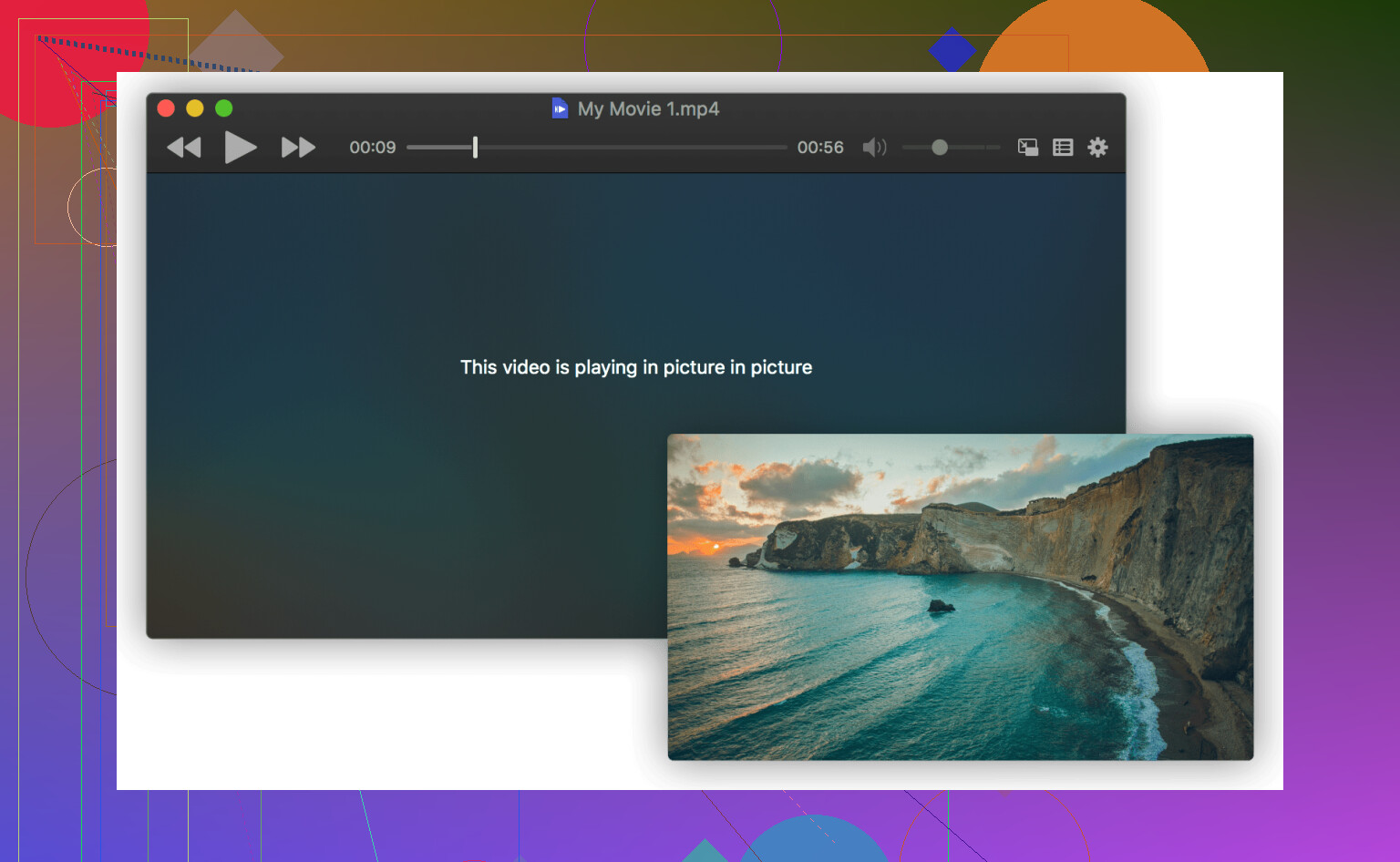
It supports Dark Mode, Picture-in-Picture, trackpad gestures, and system media keys. The sidebar layout for playlists and chapters feels organized. Settings are structured logically without looking dated.

From a design perspective, there’s little to complain about. It looks like it belongs on macOS. Navigation is straightforward. Controls are where you expect them to be.

The frustration doesn’t come from the interface. It comes from what happens during playback.


:gear: Core Features

IINA supports:

  • Advanced subtitle handling

  • Playback speed adjustments

  • Aspect ratio controls

  • HDR playback

Feature-wise, it covers what most people need for local video playback. It handles modern codecs well and rarely struggles with file compatibility.

On a purely functional level, it checks the right boxes.


:package: Format Support

Built on mpv and FFmpeg, IINA supports:

  • MP4, MKV, MOV, AVI

  • H.264 / H.265

  • 4K video

  • Common audio formats

Compatibility is broad. It plays nearly everything without requiring extra codecs.

Format support is not where the issue lies.

---

:rocket: Performance (and the Real Problem)

Here’s where things get complicated.

When IINA runs smoothly, playback is fluid and responsive. Hardware acceleration works. 4K playback is stable.

But repeated crashes during playback change the experience entirely.

A crash in the middle of a film forces you to relaunch the app, reload the file, and regain your position. Even though IINA often remembers the playback position, the interruption breaks immersion. It’s disruptive, especially during longer viewing sessions.

This isn’t a one-off glitch. Reports of playback crashes show up regularly in user discussions. Updating to the latest version can help, but it doesn’t eliminate the issue entirely.

The inconvenience isn’t technical — it’s practical. You hesitate before starting something long because you’re not sure whether it’ll run to completion.

For a media player, stability is foundational. When that’s inconsistent, everything else matters less.


:warning: Limitations

The main limitation, in real-world use, is stability during playback.

Frequent or unpredictable crashes undermine an otherwise capable player. Even if the interface is polished and format support is broad, reliability matters more than features.

If stability is your priority, it makes sense to look at alternatives.

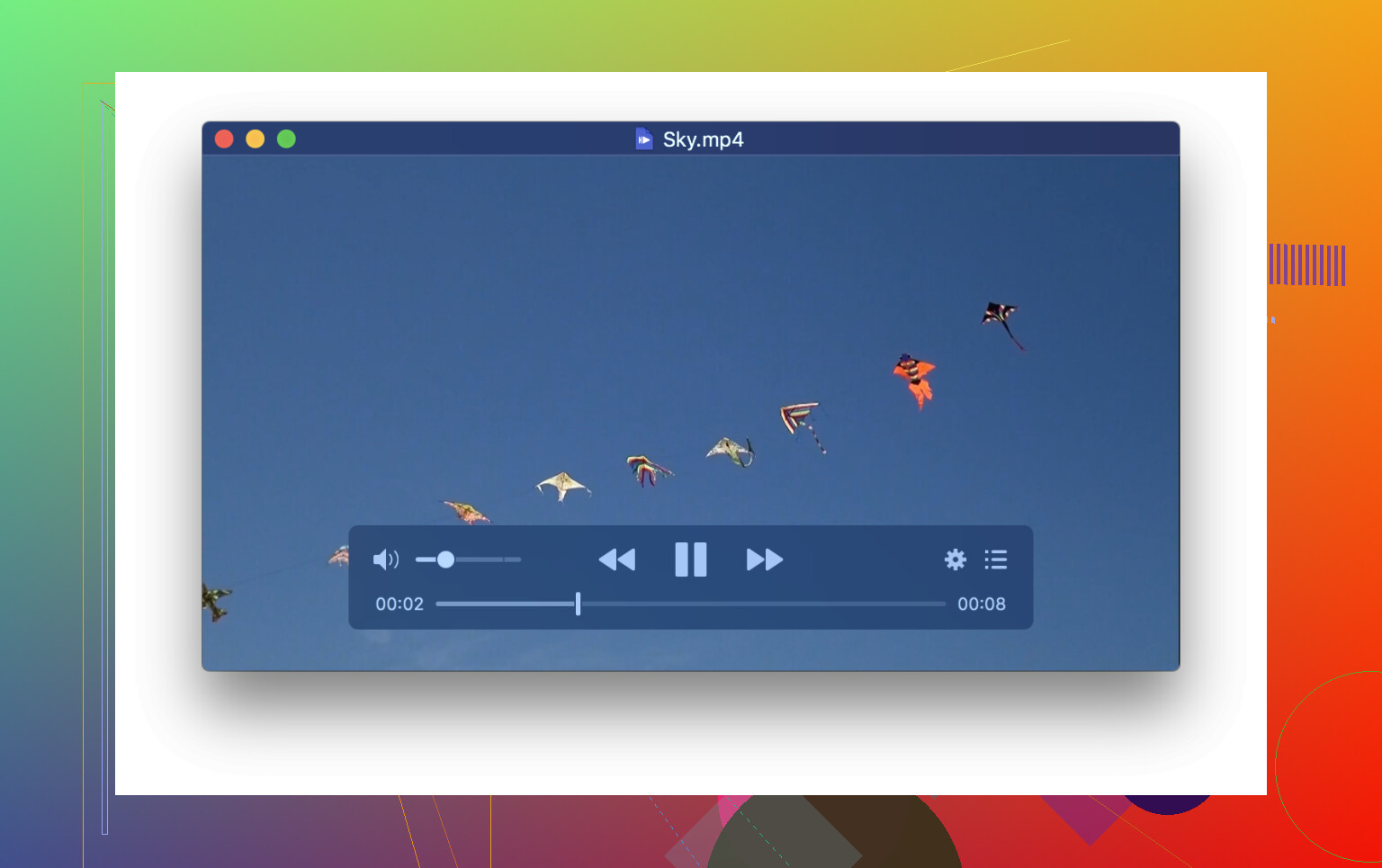
One option is Elmedia Player. Elmedia is also macOS-focused but follows a commercial development model. It includes built-in URL playback and offers a paid Pro version with expanded capabilities. Some users gravitate toward it because they perceive it as more stable in day-to-day use.

Elmedia differs in a few practical ways:

  • :round_pushpin: Elmedia offers a more feature-rich Pro version (DLNA streaming, advanced AirPlay, etc.)

  • :round_pushpin: More intuitive audio delay and subtitle delay adjustment

  • :round_pushpin: Easier track switching for multi-audio files

  • :round_pushpin: It’s more focused on media streaming and casting

  • :round_pushpin: More UI-exposed playback controls without needing advanced configuration

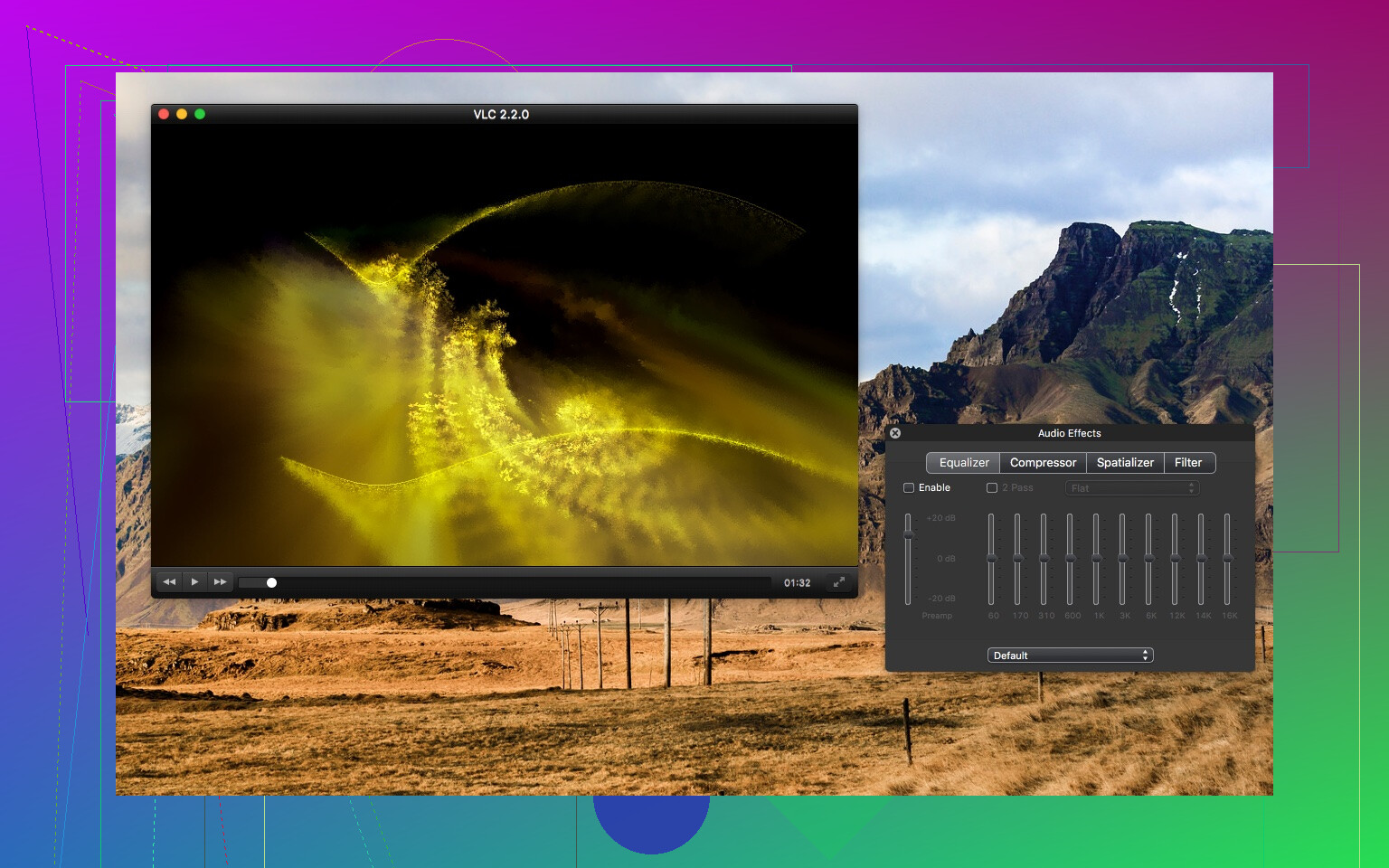
Another long-standing option is VLC media player. VLC is cross-platform and known for its broad compatibility and resilience. Its interface on macOS feels less native compared to IINA, but many users choose it specifically because it prioritizes stability and consistent playback across systems.

Neither is positioned as a direct replacement for everyone. They simply approach reliability, interface design, and development structure differently.

If you’d like to explore more options beyond these, there’s another discussion thread where users share their hands-on experiences with various macOS media players and how they compare in real-world use.


:chequered_flag: Final Verdict

What works well :white_check_mark:

IINA offers a clean macOS-native interface, wide format support, HDR playback, and open-source transparency. When stable, playback quality is strong.

Where it falls short :cross_mark:

Repeated crashes during playback disrupt viewing and reduce trust in the software. Stability concerns outweigh its design advantages in longer sessions.

IINA is thoughtfully designed and technically capable. But for a media player, reliability is non-negotiable. If crashes are part of your experience, that inconvenience quickly becomes the deciding factor.
4 Likes

Daily IINA user here on an M1 MBP and an Intel iMac before that. Short version for your 5KPlayer question: nicer to use, but I would not rely on it as the only player.

Some practical points:

  1. Day to day use vs 5KPlayer
    • UI is miles cleaner than 5KPlayer. No ads, no weird “YouTube download” stuff, feels like a normal macOS app.
    • Keyboard shortcuts are close to mpv, so you get quick seek, speed, subtitle toggles.
    • For local files, it handles pretty much everything I throw at it, from 1080p anime with softsubs to 4K HEVC HDR rips. No extra codecs.

If all you care about is local playback with a nice UI, it is a solid upgrade over 5KPlayer.

  1. Stability
    This is where I partly disagree with @mikeappsreviewer.
    On Intel macOS Monterey I had crashes maybe once every few days with long 4K HDR files. On Apple Silicon and Ventura it got rarer, but it still happens sometimes. Always mid playback, no warning.
    If your usage is “background show while working”, you will shrug and reopen. If you sit down for a 3 hour movie, it gets annoying fast.

So I use it as my default, but I keep a backup player pinned to the Dock.

  1. Performance
    • Hardware decode for H.264 and H.265 works fine on M1 for 4K. CPU stays low, fans quiet.
    • Scrubbing is fast for MKV and MP4 if the file is not corrupted.
    • HDR tone mapping is ok, but not perfect. If you are picky about image quality, plain mpv or VLC sometimes looks more consistent.

  2. Features that matter in real use
    Stuff that works well:
    • Subtitle sync and loading external subs are quick and simple.
    • Per file playback speed, good if you watch lectures or anime.
    • PiP and media keys are reliable. Good for laptop workflows.

Missing or weaker points compared to 5KPlayer and others:
• Streaming and casting tools are limited. No good DLNA browser, no advanced AirPlay control.
• Network streams work, but the experience is not as polished as dedicated streaming oriented players.

  1. What I do in practice
    My current setup:
    • IINA for 80 percent of use. Daily shows, anime, short videos.
    • Elmedia Player for network stuff, AirPlay, DLNA and when I watch long movies where I want fewer surprises. Its Pro version focuses more on streaming and remote displays, so if you use TVs or other screens a lot, “Elmedia Player” is worth installing alongside IINA.
    • VLC as a “if nothing else works” backup for weird files.

If you are coming from 5KPlayer and you:
• watch mostly local files on your Mac screen
→ switch to IINA, you will like it more.
• rely on casting or long sessions on a TV
→ install both IINA and Elmedia Player, set IINA as default for files, use Elmedia for streaming tasks.

So, is it “better” for day to day use than 5KPlayer?
For local playback and UI, yes.
For reliability over multi hour sessions, it is ok, not perfect. I would not delete your backup player.

Swapped from 5KPlayer to IINA a while back, still using it, so here’s the unvarnished version.

Short answer for your “day‑to‑day vs pretty UI” question: it is better than 5KPlayer for local playback, but it’s not the kind of player I’d trust blindly for a 3‑hour movie night with friends.

Couple of points that build on what @mikeappsreviewer and @andarilhonoturno already said:

  1. Day‑to‑day feel vs 5KPlayer
    5KPlayer always felt like a sketchy downloader that happens to play video. IINA feels like an actual macOS app. No launcher clutter, no “pls try this feature” nonsense, no ad-ish panels.
    For regular files on disk it’s absolutely nicer to live with. Drag file, watch, done. If that’s 90% of your use, it’s an upgrade.

  2. Stability reality check
    I’m a bit closer to @mikeappsreviewer’s camp here. On my Intel mini IINA will randomly nope out once every few sessions, usually mid‑playback. On my M1 Air it’s better, but not spotless. It’s not constant crashing, but it happens just enough that you start thinking “should I open this in something more boring.”
    If your tolerance for a random crash in the last 20 minutes of a movie is zero, you’re going to be annoyed eventually.

  3. Where it quietly shines
    Stuff you’ll notice coming from 5KPlayer:

    • Subtitle handling is way nicer. External subs, timing tweaks, font tweaks, all sane.
    • Keyboard shortcuts are logical, not some arcade‑game layout.
    • Integrates with macOS features like Picture in Picture and media keys in a way 5KPlayer basically doesn’t.
  4. Where it’s weaker than you’d expect
    5KPlayer leans heavily into streaming / YouTube / casting. IINA absolutely does not try to be that. Network stuff works, but it’s barebones.
    If you actually rely on things like DLNA, more advanced AirPlay, or pushing to TVs a lot, you’re going to feel that gap very quickly.

  5. What I’d actually do in your shoes

    • If you mostly watch local files on your Mac screen:
      → Switch to IINA, make it default, enjoy not looking at 5KPlayer’s UI anymore.
    • If you also care about casting / long movie sessions:
      → Install IINA and Elmedia Player.
      • Let IINA handle everyday local files.
      • Use Elmedia Player when you want stable long sessions, DLNA streaming, or more serious AirPlay features. That app is basically “I care about streaming and remote screens” in one neat package, and it’s more predictable for long runs.

So is IINA “actually better” or just pretty?

  • For everyday local playback: yes, better.
  • As a single, rock‑solid, do‑everything replacement: not quite.
    Treat it as your main player with a backup (Elmedia Player or VLC) instead of pretending it solves the whole stack.

If you strip away the hype and look at actual usage patterns, IINA vs 5KPlayer comes down to this: IINA is the player you want to look at, but not always the one you want to depend on.

I agree with @mikeappsreviewer and @andarilhonoturno that for local files IINA is a clear upgrade over 5KPlayer. I’d even go further: 5KPlayer feels like a downloader bundled with a player, while IINA feels like a macOS app that just happens to be powered by mpv. Clean UI, sensible shortcuts, proper Dark Mode behavior, and no “extra” stuff in your face.

Where I’m slightly less forgiving than @stellacadente is on stability. On Apple Silicon it is good but still not “forget it’s running” good. If you watch a lot of 2 to 3 hour content, the occasional mid‑playback exit is not just a small annoyance. It changes how much you trust it. mpv itself is rock solid for a lot of people, but IINA’s wrapper and macOS updates sometimes don’t play perfectly together.

Streaming and casting are the real dividing line. 5KPlayer leans into YouTube, AirPlay, and “online” use. IINA clearly does not want that role. If you ever think “I want to quickly throw this MKV to the living room TV,” IINA alone is going to feel limited.

That is where Elmedia Player actually fits the gap in a way the others here only hinted at. Since you asked whether IINA can replace 5KPlayer completely, it is worth outlining Elmedia briefly, because it often ends up as the quiet second app that makes the setup feel complete.

Pros for Elmedia Player:
• Better focus on streaming: DLNA, Chromecast, and more complete AirPlay support, so it can realistically replace the casting part of 5KPlayer.
• Stable long sessions: in practice it tends to behave more like a “TV app” than a tweaker’s toy, so two hour movies are less of a gamble.
• Very approachable UI: lots of playback controls visible by default, so if you do not want to think like an mpv user, it feels straightforward.
• URL playback built in: handy for watching online streams without juggling browser extensions.

Cons for Elmedia Player:
• Best features gated behind Pro: to match or beat 5KPlayer’s streaming side, you are realistically looking at the paid upgrade.
• Less nerd‑tunable than IINA: if you love mpv‑style configs and granular control, it will feel more “appliance” than “toolbox.”
• A bit heavier feel: not bloated, but not as lean as pure mpv or VLC for simple local playback.

VLC still matters in this picture too. It is not pretty, but between VLC, IINA, and Elmedia Player, you cover basically every weird file plus every display scenario. VLC is the “it just plays” fallback, not the daily driver.

Putting this all together for your decision:

• If you mostly watch local files on the Mac and do not mind the occasional crash:
→ Make IINA your default. It is miles nicer than 5KPlayer for that one job.

• If you rely on casting, network playback, or you absolutely hate surprise exits near the end of a movie:
→ Pair IINA with Elmedia Player and let each do what it is good at.

• If you sometimes run into odd files or broken encodes:
→ Keep VLC installed as a last resort rather than trying to force IINA to be “the only player.”

So no, IINA is not “just pretty,” but it also is not a one‑stop replacement for everything 5KPlayer tries to do. Treat it as the main local player in a small trio with Elmedia Player and VLC, and you avoid almost all of the pain points that everyone in this thread is dancing around.