I’m looking for a solid FTP client that doesn’t feel like it’s from the 90s. Everyone points to Cyberduck, does it still hold up today, or is it just “legacy” software at this point?
 Core Overview – What Cyberduck Is
Cyberduck is a file transfer client for macOS and Windows built for moving files between local machines, remote servers, and cloud storage platforms. Its role is practical rather than specialized: establish connections, browse directories, and transfer data reliably using established protocols.
The software behaves more like a general transfer utility than a deployment tool. While it is often used for website uploads, its broader usefulness comes from its ability to connect to object storage providers and cloud drives alongside traditional FTP servers.
The design philosophy is visible throughout: simple connection management, predictable transfers, and minimal abstraction over how file transfers actually work.
 What Cyberduck Does
Cyberduck functions as both a traditional FTP/SFTP client and a cloud storage access tool. In practice, this means it can connect not only to hosting servers but also to services like Amazon S3, Google Drive, and Dropbox, allowing files to be transferred without switching applications.
Typical usage scenarios include uploading website files, downloading backups from servers, accessing remote project assets, or reviewing storage buckets. The workflow stays consistent regardless of the destination: connect, browse, transfer, disconnect.
The tool does not attempt to automate deployment or synchronize projects automatically. Instead, it focuses on manual transfers where the user decides exactly what moves and when.
 Interface and User Experience
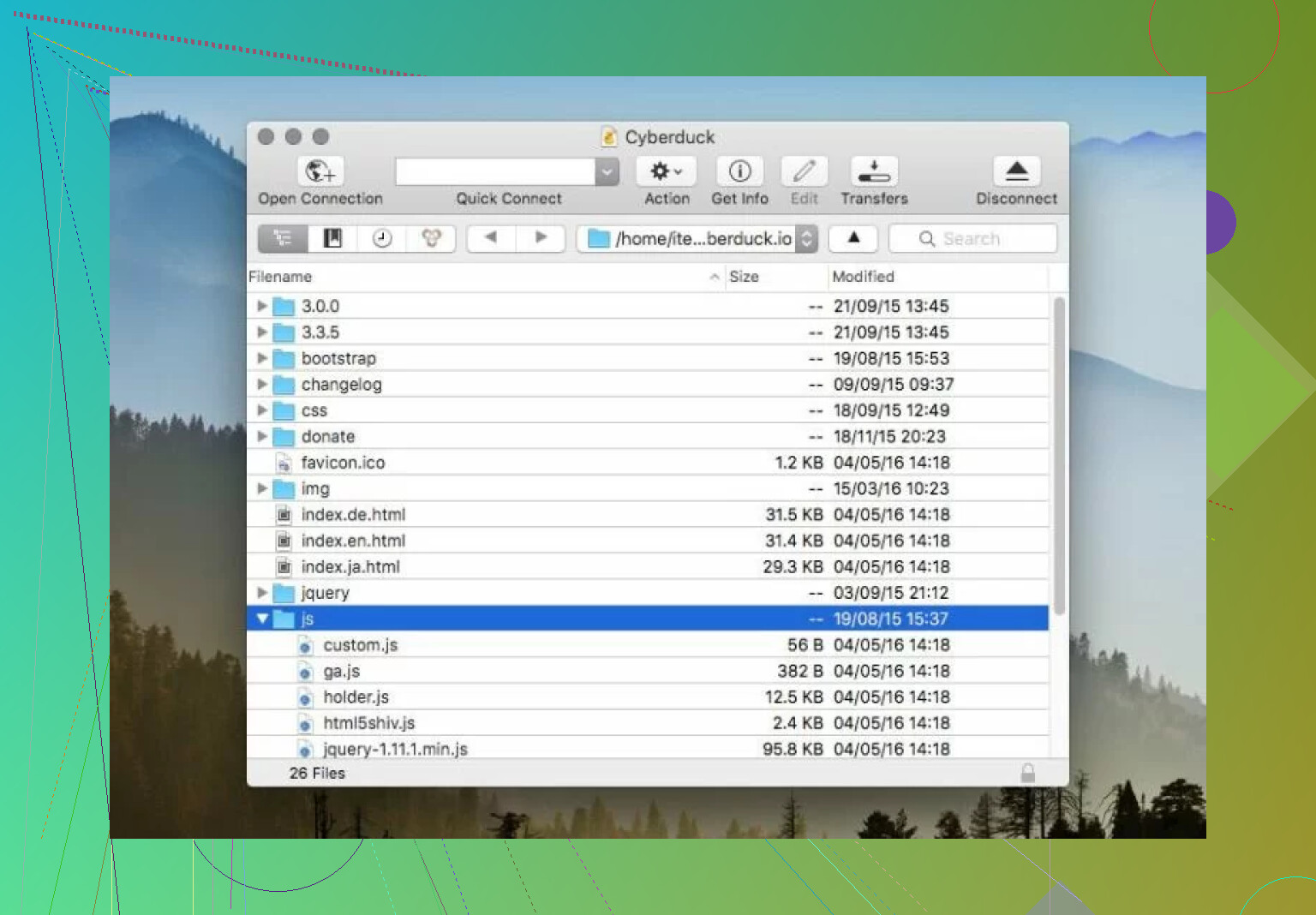
The interface is structured around a single-pane browser model. Each server connection opens in its own window showing only the remote filesystem, while local files remain in Finder or Windows Explorer. This separation keeps the interface visually simple but introduces some workflow friction.
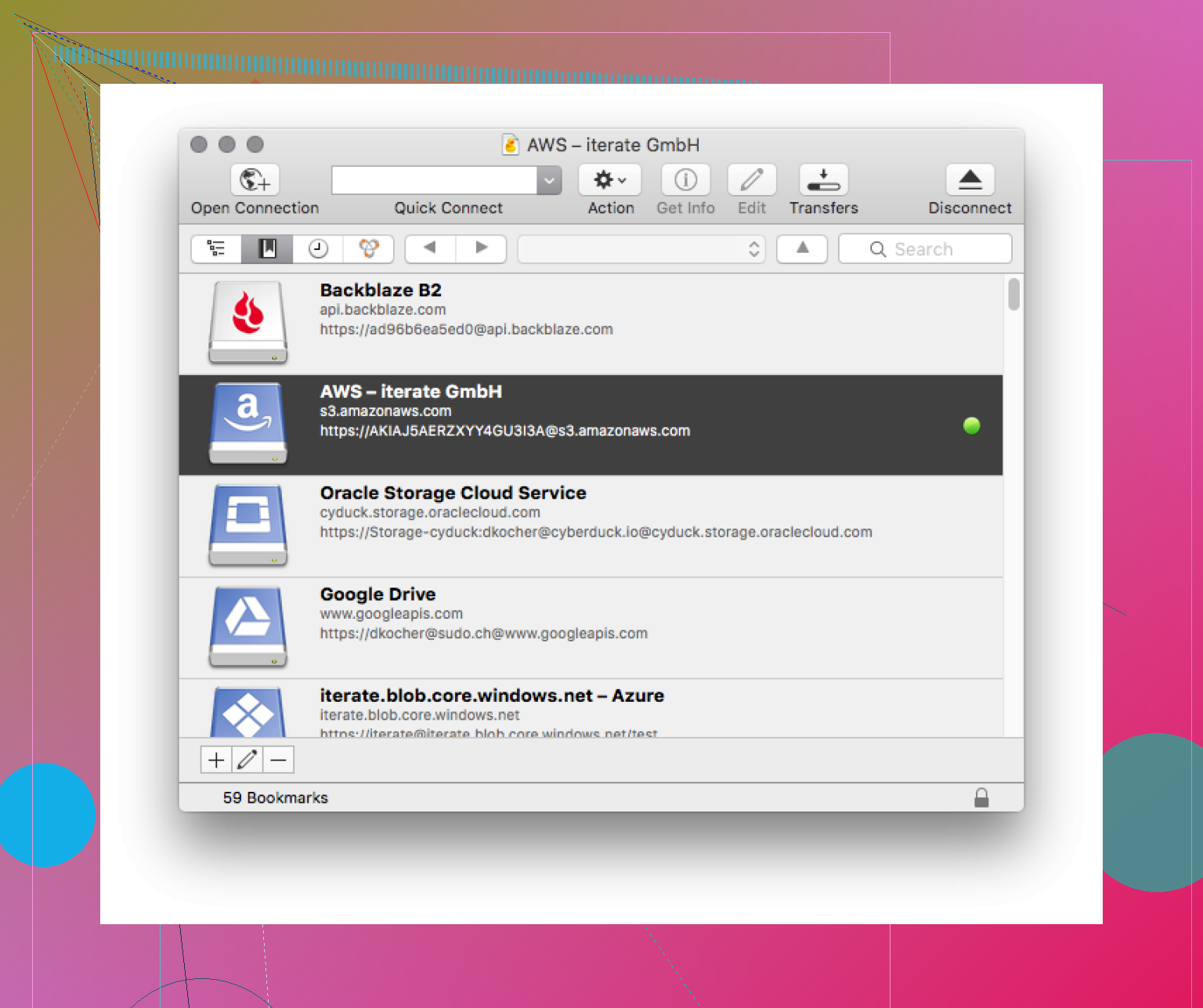
For basic transfers this design works without issues. Opening a connection, dragging files, and watching progress in the transfer queue feels predictable and stable. The bookmark system also keeps connection management organized without requiring complex configuration.
The limitations appear when working with many files or comparing structures. Without a dual-pane layout, moving groups of files between locations often requires switching windows. Tasks like reorganizing server directories or checking differences between folders take more steps than they would in a two-panel manager.
The interface feels designed for clarity rather than speed. That trade-off becomes noticeable mainly during repetitive administrative tasks rather than occasional transfers.
 Protocol and Service Support
Cyberduck supports the standard protocols expected from a modern transfer client, including FTP, SFTP, FTPS, and WebDAV. These cover most hosting providers and infrastructure setups without requiring additional plugins.
Cloud integrations extend its usefulness beyond traditional server access. Object storage like S3 and Backblaze B2 can be browsed almost like normal directories, and common file hosting platforms can be accessed through the same connection workflow.
This consistency is one of the stronger aspects of the design. Regardless of whether the destination is a Linux server or a cloud bucket, the user interacts with the same file browser and transfer queue.
What Cyberduck does not try to do is extend far into automation or scripting. Its protocol support is broad, but its operational depth stays focused on direct manual control.
 Key Features and Capabilities
Cyberduck’s feature set focuses on making transfers predictable rather than expanding into file management territory.
The transfer queue behaves consistently even during long sessions, allowing files to be paused, resumed, or retried if failures occur. External editor integration allows a file to be opened locally, modified, and automatically uploaded again after saving. This is useful when making small edits to configuration files or website code.
Security features include SSH key authentication, encrypted connections, and credential storage through system keychains. These are standard expectations rather than standout differentiators, but their implementation is straightforward.
One notable aspect is how Cyberduck avoids feature overload. There are no built-in archive managers, process viewers, or complex synchronization engines. The advantage is lower complexity. The downside is that users needing those capabilities must rely on additional tools.
 Performance Characteristics
In normal conditions, Cyberduck transfers small and medium file groups reliably. Stability is generally more consistent than raw speed. Resource usage also remains relatively modest compared to more complex file managers.
The main concern reported by users is not crashes or failures, but transfer speed variability. Some transfers complete at expected network speeds, while others slow down dramatically depending on environmental factors.
This inconsistency defines most performance discussions around Cyberduck rather than any single technical flaw.
 Limitations and Issues
The most significant operational issue involves slow transfer speeds, which in some cases drop to extremely low rates such as around 2 kb/s.
It is important to separate cause from effect. In many cases this behavior appears linked to network routing, ISP behavior, server throttling, or protocol overhead rather than the Cyberduck client itself. Testing the same transfers on different networks sometimes produces normal speeds.
However, regardless of the technical cause, the real impact shows up in daily use.
Uploading a full website containing images, scripts, and static assets can take far longer than expected when speeds drop. Large media files may require extended transfer times. Backup downloads may need monitoring instead of running unattended.
The issue matters less when transferring small configuration changes or individual documents. It becomes more relevant when working with large datasets or frequent updates.
Other limitations tend to relate more to workflow than reliability. The single-pane interface slows directory comparisons. There are limited bulk file management tools. There is little support for automation beyond basic transfers. None of these stop the program from functioning, but they define the situations where it feels less efficient.
 Alternatives and Different Approaches
Some users looking for different workflow characteristics consider Commander One, which approaches file transfers from a different direction.
Commander One is primarily a dual-pane file manager for macOS with FTP and SFTP built in rather than being purely a transfer client. This changes how transfers fit into daily workflows. Instead of opening separate server windows, local and remote files can be viewed side-by-side.
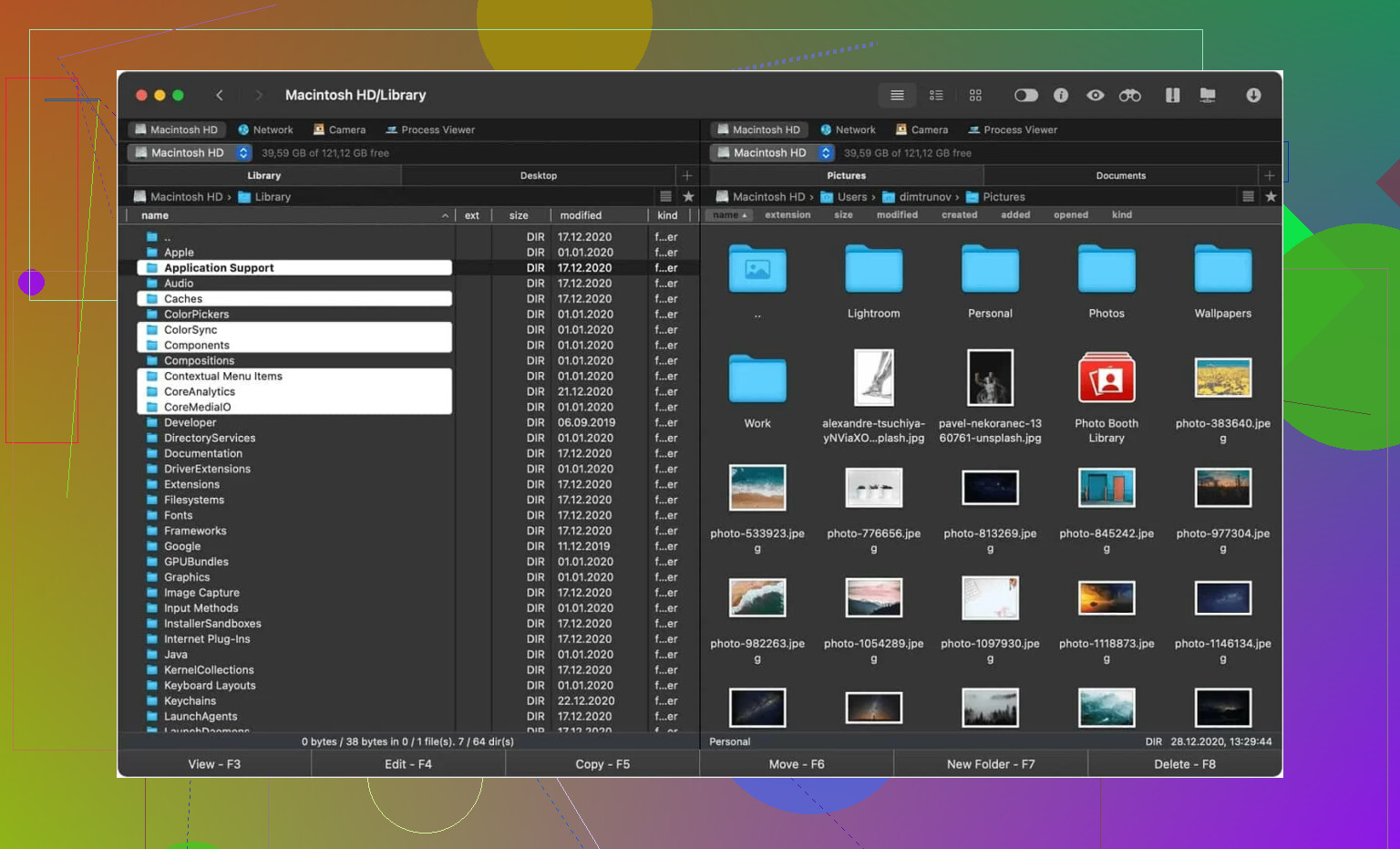
This structural difference affects usability more than feature lists. Tasks like comparing folders, reorganizing files, or moving data between multiple locations can require fewer navigation steps in a dual-pane design.
Some users also report faster transfers in certain environments, though this varies depending on configuration and network conditions. Commander One also includes capabilities unrelated to FTP, such as archive browsing and system utilities, reflecting its broader scope.
The distinction is less about which tool is better and more about design priorities. Cyberduck focuses on simple transfer sessions. Commander One treats transfers as part of a larger file management workflow.
 Final Verdict
Cyberduck is a straightforward transfer client designed around clarity and compatibility rather than workflow optimization. It works well when the goal is simply connecting to a server or cloud storage and moving files without additional complexity.
2 Likes
Cyberduck is still fine. Best option, no. Not if your pain point is big uploads and daily file management.
I agree with part of what @mikeappsreviewer said. Cyberduck stays clean and supports a lot of services. That matters. I disagree on one part though. For heavy work, “dependable enough” stops being enough fast. If your uploads stall, spike, or need retries too often, the app is costing you time.
Here’s how I’d break it down.
Keep Cyberduck if:
you mostly do small edits,
you need broad protocol and cloud support,
you like a simple UI,
you do not need side by side folder work.
Move on if:
you upload large batches often,
you compare local and remote folders a lot,
you want fewer windows and less clicking,
you need smoother bulk file handling.
For Mac, Commander One is worth a hard look. The dual-pane layout speeds up normal work more than people expect. Dragging files, checking folder diffs, cleaning up directories, all faster. It feels more like a file manager with FTP and SFTP built in, not a transfer tool trying to stretch. If your workflow is upload, compare, fix, move on, it fits beter.
For Windows, I’d look at WinSCP first. It’s not pretty, but it’s solid.
So, no, Cyberduck is not the best default pick anymore. It’s still a good lightweight option. For bigger uploads and less friction, I’d switch. If you want one answer for your Mac side, Commander One makes more sense now.
Cyberduck is still a solid option, but “best” feels outdated now.
I mostly agree with @mikeappsreviewer on the compatibility part. Cyberduck still wins points for covering FTP, SFTP, WebDAV, cloud stuff, and doing it without turning into a bloated mess. But I’m closer to @yozora on the real issue: once big uploads enter the chat, the cracks show.
My take is a little different though. I do not think Cyberduck is bad at all. I think it’s just better as a lightweight transfer client than as an everyday heavy-duty workhorse.
If your workflow is:
- quick edits
- occasional uploads
- jumping into S3 or a server
- simple manual transfers
then yeah, Cyberduck is still perfectly fine.
If your workflow is:
- hundreds or thousands of files
- frequent large uploads
- checking local vs remote folders
- reorganizing directories often
then the single-pane design starts to feel kinda ancient, tbh. Not unusable, just slower than it needs to be.
For Mac, Commander One makes a lot of sense because the dual-pane layout cuts down friction in a way specs don’t always show on paper. You spend less time alt-tabbing around and more time actually moving files. That matters more than people think. For Windows, I’d still lean WinSCP for reliability and control.
So no, Cyberduck is not the automatic best pick for both Mac and Windows anymore. It’s still good, still useful, still worth keeping installed. But if bigger uploads are frustrating you already, that’s probably your answer right there. At that point you’re not “imagining it,” the workflow just isnt fitting anymore.