I’m looking for a way to move files to my server and FileZilla keeps coming up. I’ve heard mixed things about security and the interface looking a bit old. For those of you using it daily, what’s your honest take?
If you’ve worked with FTP at all, you’ve probably come across FileZilla. It’s a free FTP client that’s been around for many years and is widely used for simple file transfer tasks between a local computer and a server.
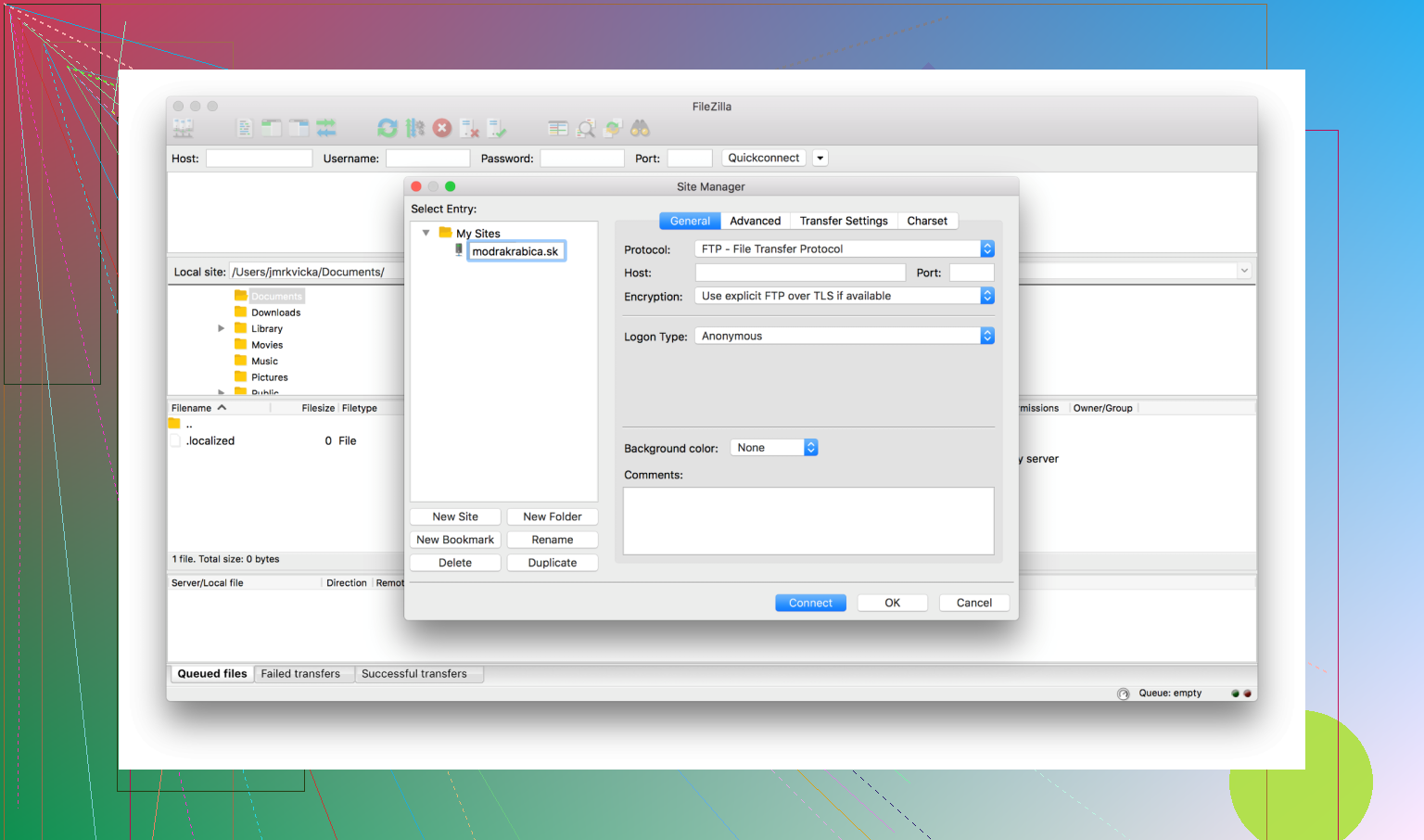
The interface is pretty straightforward: local files on one side, server files on the other. Drag and drop works as expected, and it handles typical FTP jobs without much setup. Because it’s been around so long, a lot of tutorials and hosting guides reference it.
 Pros
Pros
- Free to use
- Widely recognized and long-established
- Works well for basic FTP tasks
For everyday uploads and downloads, it usually does the job without much hassle.
 Cons
Cons
- Reputation concerns around bundled adware / security
Some users have raised concerns in the past about bundled installers and security issues. It’s generally recommended to download it only from the official site and run a malware scan if you’re unsure. Tools like Malwarebytes can help check the installer or your system. - SFTP connection issues
A few users run into problems when connecting via SFTP. In many cases the issue is client-side rather than the server. Two common things worth checking:- Make sure the client is updated to the latest version
- Check whether a firewall or network rule is blocking the connection
 Tips & Recommendations
Use SFTP or FTPS instead of plain FTP
Regular FTP sends data without encryption. If the server supports it, SFTP or FTPS is usually a safer option.
Try alternatives (especially on Mac)
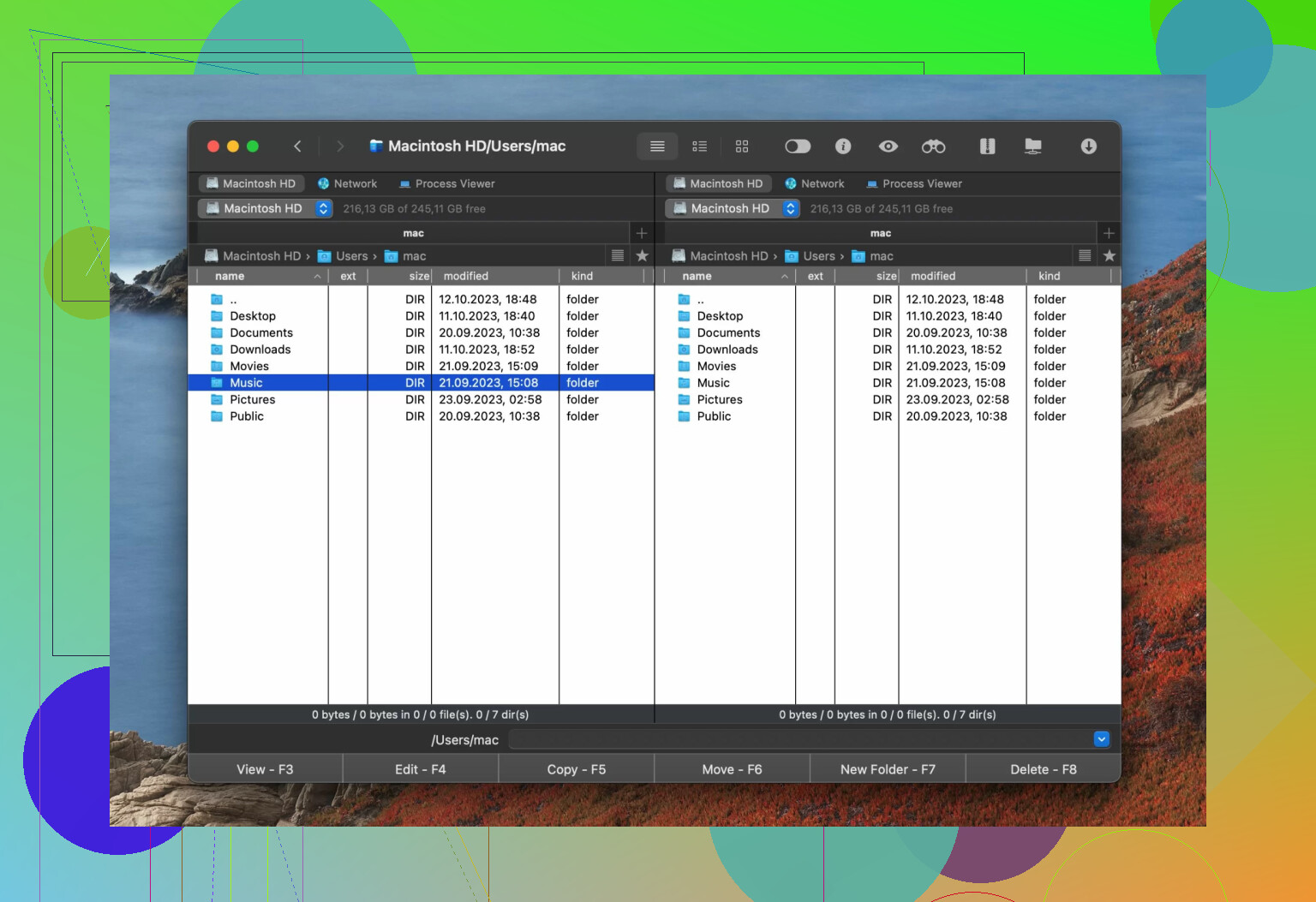
If you’re on macOS and want something different, Commander One is worth looking at. t’s an FTP manager that connects to remote servers using FTP, SFTP, and FTPS. One thing I like is the operation queue, which lets you organize file transfers when working with several servers at once.
It also works as a general file manager with features like:
-
file encryption
-
advanced file search
-
built-in Terminal emulator
-
process viewer
-
support for hidden files
-
It can also connect to MTP, Android, and iOS devices, so you can move files between devices and your Mac from one place.
3 Likes
FileZilla is not “dead”, but it is no longer the automatic default I suggest to people.
I agree with most of what @mikeappsreviewer said, but I see it a bit more bluntly:
When to keep FileZilla
If all these are true for you, FileZilla is still fine.
-
You only use SFTP or FTPS.
Disable plain FTP on your server.
In FileZilla, always pick SFTP or FTP over TLS, never plain FTP. -
You grab it from the official site and pick the portable build.
The bundled installer drama is enough for me to avoid the normal installer on Windows. -
Your workflow is simple.
Example. Small shared hosting site, occasional manual uploads, no automation, no sync logic, no multiple environments.
If that sounds like you, harden it and stay:
• Turn off saving passwords in plain text. Use “Ask for password” or use key auth for SFTP.
• Use key based auth on the server for SFTP, not passwords.
• Limit concurrent transfers to 2–3 to avoid flaky uploads on bad networks.
• Keep it updated. Old versions break with modern ciphers.
When I think you should switch
If any of these match, I would move on.
-
You care about long term security hygiene.
FileZilla stores site data in XML with no encryption. If someone gets your user profile, they get your server creds. Even with master password, I do not like the model. -
You work with multiple servers or environments.
Manual drag and drop to “prod” is a good way to make mistakes. A client with three envs did this and overwrote the wrong config more than once. -
You want more than “pipe files from A to B”.
Things like sync, versioning, integration with SSH, search, file previews, encryption of local archives.
Good free or freemium alternatives
Different from what @mikeappsreviewer already covered:
Windows
• WinSCP. Free, focused on SFTP and SCP. Better session management, scripting, and “keep remote directory up to date” sync. If you like scripting deployments, it is much nicer than FileZilla.
• Cyberduck. Simpler UI, supports SFTP, WebDAV, S3, etc.
macOS
This is where I personally stopped using FileZilla.
• Commander One.
It is a dual pane file manager with FTP, SFTP, and FTPS.
Key reasons it makes sense for you if you are used to FileZilla:
- Same mental model. Two panes, local and remote, drag files.
- Tabs and queues for multiple servers, so staging and production sit in one window.
- Built in encryption for local archives, useful if you store client backups.
- Built in terminal, so you upload then fix permissions or edit a config without switching apps.
- Connects to SFTP, cloud storage, and even mobile devices. One interface instead of juggling tools.
Linux
• FileZilla is still common, but clients like lftp (CLI) or Krusader / Double Commander with plugins give more control and scripts.
If I were you
If you are nervous about “outdated and insecure” but do not want a full tool switch right away, do this in order:
- Move every site to SFTP with key based auth.
- Turn off plain FTP on the server.
- Clean your FileZilla site manager. Remove old sites. Use master password.
- Test one alternative in parallel for a week.
On macOS, try Commander One.
On Windows, try WinSCP.
If after a week the new tool feels natural, migrate fully and keep FileZilla only as a backup. If not, you hardened your current setup and you are still in better shape than before.
FileZilla isn’t “dead,” it’s just… stuck in 2012 with a gym membership it never uses.
I mostly agree with @mikeappsreviewer and @byteguru, but I look at it slightly differently: the question isn’t “is FileZilla still safe,” it’s “is it still the best use of your time and risk budget.”
When FileZilla is still totally fine
If this is you, you don’t have to switch right now:
- You only connect via SFTP or FTPS
- You’re on a single small site or two, and you deploy manually
- You’re already grabbing it from the official site and keeping it updated
- You’re not storing creds for dozens of client servers
Then harden what you have:
- Turn off plain FTP on the server entirely
- In FileZilla, only use SFTP or FTP over TLS
- Either don’t save passwords, or at least use the master password
- Nuke old Site Manager entries you never use anymore
That setup is not “insecure garbage,” despite what some Reddit hot takes make it sound like.
Where FileZilla actually starts to hurt you
Where I disagree a bit with both @mikeappsreviewer and @byteguru is that they’re still fairly kind to FileZilla’s long‑term viability. If any of this is true, I’d treat FileZilla as a legacy tool you keep around, not your main one:
-
You manage multiple environments
Staging, prod, client A, client B… manual drag and drop is how people overwritewp-config.phpon the wrong server at 2 a.m. You eventually want sync, “compare dir,” or some kind of guardrails. -
You care about credential hygiene
Even with a master password, the way FileZilla handles site data isn’t great in 2026 terms. If someone gets your user profile, they have a pretty good starting point to walk into all your servers. That alone is enough for me to not make it my primary client. -
You’re doing more than dumping files
Real work tends to be: upload, fix perms, tail logs, tweak configs, maybe zip/encrypt backups. Opening three separate tools for that is friction you notice every day.
What I’d actually do in your shoes
Instead of doing a dramatic “rip FileZilla out by the roots,” I’d treat this like moving apartments:
-
Harden FileZilla now
Takes 10–15 minutes and buys you safety even if you stick with it:- Enforce SFTP everywhere
- Remove dead sites from Site Manager
- Enable master password
- Drop concurrent transfers to 2–3 if you see flaky uploads
-
Pick one modern alternative and run it in parallel for a week
This is where I’d nudge you differently than the others:
-
On macOS:
Try Commander One. It’s not just “another FTP client,” it’s a dual‑pane file manager that happens to support FTP, SFTP, FTPS, plus cloud stuff and devices.
Why it’s a good FileZilla replacement specifically:- Same mental model: left / right panes, drag across
- Built‑in SFTP, FTPS, and queues for larger uploads
- Integrated terminal so you can SSH, fix permissions, or edit configs right where you’re transferring
- Local file encryption and archive handling so your backups and client dumps aren’t just sitting exposed
- Tabs for juggling multiple servers without opening a mess of windows
For mac users, Commander One often quietly replaces both Finder and FileZilla, which you notice after a week when you stop reaching for FileZilla at all.
-
On Windows:
If you’re staying on Windows, I’d be more aggressive and say: for most SFTP use, WinSCP is just a better daily driver. Its sync and scripting blow FileZilla out of the water when you get beyond “upload 3 files.”
-
-
After a week, decide: is FileZilla now your backup tool?
If you catch yourself only opening FileZilla for that one weird server or some old tutorial you’re following, then you’ve answered your own question: it’s no longer “the best,” it’s the legacy wrench you keep at the bottom of the toolbox.
TL;DR version
- No, FileZilla is not “the best free client” anymore for most people, it’s just the most familiar.
- If your usage is super simple and hardened (SFTP only, master password, up to date), you don’t have to switch immediately.
- If you touch multiple servers, care about better credential handling, or want integrated workflows, start moving off it.
- On macOS, Commander One is a very natural upgrade path because it replaces both your FTP client and your file manager with better SFTP, FTPS, encryption, and terminal integration in one place.
So: harden what you’ve got today, then test an alternative in parallel. If you don’t miss FileZilla after a week or two, that’s your answer.