I keep hearing VLC mentioned as the default recommendation, but is that still deserved? Genuinely curious whether it holds up or if people are just recommending it out of habit.
Choosing a media player in 2026 is less about basic playback and more about flexibility, format support, and how well the software fits into your daily workflow. While many modern players focus on sleek design or platform integration, some tools have built their reputation on reliability and sheer capability over time.
VLC Media Player is one of those tools. It’s been around for decades, remains completely free and open-source, and is often the default recommendation when someone just wants something that “works.” But longevity doesn’t automatically mean it’s the best fit for everyone, especially as expectations around UI design and performance continue to evolve.
 Interface & User Experience
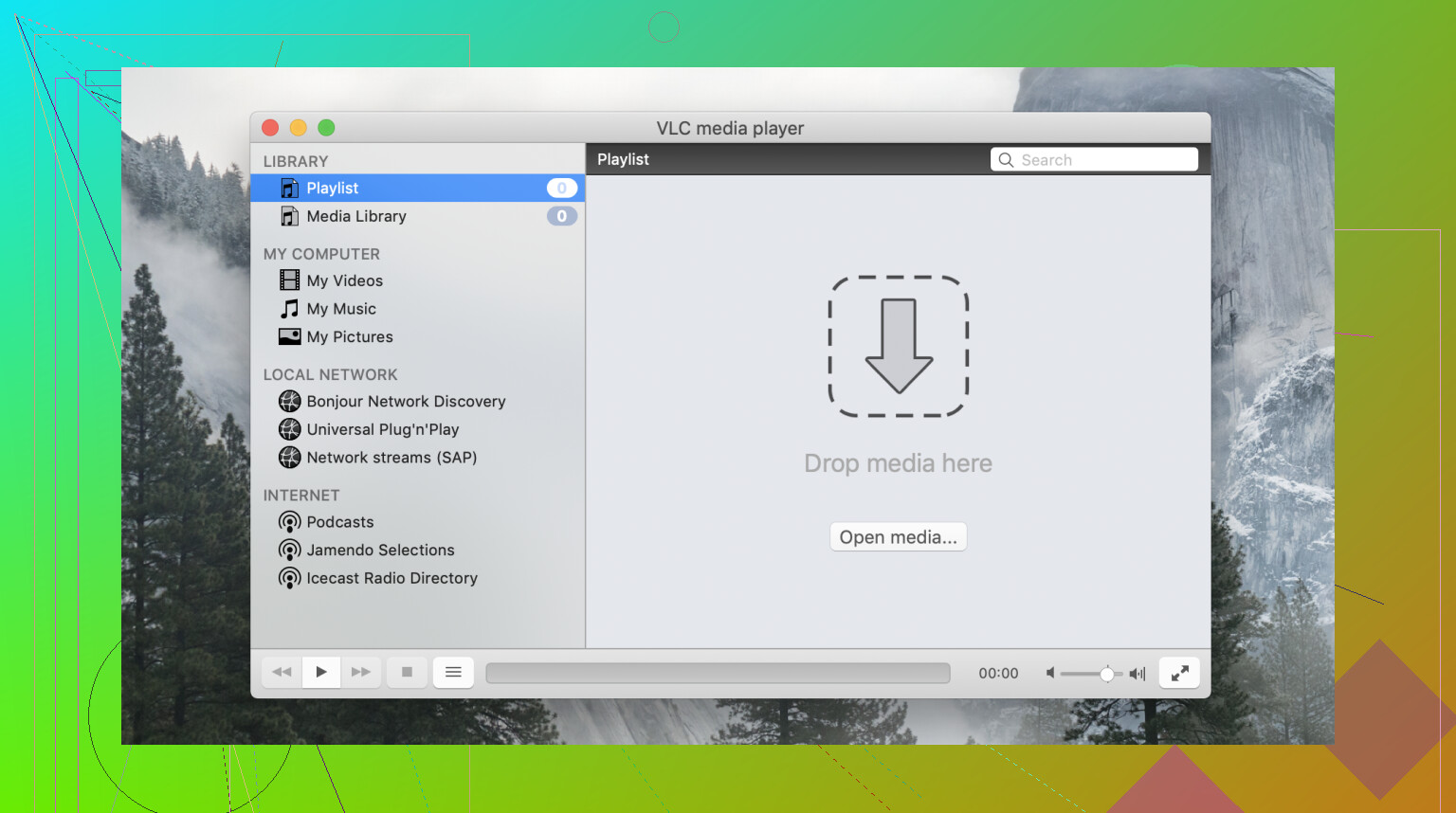
VLC’s interface has long been a point of debate. It’s highly functional, but it hasn’t evolved much visually over the years, and that shows,especially when compared to more modern players.
- What works well:
- Simple, no-frills layout that prioritizes playback over aesthetics
- Lightweight UI that runs smoothly even on older systems
- Customizable via skins and layout tweaks
- Where expectations should be realistic:
- Frequently described by users as “ancient” in look and feel
- Does not follow platform-specific design conventions (notably on macOS)
- Navigation and controls can feel unintuitive for new users
Overall, the interface gets the job done, but it feels behind modern UI standards and may create friction for first-time users.
 Features & Capabilities
VLC Media Player is less a simple media player and more a multi-purpose media toolkit. It goes well beyond basic playback.
- What works well:
- Handles local media files, DVDs, and even partially downloaded files
- Supports streaming via DLNA servers (including setups like Plex)
- Can open network streams (HTTP, RTSP, etc.)
- Includes subtitle syncing, playback speed control, and basic conversion tools
- Where expectations should be realistic:
- Feature discovery isn’t always intuitive,many tools are buried in menus
- Advanced options can feel overwhelming without prior familiarity
Its flexibility is a major strength, but it assumes users are willing to explore a somewhat dated interface to access everything.
 Format Support & Performance
This is where VLC has built its reputation,and it’s well deserved.
- What works well:
- Near-universal format support,commonly described as “plays everything”
- Handles obscure codecs and container formats without extra downloads
- No reliance on external codec packs
- Where expectations should be realistic:
- AV1 decoding has been reported as inconsistent on some devices
- Performance with high-resolution (4K+) or newer codecs can vary depending on hardware
- Hardware acceleration isn’t always as efficient as newer players
For most standard use cases, VLC is rock-solid,but edge cases with newer formats can expose limitations.
 Stability & Usability Issues
Despite its strengths, VLC isn’t without real-world usability concerns.
- What works well:
- Generally stable on Windows and Linux
- Mature codebase with years of community testing
- Where expectations should be realistic:
- Crashing issues have been reported on macOS, often tied to OS compatibility or corrupted preferences
- The outdated interface can slow down new users trying to perform simple tasks
- Troubleshooting often requires digging through forums rather than built-in guidance
These aren’t dealbreakers, but they do affect the overall user experience,especially for less technical users.
 Alternatives
While VLC remains a strong default choice, some alternatives cater to different priorities.
- Elmedia Player
- Strengths: Modern, polished interface; built-in streaming support; clearer controls
- Weaknesses: Not fully free (premium features locked behind a paid version)
- Why choose it over VLC: Better for users who want a cleaner UI, easier streaming workflows, and commercial support
- QuickTime Player
- Strengths: Native macOS design, extremely simple and responsive
- Weaknesses: Limited format support compared to VLC
- Why choose it over VLC: Ideal for Mac users who prioritize a seamless, platform-native experience
Neither of these replaces VLC outright, they simply serve different needs and preferences.
 Final Verdict
VLC remains one of the most reliable and versatile media players available, especially for users who prioritize compatibility and flexibility. That said, those who value modern design or smoother handling of newer formats may find better fits elsewhere.
21 Likes
VLC is still the default answer. I do not think it is the best answer for everyone in 2026.
Where VLC still wins:
It opens ugly files.
It handles odd subtitles better than most stock players.
It still works well for local playback on Windows and Linux.
It costs nothing, and no codec pack mess.
Where VLC falls behind:
HDR support feels uneven.
Hardware decode is hit or miss on some Macs and lower power PCs.
Library handling is weak.
Streaming feels old compared with newer apps.
The UI still wastes your time when you need one setting fast.
I slightly disagree with @mikeappsreviewer on one point. I think VLC’s age helps less each year. For H.264 and random MKVs, yep, still great. For AV1, HEVC 10-bit, big 4K files, AirPlay style use, and cleaner subtitle control, newer players often feel better.
If you want a simple pick:
VLC for weird files and backup duty.
Elmedia Player for daily use on macOS, streaming, and cleaner controls.
MPV if you like config files and raw speed.
So, is VLC still the go-to? Sort of. It is the safe fallback. It is not the one I’d auto-install first on every machine anymore. That changed for me arond 2025.
I’d say VLC is still relevant in 2026, just not untouchable anymore.
I agree with parts of what @mikeappsreviewer and @viajantedoceu said, especially about VLC being the safe fallback. But I’ll push back a little on the “VLC feels old so it’s slipping” angle. For a lot of people, boring is exactly why it still matters. If I need a file to open right now, VLC is still one of the first things I trust.
That said, “go-to” depends on what you mean:
- For random files, old codecs, broken MKVs, subtitle messes: VLC is still excellent.
- For modern playback polish, HDR behavior, smoother hardware acceleration, and cleaner streaming features: not always the best.
- For media library stuff: honestly, VLC was never amazing there.
Where VLC has started to feel weaker is with high bitrate 4K, some AV1/HEVC cases, and platform-specific polish, especially on macOS. Not unusable, just less automatic than it used to be. Sometimes you can fix it by changing hardware acceleration settings, output modules, or subtitle rendering, but most poeple don’t want to babysit a media player.
If you’re on Mac, Elmedia Player is probly the more pleasant daily-use app now. Better UI, easier streaming controls, and less menu-diving. If you’re on Windows/Linux and mostly want “play the file and shut up,” VLC still earns its spot.
So no, VLC is not the universal best media player in 2026. Yes, it’s still one of the most useful. I’d keep VLC installed no matter what, but I wouldn’t automatically call it my main player on every machine anymore.