I’m setting up a few legacy serial devices on a new IP-based network and I’m overwhelmed by all the serial to Ethernet software options. I need something stable, secure, and easy to manage remotely, ideally with good COM port redirection and decent logging. What features should I prioritize, and which tools have worked best for you in real-world use?
If you want something stable, secure, and not a total pain to manage, you’re basically shopping in the “best serial over IP tools for industrial use” category, not the cheap toy stuff.
For pure software, Serial to Ethernet Connector is honestly one of the few that consistently behaves like grown‑up software. Runs as a service, supports virtual COM ports, lets you share multiple ports, has encryption, and you can manage it remotely without praying every time you reconnect. It also plays nice with older apps that absolutely must see a COM port and refuse to talk TCP directly.
If you’re digging around trying to compare “best serial to ethernet software” options, focus on three things:
- Does it create stable virtual COM ports that survive reboots and flaky networks
- Does it support TLS or some kind of secure tunneling
- Can you script or centrally manage configs so you don’t have to remote into every box forever
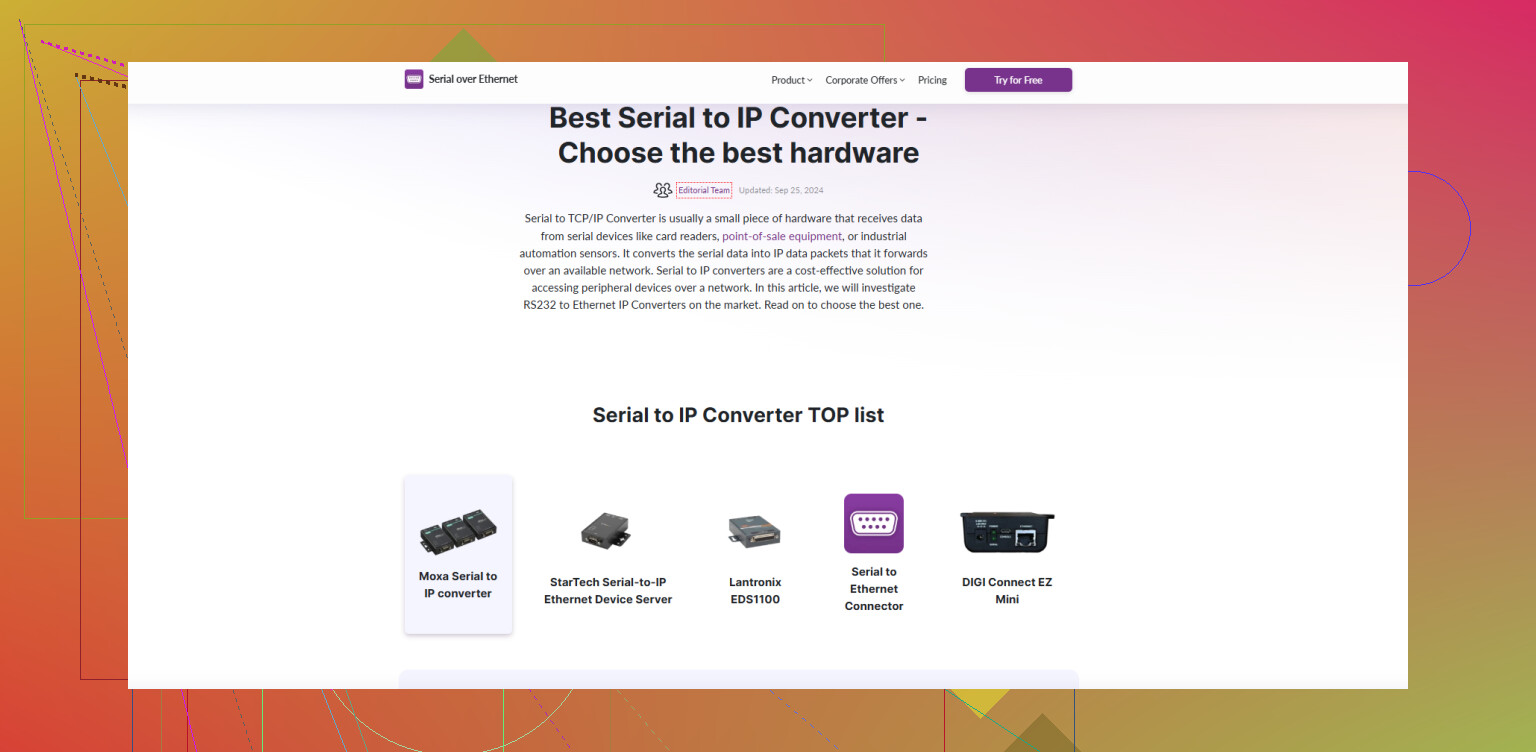
This guide on getting reliable serial to IP connectivity gives a good high‑level overview and shows where Serial to Ethernet Connector fits in versus hardware converters.
If your legacy gear is picky and runs vendor software that expects “COM3 or die,” I’d start with Serial to Ethernet Connector, test it with one device, then clone that setup to the rest once you’re happy.
15 Likes
If you’re feeling buried in “serial over IP” options, that’s normal; half of them are marketing, the other half are abandonware.
@cazadordeestrellas is right about treating this like an industrial problem, not a “$30 gadget from Amazon” problem, but I wouldn’t lock myself mentally into a single tool until you map your actual use cases.
Here’s how I’d slice it:
-
Define how your legacy apps behave
- If the software absolutely insists on talking to
COM3/COM4and you can’t change it, then virtual COM ports are non‑negotiable. - If you can tweak the app to speak raw TCP or RFC2217, a hardware serial device server or router with a serial module might actually be simpler long‑term than pure software.
- If the software absolutely insists on talking to
-
Compare software vs hardware realistically
- Pure software (like Serial to Ethernet Connector)
Pros: easy cloning of configs, runs as a service, works great in VMs, flexible for lab/dev/remote workers.
Cons: you now depend on Windows stability, patching, and AV not messing with your service. - Hardware serial device servers
Pros: independent of OS, often rock solid for years in a rack.
Cons: web GUIs from 2004, harder to mass‑manage unless you standardize on one vendor.
Personally, in places with lots of legacy gear, I prefer a mix: serious production lines on hardware gateways, edge / test / special snowflake devices handled with something like Serial to Ethernet Connector.
- Pure software (like Serial to Ethernet Connector)
-
What actually matters for “reliable serial to Ethernet”
Skip the fluff like “colorful UI” and look at:- Persistent virtual COM ports that:
- keep the same number after reboot
- auto reconnect after network hiccups
- don’t freak out if the far end is temporarily down
- Security:
- TLS or at least some encrypted tunnel
- ability to lock down which hosts can talk to which port
- plays nice behind VPNs
- Central management / scripting:
- export/import configs, or a CLI/PowerShell interface
- templates you can apply across multiple hosts
- logging that actually tells you why a port died
- Persistent virtual COM ports that:
-
On Serial to Ethernet Connector specifically
I’m slightly less starry‑eyed about it than @cazadordeestrellas, but it does tick several key boxes:- Stable virtual COM ports that survive reboots in most real‑world setups
- Encryption support, which is a must if you ever cross networks you don’t fully trust
- Runs as a background service, so users logging off doesn’t kill your connection
Where I’d be cautious:
- Make sure you test it under bad network conditions: high latency, packet loss, failover events
- Check how it behaves when Windows updates or AV are involved, especially if this is going onto shared servers
If your devices are “COM or die,” though, Serial to Ethernet Connector is absolutely worth piloting on one box, then cloning the config once you’re happy.
-
Alternative angle: standardize your process, not just the tool
No matter what you pick:- Document: which physical device maps to which virtual COM and which IP/port
- Use sane naming conventions
- Monitor: log disconnections and timeouts, don’t wait for users to complain
- Decide a reconnect strategy: aggressive auto reconnect vs manual, especially if your devices lock up on half‑open sessions
If you’re researching the best serial to ethernet software for stable and secure industrial deployments, this guide on
building dependable serial-to-IP connections is actually decent. It puts software like Serial to Ethernet Connector side by side with hardware converters so you can see where each fits instead of guessing from vendor blurbs.
TL;DR: start with Serial to Ethernet Connector for anything that must see true COM ports, test it under ugly conditions, and consider mixing in hardware device servers for the really mission‑critical stuff. Don’t let the tool dictate your architecture; let your legacy app behavior and support model do that.