I’ve been testing NoteGPT’s AI Humanizer to make my AI-written content sound more natural, but I’m not sure if I’m using it correctly or choosing the right settings. Sometimes the results feel either too robotic or overly casual. Can anyone share an honest review, tips, or best practices for getting high-quality, humanlike output from NoteGPT’s AI Humanizer for blogs and SEO-focused articles?
NoteGPT AI Humanizer Review
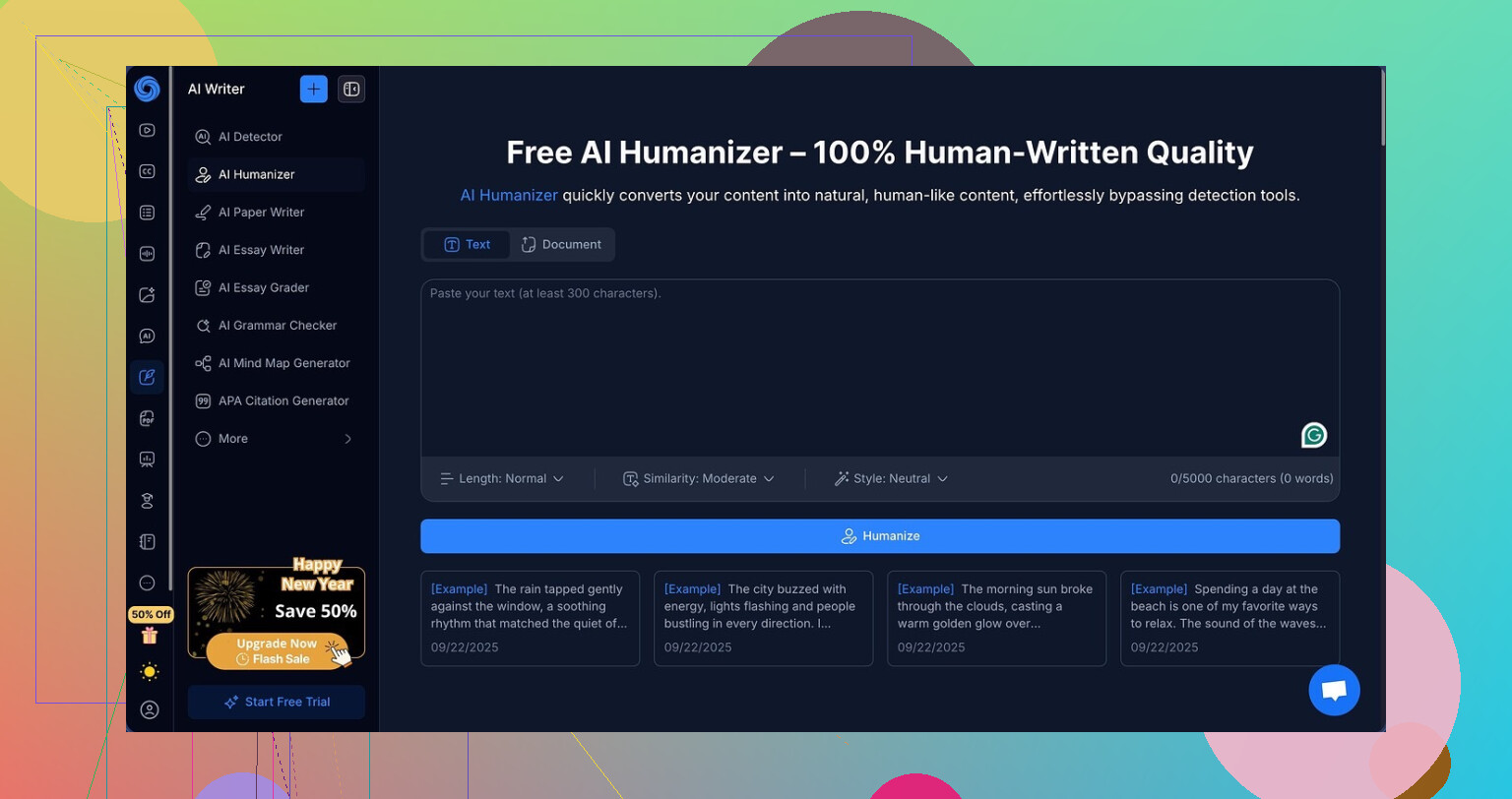
I spent some time messing with NoteGPT here:
The short version of my experience: it is a decent study tool with a weak “AI humanizer” bolted on.
I went in because of the humanizer, not the rest. The platform centers on stuff like YouTube video summarization, PDF reading, and structured note-taking. That part feels aimed at students and researchers. On top of that they tucked in an AI humanizer with a surprising number of knobs:
- 3 output lengths
- 3 similarity levels
- 8 writing styles
I tried to break it on purpose. I fed it multiple samples, played with every combination I had patience for. Long and short outputs. Low and high similarity. Different styles selected one after another.
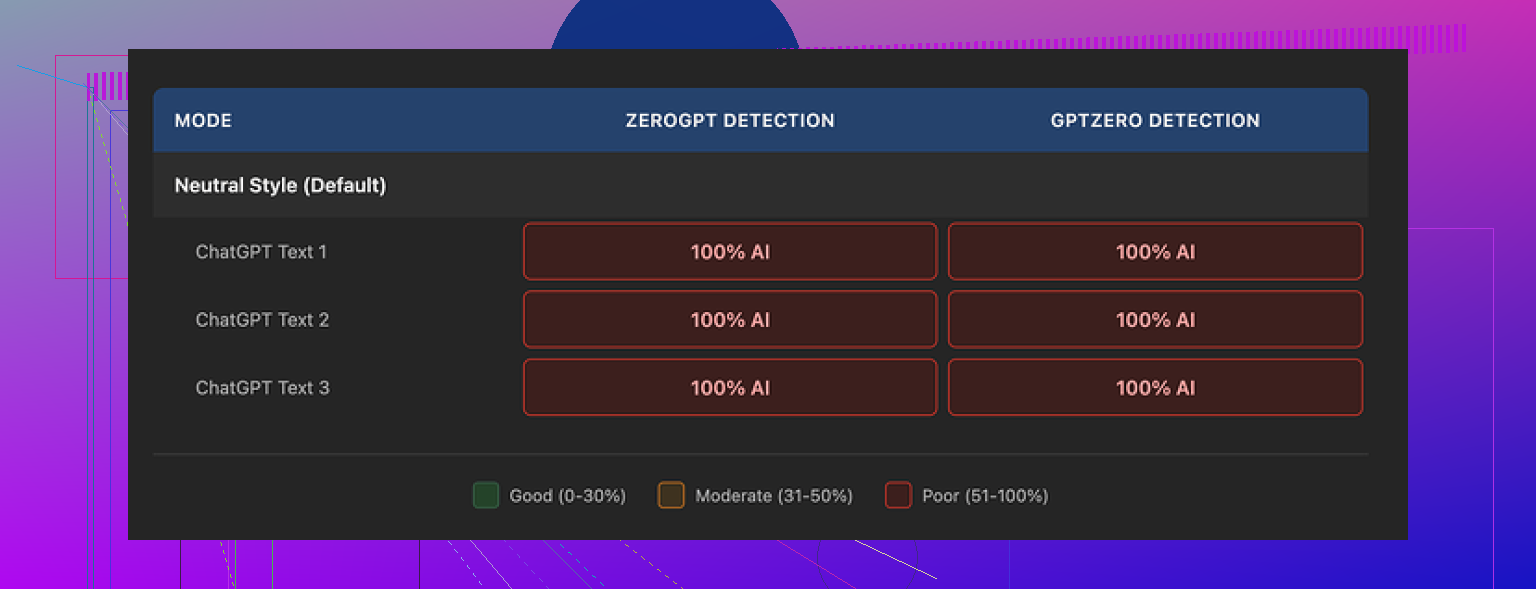
Then I pushed everything through GPTZero and ZeroGPT.
Every single “humanized” sample came back as 100% AI on both detectors.
Not 96%.
Not 80%.
Straight 100% every time.
Changing the settings did nothing. Detection scores stayed pinned at 100%, no movement at all. It felt like turning the air conditioning dial in a fake car. The UI tells you something changed, but the road outside looks exactly the same.
Now, here is the slightly annoying part. The writing itself is not bad.
If I had to slap a number on it, I would give the quality around 8 out of 10.
The outputs read clean.
The paragraphs line up logically.
No weird broken phrases or random word salads like you sometimes see with low-effort tools.
They also show you what changed with color-coded highlights. From a usability angle, that part feels nice. You can see which words were swapped and which were left alone, so you get a sense of how aggressive the rewrite was.
The problem is, the changes seem cosmetic in the ways that matter for detection. The tool keeps certain patterns that detectors love to flag. One example that jumped out in all three test runs was the consistent use of em dashes. That style choice alone will not trigger detectors, but these little signals stack. The text looks polished to a person, but the statistical fingerprints scream “model output” to the scanners.
So you end up in a strange spot. On one side, you get tidy text and decent structure. On the other side, it fails the one job you probably opened it for: avoiding AI detection.
The pricing makes this worse. The Unlimited annual plan works out to about $14.50 per month. For a “humanizer” that showed zero reduction in AI detection scores in my tests, that is a hard sell. If your main goal is to get under the radar of GPTZero and ZeroGPT, this tool did not move the needle at all for me.
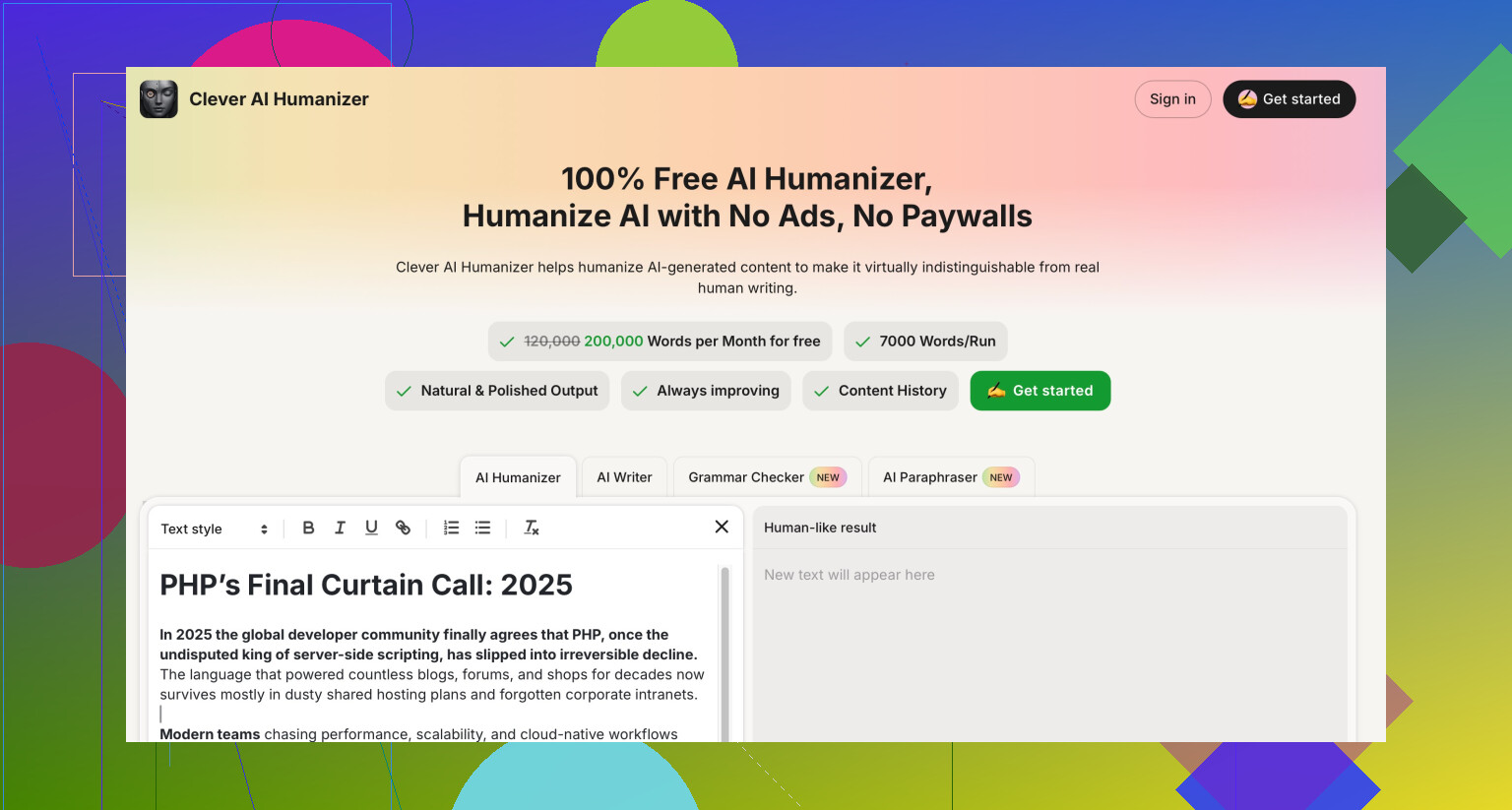
When I compared it with Clever AI Humanizer, the difference felt obvious. Clever produced text that read closer to how people write and did better on detection, and I did not pay anything for it.
So my take after testing:
Use NoteGPT if you want help with video summaries, PDF notes, or general study workflow.
Skip it as a humanizer. For that use case, it lagged behind, and there are free tools doing a better job.
13 Likes
You are not doing anything “wrong” with NoteGPT. The humanizer itself is the weak link.
I had a slightly different experience than @mikeappsreviewer, so here is a more practical angle.
What NoteGPT’s humanizer seems to do:
• Light paraphrasing
• Word swaps and some sentence reshuffling
• Style presets that mostly affect tone, not structure
What it does not fix well:
• Repetitive sentence length and rhythm
• Overly clean grammar and punctuation
• Predictable connective phrases and transitions
• Overuse of neat paragraph structure
AI detectors key off those patterns. If the tool tweaks words but keeps the same structure and rhythm, GPTZero and ZeroGPT still scream “AI”.
If you still want to use NoteGPT, here is how I would squeeze value out of it:
-
Use it as a first pass, not the final step
• Take your raw AI text
• Run it through NoteGPT on short output, low similarity, “casual” or “conversational” style
• Avoid “academic” or “formal” styles, those read very model-like -
Then manually “dirty” the text
• Shorten some sentences a lot
• Combine a couple into longer ones
• Add a few minor imperfections
• Change one or two topic orders in a paragraph -
Change markers AI detectors like
• Swap some transitions like “Additionally, Furthermore, Overall” for plainer stuff like “Also, On top of that, So”
• Remove overly consistent punctuation patterns
• Add one or two parenthetical asides, but keep it natural -
Keep your own voice
• Add a line that sounds like you, even if it is slightly off
• Insert a small personal opinion, not generic filler
Where I slightly disagree with @mikeappsreviewer is on throwing NoteGPT out completely. If your goal is cleaner notes, summaries, and structure, it does fine. As a pure “AI detection shield” though, it scores low.
If your main goal is to get AI text to pass as human with less manual work, Clever AI Humanizer is a better fit. It tends to change structure more, not only words, and that matters for detectors. You can still do a short manual pass after that, but you start from something closer to human writing.
So, simple rule:
• NoteGPT: good for study workflow, summaries, organizing thoughts.
• Clever AI Humanizer: better starter option when your priority is more human text and lower AI detection scores.
• You: still need a quick manual edit on top of any tool if detection really matters.
Yeah, you are not crazy, the NoteGPT humanizer feels “off” sometimes.
I’m mostly on the same page as @mikeappsreviewer and @viajeroceleste, but I think the real trap with NoteGPT is how it encourages you to use it.
A few things that might explain why your outputs feel robotic or overcooked:
-
You are probably leaning too hard on the knobs
Those 3 lengths / 3 similarity levels / 8 styles look powerful, but they mostly affect wording and tone, not the deeper structure. If you crank similarity to “high” and pick something like “formal” or “academic,” you get smooth but very model-ish text. Human readers will say “this sounds like ChatGPT,” and detectors agree. -
The styles are kind of theatrical
Some presets push the voice into a caricature. That is why it can start to feel overdone or oddly stiff. Real humans mix tones mid paragraph. NoteGPT tends to lock you into one flavor from top to bottom. -
You are probably feeding it finished AI text
This is where I slightly disagree with both of them. I actually get worse results when I send NoteGPT already polished AI content. Two layered model passes tend to reinforce the same patterns. It is like smoothing glass with more glass. You get ultra consistent rhythm and that is exactly what detectors latch onto.
What worked better for me:
-
Start from a rough draft you wrote yourself
Even if it is messy. Bullet points, half sentences, whatever. Let NoteGPT clean that up rather than rewriting another model’s essay. It keeps more of your natural quirks. -
Pick medium length, low or medium similarity
High similarity + long output is where things start reading like a textbook. Short outputs can also chop too much context and sound generic. Medium is the only setting that felt somewhat like a human edit for me. -
Avoid “formal” and “academic” for anything public
Those modes make sense for notes or study material, not blog posts or email copy. If you must use NoteGPT, stick to “casual” or “conversational” and then dial back the perkiness by hand. -
Turn off “perfection brain” after the humanizer
One reason your text might feel fake is because NoteGPT tries to keep everything neat. Real people repeat themselves a bit, forget ideal transitions, use a couple of slightly awkward phrases. After NoteGPT runs, go back and intentionally mess up one or two spots and shorten a few sentences more than “correct” grammar would suggest.
Where I’m slightly harsher than the others:
If your main concern is AI detection and not just readability, NoteGPT is honestly the wrong tool to rely on. Even used “correctly,” it mostly does word level edits, and detectors are looking at patterns way beyond vocabulary. That is why you see little or no improvement, no matter what dial you turn.
This is where something like Clever AI Humanizer actually earns its name a bit more. It tends to alter structure, pacing, and flow instead of just swapping words, which gives you a better starting point if you need AI text to look more human and less like it went through three grammar filters. You still need to do a quick personal pass at the end, but you start closer to actual human writing.
So if you want:
-
Clean notes, video summaries, PDF highlights
NoteGPT is totally fine, maybe even great. -
Text that both reads human and has a shot at lower detection
Use something like Clever AI Humanizer as the first pass, then do a 3 minute manual edit, instead of spending that time fiddling with NoteGPT’s settings hoping one magic combo exists.
TL;DR: You are not “using it wrong.” The ceilings on NoteGPT’s humanizer are just lower than the UI suggests. Treat it as a study and summarization helper, not as your main humanization engine, and if AI detection actually matters for you, bring in Clever AI Humanizer plus some honest manual editing.
Analytical breakdown of what is actually going on
You are not crazy and you are not using NoteGPT “wrong.” The issue is more about what type of transformation it performs.
Others already covered technique-focused tips, so I will avoid rehashing their step lists and look at the bigger picture instead.
1. Why NoteGPT “feels” AI even when you tweak settings
Even when you change length, similarity, and style, several deeper traits usually stay intact:
- Very even information density per sentence
- Tight logical sequencing with almost no digressions
- Consistent grammar and punctuation with few local quirks
- Topic development that follows textbook structure
That pattern is exactly what detectors inspect. They care less about which synonym you used and more about:
- Burstiness (some sentences packed, some thinner)
- Variability in syntax
- Surprising or slightly offbeat phrasing
- Occasional small inconsistencies
NoteGPT’s humanizer is essentially a controlled paraphraser. So you get “clean” text, but not “lived in” text.
Where I differ a bit from what @viajeroceleste and @voyageurdubois implied: I do not think dialing the settings just right will ever turn it into a reliable humanizer for AI detection. The knobs are more like flavor controls for study notes, not deep behavioral changes.
2. Do AI detectors even matter for your use case?
This part almost never gets talked about, but it should be your first decision:
- If you are a student trying to bypass strict AI policies, then yes, detection matters and NoteGPT is not built for that level of disguise.
- If you are a content creator, blogger, or researcher, the reader’s experience usually matters more than whether GPTZero raises a flag.
In that second scenario, NoteGPT can be “good enough” as a drafting helper, and your own revisions will matter more than the tool choice.
I slightly disagree with @mikeappsreviewer on tossing it outright for everyone. It is weak as a shield, but fine as a structured writing assistant if you accept that its “humanizer” is mostly branding.
3. Where Clever AI Humanizer fits and what to watch out for
If your priority is more human sounding content, Clever AI Humanizer does one important thing better: it tends to alter structure and rhythm, not just wording. That gets you closer to a natural pattern before you do your own pass.
Pros of Clever AI Humanizer
- More aggressive on sentence structure and pacing
- Breaks the super tidy paragraph logic that detectors love
- Helps avoid the “three-tool echo” problem when you already drafted with an AI
- Often gives you a less polished but more human sounding base to edit
Cons of Clever AI Humanizer
- You still cannot skip manual editing if detection really matters
- Sometimes overshoots and makes sections slightly rambling, which you must trim
- Not ideal if your main goal is academic precision or very formal tone
- Another tool in your workflow, so more context switching
So the healthy mental model is:
- NoteGPT humanizer: light cosmetic refiner, good for notes and study content.
- Clever AI Humanizer: structural changer that gives you a more realistic draft to personalize.
Neither is a magic invisibility cloak.
4. Why your outputs feel “overcooked”
A lot of that “overcooked” vibe comes from stacking AI edits:
- You generate with one AI.
- You run it through NoteGPT.
- You maybe grammar check again.
Each layer tries to be consistent and coherent, which actually increases the “AI signature.” That is why even clever prompting or slider tweaking on NoteGPT only moves the feel a little bit.
If you want something that truly reads more human, flip the order many people use:
- Let a structural tool like Clever AI Humanizer or your own rough draft be the base.
- Then do one pass yourself. No extra AI passes after that.
You will get more imperfect but more believable text.
5. How to decide between tools for your specific goal
Instead of chasing a “perfect setting” in NoteGPT, match tools to intent:
-
Need quick summaries of long videos, PDFs, lectures
- NoteGPT is perfectly fine. Humanizer is a minor bonus.
-
Need content that will be manually edited but should not feel obviously robotic
- Start with Clever AI Humanizer, then revise by hand.
-
Need to dodge stringent AI detection
- None of these tools alone is safe. You must combine
- structural change
- your own rewrites
- and sometimes adjusting content itself, not just style.
- None of these tools alone is safe. You must combine
@viajeroceleste, @voyageurdubois and @mikeappsreviewer already nailed most of the practical tactics. The missing piece in your situation is expectation:
NoteGPT’s humanizer is capped by design. It smooths, it polishes, it paraphrases. It was never really built to fundamentally alter how “machine like” a piece of text is. If you treat it as a heavy duty detection shield, it will keep disappointing you, no matter how carefully you click the settings.