I’m trying to connect older hardware to new software that only supports serial ports, but my current PC doesn’t have any physical COM ports. I heard about virtual serial port emulators but I’m not sure when or why to use one. Can anyone explain if this is the right solution and what situations they are best for? I want to make sure I’m not missing a better approach.
If your new PC doesn’t rock any physical COM ports, don’t lose hope. That’s where a virtual COM port emulator comes in. Basically, it creates pretend serial ports in software, so your fancy-new software thinks it’s talking to real hardware.
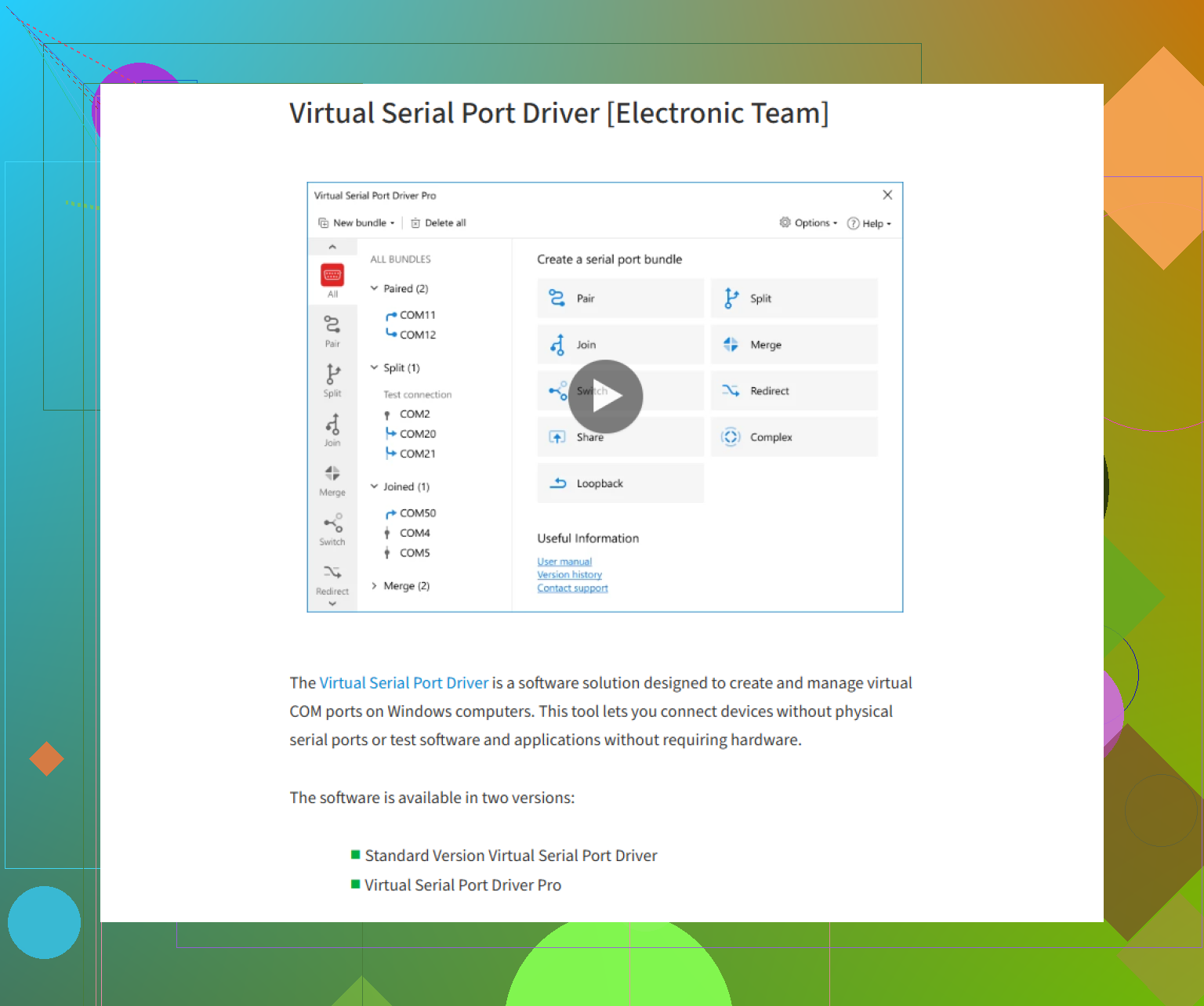
If you want plug-n-play simplicity, check out this powerful tool for virtual serial connections (the Virtual Serial Port Driver gets recommended a lot for good reason—easy setup, lots of tweaking options, barely any crashes). It’ll basically let your legacy software run as if nothing’s changed, except, y’know, pretty much everything has.
So when should you NOT use a serial port emulator? If you need super-tight timing or direct hardware interrupt handling, emulators can get laggy or not 100% accurate (though for most purposes they’re spot on). But for most business apps, device debugging, and basic gadget control, virtual COM emulators are a lifesaver.
If you’ve got legacy software, no physical serial ports, and hardware that can handle being “fooled,” then go virtual.
13 Likes
As @sognonotturno hilariously pointed out, it’s sort of a cosplay for your ports (love that analogy, not gonna lie). Emulators trick your software into believing there’s a real, physical serial port, which is great for testing or running software that’s not easily moddable for USB or network connectivity.
BUT let’s talk trade-offs. Emulation’s cool unless your hardware needs “real” electrical signals—a phone line modem, old lab gear, or anything involving precise timing might get cranky. If your legacy device runs on tight timing, hardware interrupts, or expects UART-level handshakes, virtual emulators often fudge this up (hello, mysterious glitches). In those cases, a USB-to-serial converter is WAY more reliable.
If your setup is mostly for data logging, basic device comms, or running diagnostics on business apps, then, yes, go wild with something like the Virtual Serial Port Driver. It’s super stable, and offers a zillion configuration options. You can check out everything you’d need for setting up your virtual COM connections here: ultimate virtual serial port setup guide.
Bottom line: virtual serial port emulator is great for fooling software, meh for hardware that needs to feel every bit. Choose based on whether you’re mostly software-locked or hardware-locked. And don’t just blindly slap on an emulator—debugging layered-on emulation is a special kind of pain.