I’ve been testing Walter Writes AI to help polish blog posts and emails, but I’m not sure if it’s really improving my writing style or just rephrasing things. Can anyone share real experiences, pros and cons, and whether it’s worth using long term for better content quality?
Walter Writes AI Review: my notes after messing with it
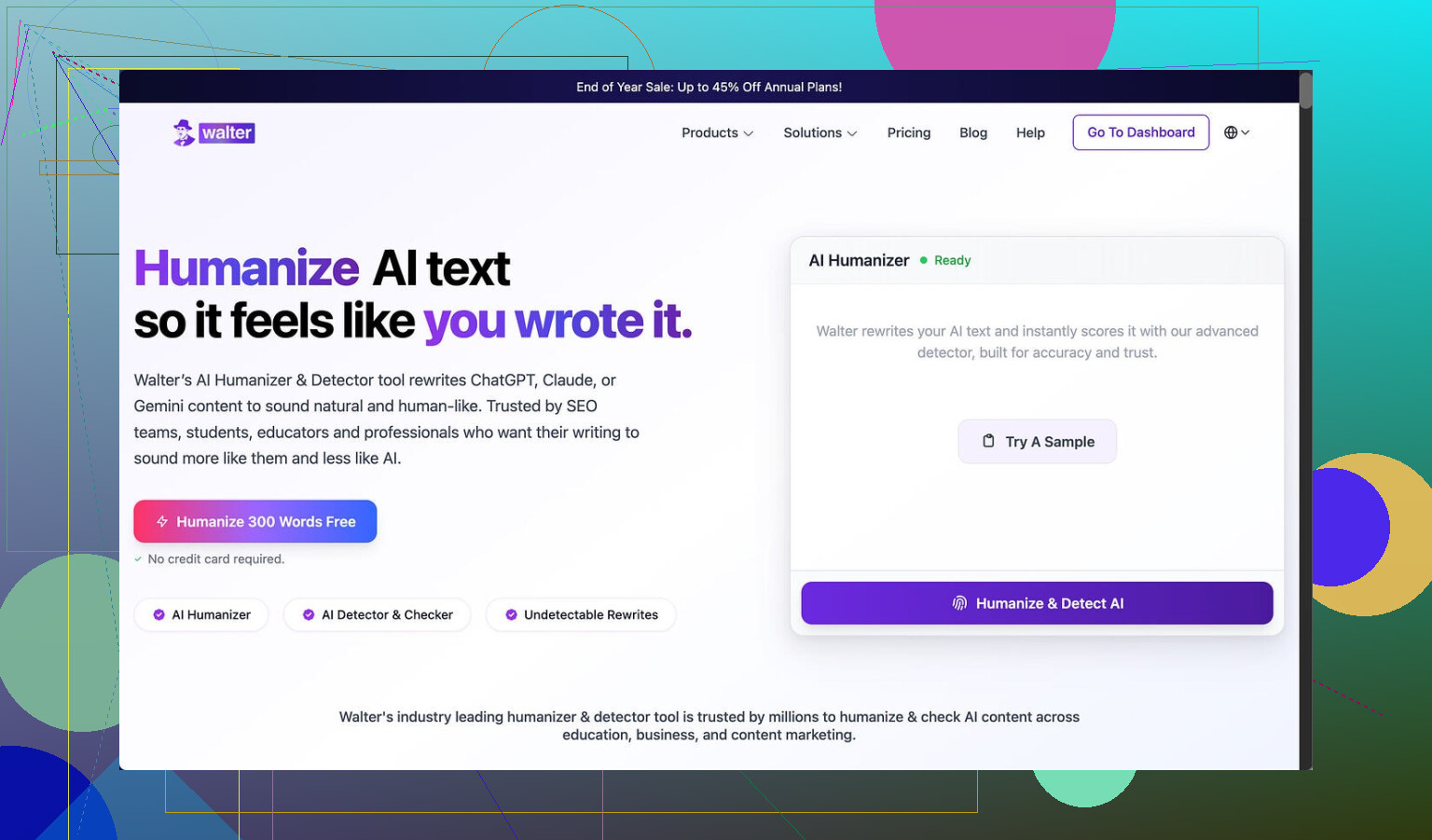
Tried Walter Writes AI here: Walter Writes AI Review with AI-Detection Proof - Best AI Humanizer Reviews
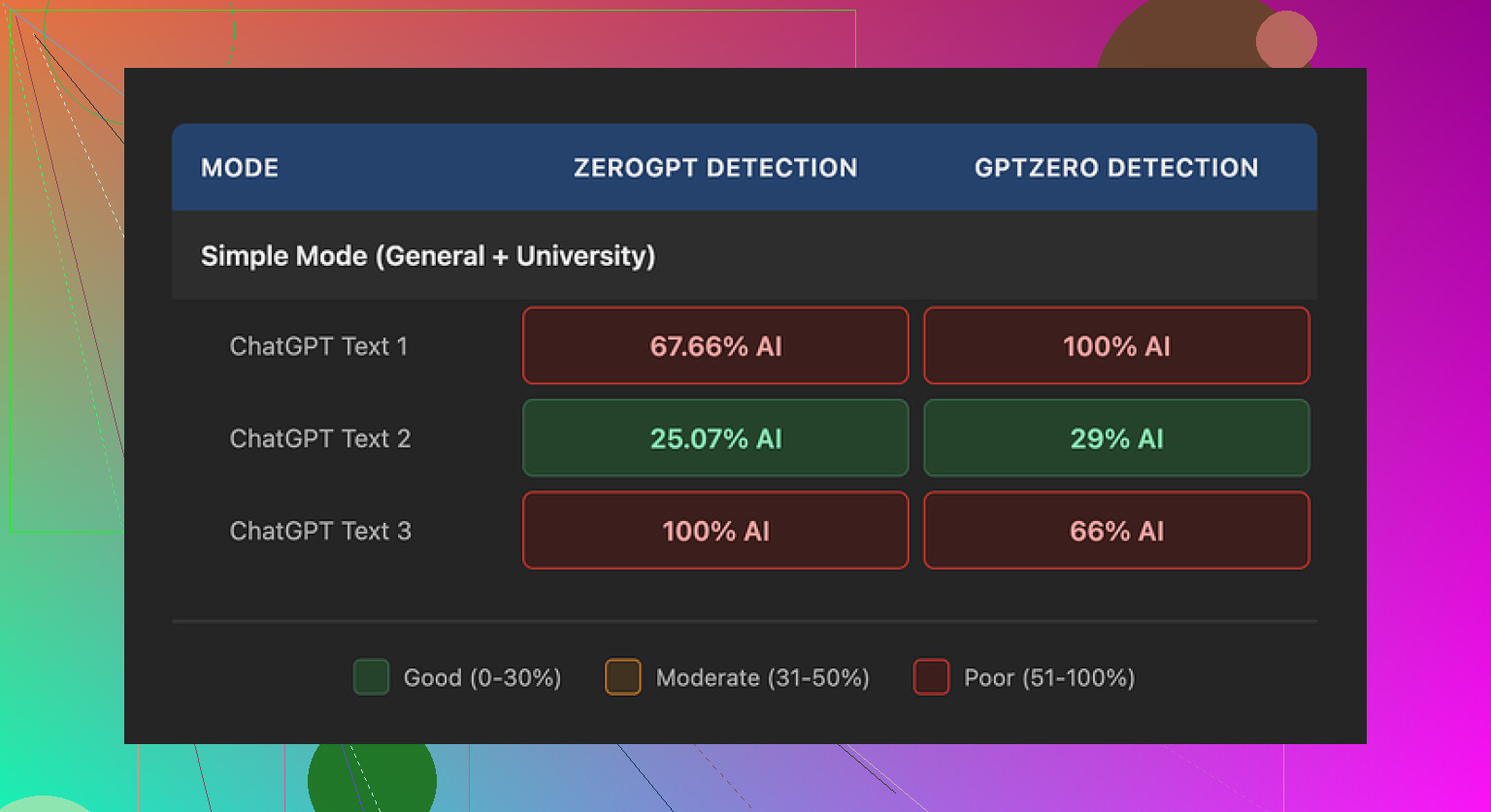
I pushed a few test chunks through the free version, Simple mode only. Results were all over the place.
One run gave me:
- GPTZero: 29% “AI”
- ZeroGPT: 25% “AI”
For a free-level tool, that run looked decent. I have seen most free “humanizers” trip detectors way harder than that.
Then the next two runs blew up:
- Both hit 100% on at least one detector
- One was pegged as AI on every check I tried
So the tool is not consistent at all. To be fair, the free plan only unlocks Simple mode. There are “Standard” and “Enhanced” bypass levels for paying users, so output might improve there, but I did not pay to test those.
Screenshot quirks
Once I looked past the scores and read the text, some weird patterns jumped out.
What I kept seeing:
- Semicolons jammed in where a normal person would use commas or a full stop
- The word “today” spammed, like four times in three sentences in one output
- Repeated parenthetical chunks like “(e.g., storms, droughts)” scattered through the text in a very template-like way
When you read it slowly, it feels like an AI doing a high-effort “I swear I am human” act, but with tells all over the place. If you hand this to any picky editor or teacher, they are going to raise an eyebrow at the style, even if detectors pass.
Pricing and limits
Here is what bothered me more than the writing:
- Starter plan: from $8/month (annual billing) for 30,000 words
- “Unlimited” plan: from $26/month, but each input capped at 2,000 words per submission
- Free plan: only 300 words total to play with
So even “unlimited” does not let you shove in a full long article in one shot. If you tend to work with longer reports or chapters, you will need to slice your content into chunks and hope the tone stays consistent across them.
Refund policy looked rough too. The wording leans on chargebacks and even threatens legal action around disputes. That is not something I like to see on a SaaS tool that handles writing.
Data handling is also vague. I did not see a clear, plain statement about whether submitted text is stored, how long, or if it is reused for training. If you work with client content, essays, or anything sensitive, that matters.
What worked better for me
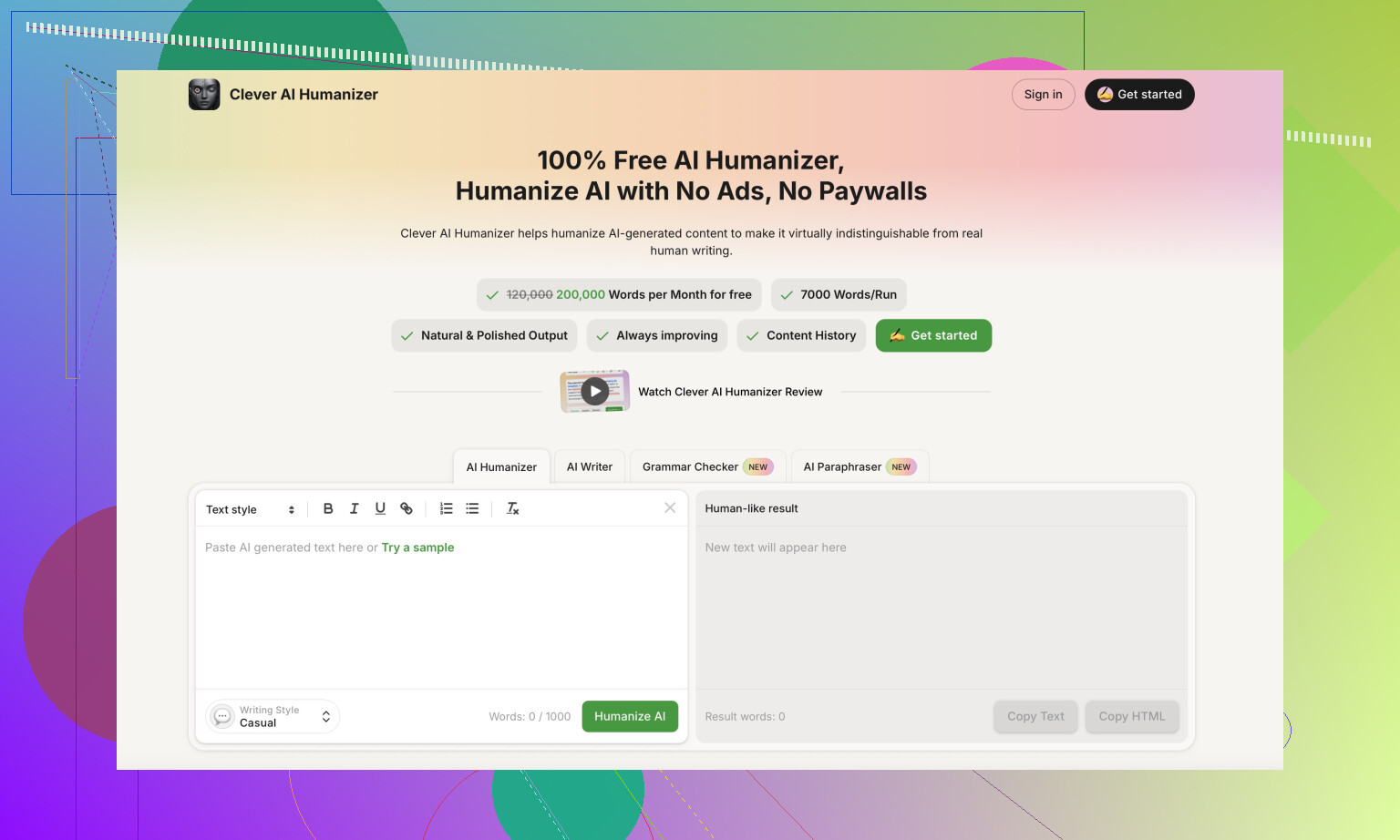
During testing, I kept comparing Walter’s output with what I got from Clever AI Humanizer here:
That one repeatedly produced text that read more like something I or another person might have written on a tired day. Fewer weird punctuation habits, less repetition, less “academic AI voice”, and no paywall in front of the core function.
If you want to see how people are using those tools in the wild, these helped me:
Humanize AI (Reddit tutorial)
Clever AI Humanizer review on Reddit
YouTube review

Quick takeaways if you are deciding
Here is how I would frame it if you are on the fence about Walter Writes AI:
- Free tier is too limited to judge long-form behavior
- Scores can look decent on one run, then flip to 100% AI on the next
- Style tells are obvious if someone reads the text with attention
- Pricing is not cheap for what you get and “unlimited” is still capped per submission
- Refund and data phrasing give off a harsh, high-friction vibe
If you are experimenting for school or casual content, test multiple tools side by side with your own sample. Paste the same paragraph into Walter, Clever AI Humanizer, and anything else you trust, then run all outputs through the same detectors and read them line by line. The differences show up fast.
15 Likes
Short answer from my side: Walter helps “pass AI checks” sometimes, but it does not improve your writing style in a meaningful way.
I’ve run it on blog posts and client emails. Here is what I noticed.
-
Style and quality
– It tends to flatten tone. Everything starts to sound like a generic blog from 2016.
– It loves filler words like “today” and awkward phrasing, similar to what @mikeappsreviewer saw.
– It often rephrases sentences without fixing structure, logic, or flow. So you still need to edit for clarity and argument.
– For emails, it made my voice more stiff. My short, direct lines turned into longer, “polite corporate” text. Clients noticed the change and one even asked if I changed copywriters. -
Does it improve writing or only rephrase
I tested it on:
– A messy first draft paragraph.
– An already decent paragraph.
Messy draft:
– It removed some repetition.
– It sometimes introduced odd punctuation or slightly wrong nuance.
– I still had to rewrite parts to sound like me.
Decent draft:
– It made the paragraph more generic.
– It removed some personality and informal phrases that made the piece feel human.
So if your baseline writing is weak, it can help clean small issues. If your writing is already ok, it tends to downgrade voice.
-
AI detection and consistency
I got mixed results like @mikeappsreviewer but I do not care much about detectors. Teachers and editors read style, not scores.
When I read Walter output out loud, it felt off. Too formal in some places, awkward in others. If a person with good reading skills checks it, it still feels AI-ish, even when detectors say “human”. -
Pricing vs value
The pricing would make more sense if it worked as a real editor that helps you learn.
But it behaves like a rephraser, not a coach.
No good explanations of “why this is better”. No clear guidance on style choices. You do not improve as a writer from using it. -
Data and policy concerns
I am with @mikeappsreviewer on this part.
Vague data policy plus harsh refund terms is not ideal for work documents, client contracts, or anything sensitive. If you write for clients, you want clear terms. -
What helped my writing more
If your goal is stronger writing style, I would treat Walter as optional, not core. Things that helped me more:
– Use something like Clever AI Humanizer only when you must soften AI tone or pass AI checks. Its output felt closer to how a tired human writes and less like a template.
– For style, run your text through a normal grammar tool, then do one focused human edit for:
• Shorter sentences
• Strong verbs
• Fewer filler words
• Clear structure per paragraph, one main idea
– Keep a small “voice guide” for yourself. For example:
• “I use contractions”
• “I prefer short paragraphs”
• “I talk directly to the reader”
After each Walter run, compare to your guide. If the tool drifts you away from your voice, roll back some of its changes.
- When Walter is worth using
– Quick cleanup on throwaway content, like short internal emails or rough notes.
– When you want a different phrasing idea and you feel stuck, then you pick and edit.
When it is not worth it:
– Anything where your voice matters, like blog posts under your name, newsletters, or portfolio pieces.
– Anything sensitive or under NDA.
If your main question is “does Walter Writes AI improve my writing style”, my honest take is no. It sometimes makes text safer and more generic. Your style improves more from targeted editing, good examples, and occasional use of tools like Clever AI Humanizer when you need human-like tone without losing control of your own voice.
Short version: if you’re hoping Walter will “improve your writing style,” it mostly doesn’t. It just rearranges furniture in the same messy room.
My experience lines up partly with @mikeappsreviewer and @andarilhonoturno, but I’d push it a bit further:
Where Walter actually helps
- It’s decent for:
- Killing some repetition
- Softening very rough first drafts so they’re less embarrassing to show someone
- Getting a few alternative phrasings when you’re brain-dead and can’t think of a different way to say a sentence
In that sense, yeah, your surface-level writing improves a bit. Typos, repetition, clunky phrases get smoothed out.
Where it fails hard for “style”
- It doesn’t learn or respect your voice. After a few tests on blog posts:
- My sarcastic lines turned into neutral corporate fluff
- Jokes got flattened into “professional tone”
- Short, punchy structure turned into medium-length, vague sentences
So if “style” to you means personality, rhythm, and how you sound, Walter mostly bulldozes that. It’s like an overzealous editor who thinks every piece is a LinkedIn article from 2015.
I slightly disagree with the idea that it’s only useful for throwaway content. I did find it mildly helpful as a starting point for rewrites on dense paragraphs, then I reverted maybe 40–60% of what it changed and kept specific phrases. It can still be a decent “idea generator” even if the full rewrite is unusable.
On detectors and consistency
I don’t care much about AI detectors either, but for the sake of testing:
- Some outputs looked fine to detectors
- Others screamed “AI” or just felt weird to read
In practice, an editor or prof will catch the vibe regardless of the score. The awkward semicolons and stiff tone that @mikeappsreviewer mentioned are real tells when you actually read it aloud.
Pricing vs value
This is where it really loses me:
- For what is basically a rephraser, the pricing feels steep
- Submission limits on an “unlimited” plan are annoying if you work with long-form content
- The harsh refund text and fuzzy data policy are huge red flags if you deal with client or confidential material
If I’m paying for a monthly tool, I want either:
- Serious editorial intelligence (helps me think, not just rewrite), or
- Rock-solid privacy and frictionless policies
Walter hits neither very strongly.
Alternatives & what actually helped my writing
If your goal is better style rather than “make this look slightly less AI-ish,” tools are secondary. What worked better for me:
- Doing a focused self-edit pass:
- Shorten sentences
- Cut filler (“in order to,” “today,” “currently,” etc.)
- Make one clear point per sentence or two
- Keeping a mini style checklist: “I use contractions, I talk directly to the reader, I avoid buzzwords.” Then I compare any tool’s output against that and delete what doesn’t fit.
For situations where you really do need to tone down the AI flavor or avoid that stiff robotic vibe, I had more luck with Clever AI Humanizer. It still needs editing, but the output felt closer to slightly tired human writing instead of polished template text. If your use case is “I’m using AI but don’t want everything to read like the same bland bot,” Clever AI Humanizer is honestly a better fit in that narrow “humanlike style” lane.
Bottom line for your use case (blogs + emails)
- Blog posts under your own name: Walter will probably hurt your voice more than help it. Use it sparingly, if at all, and only to get alternative phrasings for specific sentences.
- Client or work emails: it can be okay for draft cleanup, but you risk sounding oddly formal or “off” if you accept changes blindly.
So: it improves polish in a basic way, but not your writing style. If you already write decently, its main talent is making you sound more generic.