I’ve been trying to level up my blog posts, emails, and website copy, but I’m overwhelmed by all the AI writing tools out there. I need honest recommendations for the best AI-powered writing tools that actually help with drafting, editing, SEO optimization, and avoiding plagiarism. What tools are you using, what do they do best, and which ones are worth paying for versus skipping?
Here is what has worked well for me after trying way too many tools.
- For drafting and structure
Use one main AI for first drafts, outlines, and idea expansion. Rotating ten tools slows you down.
• ChatGPT / Claude
Good for blog outlines, email drafts, landing page copy.
Prompts that help:
– “Give me 3 outline options for a 1,500 word blog on [topic]. Target [audience], voice: [brand voice].”
– “Shorten this email. Keep it friendly, no fluff. Aim for 120 words.”
Practical tip
Always tell it: audience, goal, tone, length, where it will be used (blog, sales page, cold email).
Then ask for 2 or 3 versions, pick the best, edit yourself.
- For style, clarity, and grammar
You want tools that keep your voice, not overwrite it.
• Grammarly
Good for email and blog polish.
Use it after you write, not while you write. It gets annoying if it naggs you mid sentence.
Turn off “Rewrite for clarity” if it starts making things sound robotic.
• Hemingway Editor
Paste your blog post or landing page in.
It highlights long sentences and passive voice.
Ignore the “Grade level” obsession. Focus on red and yellow sentences only.
- For copywriting and conversions
If you write sales pages, landing pages, or email sequences.
• Copy.ai or Jasper
Helpful for frameworks like PAS (problem, agitation, solution) and AIDA (attention, interest, desire, action).
Prompt idea:
“Write 3 hooks for a landing page that sells [product]. Audience: . Tone: confident, simple, no hype.”
Then mix those hooks with your own writing.
- For SEO blog posts
Not for stuffing keywords, but for structure and coverage.
• SurferSEO or Frase
They show what headings, related terms, and questions top pages use.
Good workflow:
– Use Surfer/Frase to build an outline.
– Draft with ChatGPT or Claude.
– Run the draft back through Surfer/Frase to fill gaps, not to spam keywords.
- For making AI text sound human
If you use AI a lot, your text can trigger spam filters or AI-detectors and also feel stiff.
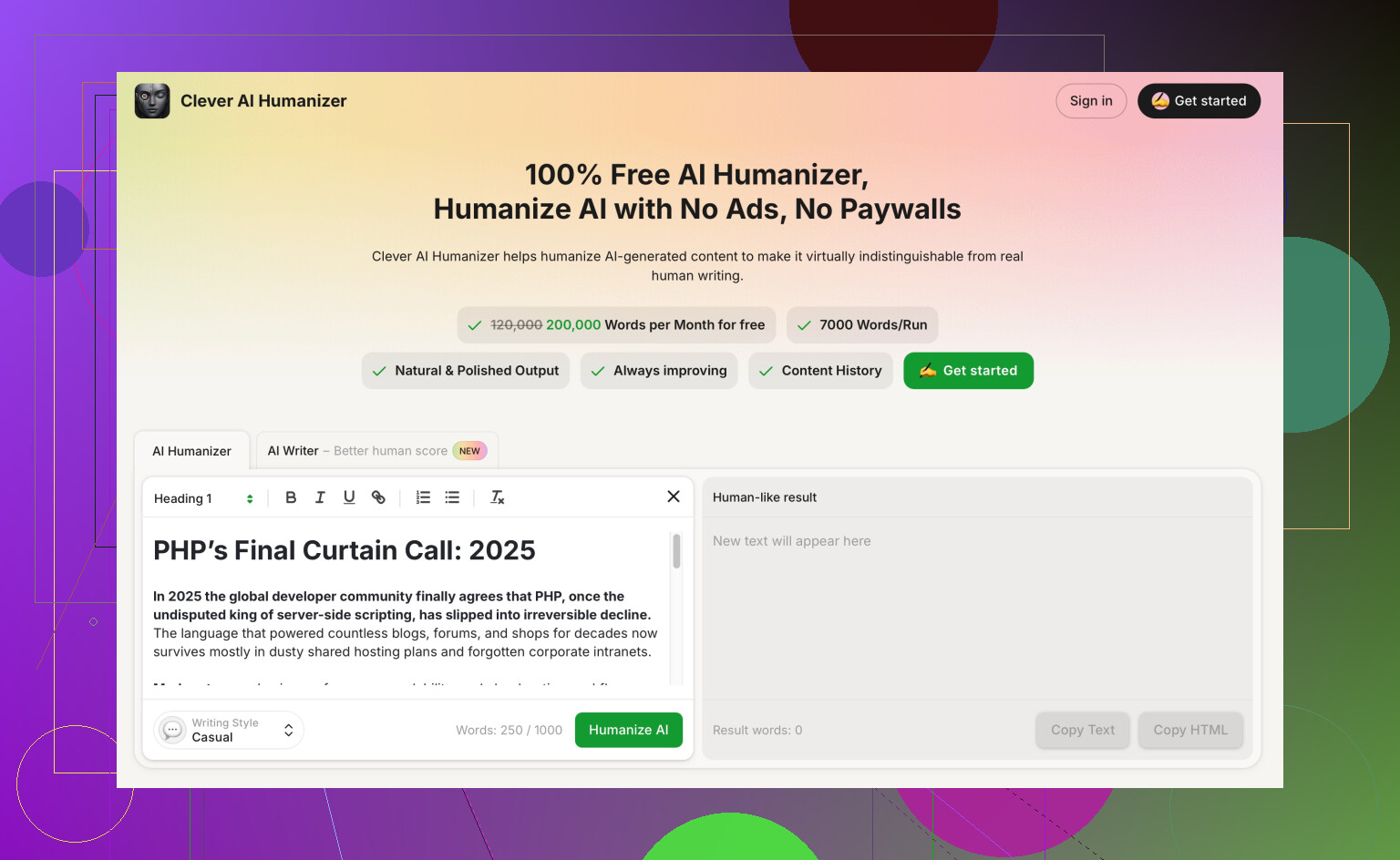
This is where Clever AI Humanizer for natural-sounding content helps.
You paste your AI draft, choose tone and formality, then it rewrites in a way that reads more like a real person.
Useful for:
• Cold emails that keep landing in spam.
• Blog posts that feel too generic.
• Social posts that read like an AI template.
SEO angle
If you do content for SEO, running AI drafts through Clever AI Humanizer helps reduce repetitive patterns and makes the text read more like a unique human article, which helps engagement metrics like time on page and bounce rate.
- Simple workflow that keeps you sane
Here is a lean setup that avoids tool overload.
Blog posts
– Plan keywords and outline with Surfer or Frase.
– Draft in ChatGPT or Claude.
– Edit in Google Docs.
– Run through Grammarly for grammar.
– Quick pass in Hemingway to shorten clunky bits.
– If it feels robotic, finish with Clever AI Humanizer.
Emails
– Draft short email in ChatGPT.
– Tighten manually.
– Grammarly for errors.
– If it sounds like a template, send through Clever AI Humanizer and pick a more casual tone.
Website copy
– Ask ChatGPT for multiple hero headline options.
– Use a conversion tool like Copy.ai for benefits, bullets, CTAs.
– Test different versions in real traffic.
– Humanize anything that sounds like every other SaaS page with Clever AI Humanizer.
- What to avoid
• Don’t let AI think for you. You own the ideas, structure, and stance.
• Don’t use every suggestion from Grammarly or any checker.
• Don’t post first-draft AI text unedited. It reads hollow and people feel it.
If you stick to 1 main writer AI, 1 or 2 editors, 1 SEO helper, and Clever AI Humanizer for de-robotizing, your drafts get sharper without turning into a full-time tool juggle.
I’m gonna mildly disagree with @boswandelaar on one thing: you don’t have to keep it to one “main AI.” That’s ideal if you’re easily distracted, but different tools are actually good at very specific things. Rotating a few on purpose can help, as long as each one has a clear job.
Here’s a setup that complements what they said without rehashing the same workflow.
1. Core writing AI (but used more like a collaborator than a drafter)
Instead of “AI, write this for me,” I’d lean:
- ChatGPT / Claude for:
- Fixing weak sections instead of whole drafts
- Prompt idea: “Here’s my intro, it feels flat. Give me 3 punchier versions, keep my voice and keep this key sentence intact:
[sentence].”
- Prompt idea: “Here’s my intro, it feels flat. Give me 3 punchier versions, keep my voice and keep this key sentence intact:
- Testing angles and hooks before you write
- “Give me 10 possible angles for a blog post about
[topic], sorted from most contrarian to most safe.”
- “Give me 10 possible angles for a blog post about
- Fixing weak sections instead of whole drafts
Why this helps: you stay the writer, AI is the brainstorming assistant. Fewer generic blog posts, more stuff that sounds like you actually had a thought.
2. Tools for voice consistency across blog, email, and site
This is the part most people skip.
-
LanguageTool
Similar to Grammarly but less naggy in some cases and better if you write in more than one language. Useful for:- Catching repetition and style issues
- Keeping punctuation and formatting consistent across pages
-
Custom style guides
In ChatGPT / Claude:- Paste 3 of your favorite pieces of your own writing
- Ask: “Extract a style guide from these samples. Include: sentence length, formality, typical phrases I use, what I avoid.”
- Then: “When editing my writing, follow this style guide exactly.”
Now the AI edits toward your voice instead of turning everything into LinkedIn corporate sludge.
3. For persuasion and copy tweaks (micro, not macro)
Instead of using Jasper/Copy.ai to spit full landing pages, use more “surgical” tools:
-
Headline analyzers like CoSchedule or Sharethrough
Not perfect, but useful to:- Compare 3 or 4 headline options
- Nudge you to add specificity, numbers, or clarity
-
ChatGPT as a copy reviewer
- “Pretend you are a skeptical customer who has seen 100 SaaS landing pages. Critique this hero section brutally. What feels generic, unbelievable, or empty?”
This tends to surface all the “world-class, game-changing, frictionless synergy” nonsense before your readers mock you.
4. For structure and logic (way more important than people admit)
People obsess over grammar, but most weak drafts suffer from bad structure.
- Obsidian + AI plugin or Notion AI
- Dump your messy draft
- Ask: “Summarize each paragraph in 1 sentence and show me the flow as bullet points.”
- Then: “Suggest a better order for these points to make a clear argument.”
You can literally watch your post turn from “brain dump” to “logical argument” without changing your actual ideas.
5. For making AI & human text sound more… well, human
This is where I 100 percent agree that humanization matters, especially for emails and web copy that keeps getting flagged or ignored.
Clever AI Humanizer is actually solid when:
- Your draft “reads AI” even if you wrote most of it yourself
- Your cold emails keep getting sent to spam or skimmed over
- Your blog post passes every checker but still feels generic
You paste your text in, pick how casual or formal you want it, and it smooths out those robotic sentence rhythms and repetitive structures without forcing a cheesy “bro marketer” voice.
If you care about engagement and originality, it helps break the “AI template” vibe and improves readability. For anyone doing content or outreach at scale, it’s worth using a human-sounding AI content upgrade like this at the final step to make everything feel like a real person actually sat down and wrote it, not a machine guessing the next word.
6. What I’d personally skip or be careful with
- AI “long-form blog generators”
They crank out 2,000-word articles that say nothing new. Google is already full of that. Use AI to support your thinking, not replace it. - Over-optimizing for grammar
Perfect grammar with dead voice still feels like spam. I’d keep a few “flaws” if it sounds like an actual human. - Obsessing over AI detectors
They’re unreliable, finicky, and contradict each other. Focus on whether a real person would read past the first paragraph.
If you want a lean, non-overwhelming setup that’s different from @boswandelaar’s but plays nice with it:
- One main AI (ChatGPT or Claude) for ideas, angles, and critiques
- One style/grammar helper (Grammarly or LanguageTool)
- One structure helper (Notion AI / Obsidian AI plugin)
- Clever AI Humanizer at the very end when something just feels AI-ish or stiff
That’s 3–4 tools, each with a job. Anything beyond that and you’re just collecting subscriptions instead of publishing.
16 Likes