I’m trying to standardize my music setup across my MacBook and a Windows PC so I can play my FLAC library with the same app on both. I’ve tried a few players, but either the interface is clunky, the library management is poor, or the sound options are limited. I’d really appreciate recommendations for a stable, high‑quality FLAC player that works well on both macOS and Windows, ideally with good playlist support and gapless playback.
FLAC files are the easy part. The headache starts when you try to pick one player and stick with it.
I went through a bunch of apps on both Mac and Windows, installed, tested for a week or two, then either deleted or kept them. These are the ones that survived on my drives longer than a trial window.
I’m not saying they’re “the best.” They are the ones that annoyed me the least and solved specific problems.
Elmedia Player (Mac)
I first grabbed Elmedia Player for video. MKVs, random stuff, nothing special. The FLAC part happened by accident when I dragged a whole album folder into it and it just played everything without complaining.
What I like the most:
I spent a short session in the 10‑band EQ with a messy live album that always sounded like it was recorded in a parking garage. Small cuts around 200–400 Hz and a bit of shaping higher up, and the whole thing turned from sludge to something I could listen to with headphones on. For a “video player,” it handled audio tweaks better than a few “audiophile” apps I tried.
What I didn’t like:
AirPlay is locked behind the Pro upgrade. If you send audio to speakers around your place a lot, you hit that wall fast. For local-only listening on wired headphones it is fine. Once you try to pipe it to your Apple TV or an AirPlay receiver, you get the paywall.

MusicBee (Windows)
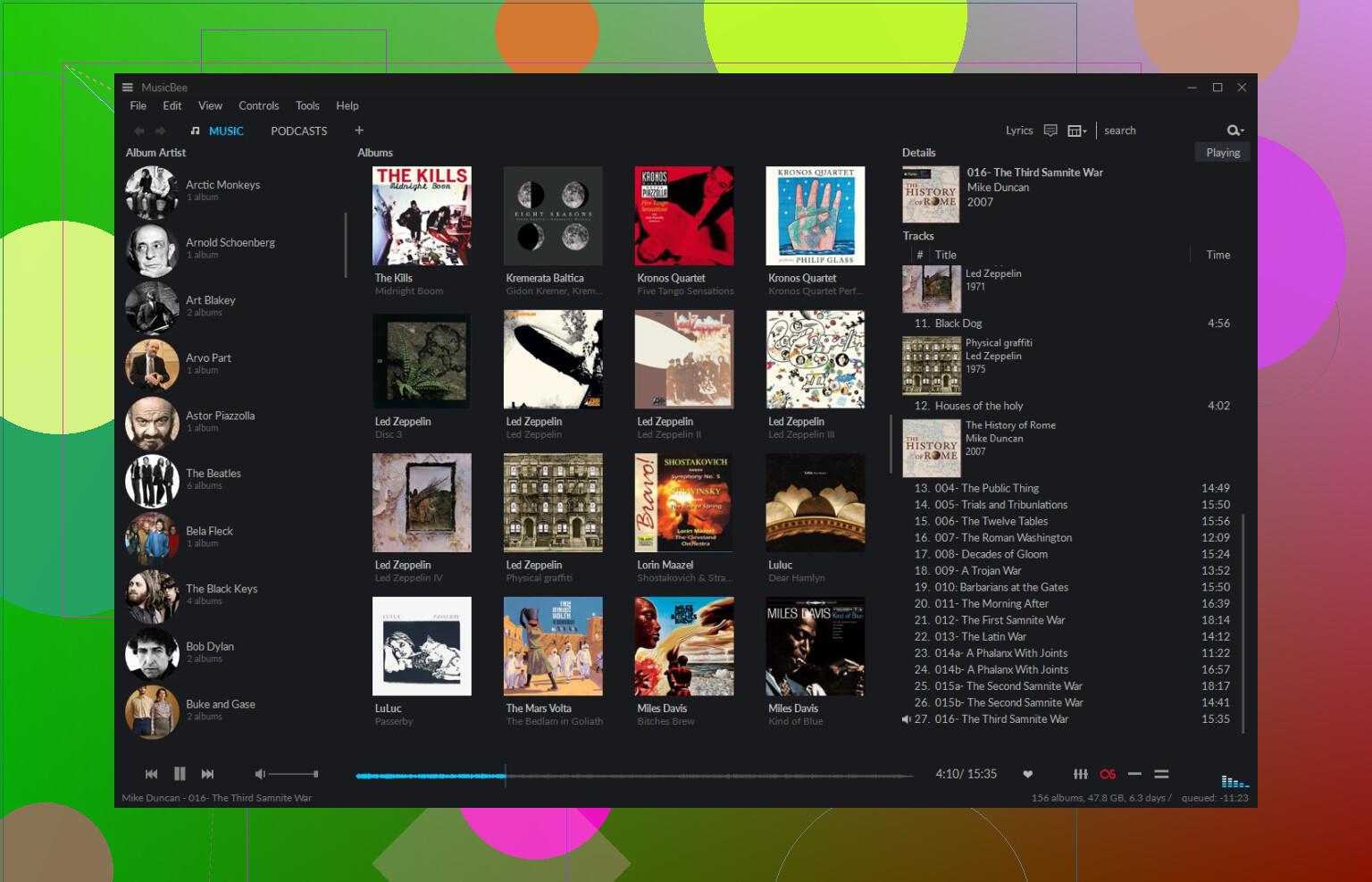
MusicBee felt like walking into a small personal music library system. Panels, filters, views, all that. If your FLAC folder is a mess, it helps bring order.
What I like the most:
I threw about 600 random FLAC files at it, including some Swedish metal albums I ripped from CDs over a decade ago with no proper tags. I ran the Auto-Tag feature on a big chunk of them. It pulled track names, release years, genres, and decent album covers. I did not type anything by hand, and the hit rate was surprisingly high for obscure stuff. If you care about clean metadata and cover art that is not blurry, this feels strong.
What I didn’t like:
The interface can feel crowded. Columns, tabs, sidebar sections. If you only want to double click one track quickly, it feels like too much screen furniture. It is great for people who spend time curating big libraries. For quick, casual playback, it felt heavier than I needed on some days.
Foobar2000 (Windows)
When I opened Foobar2000 the first time, I thought something broke. Bare window. No gloss. More like a spreadsheet with a play button.
What I like the most:
I pointed it at a 2 TB drive full of FLACs, old backups, random folders. It scanned and built the library in a few seconds. No lag when skipping tracks, no freezing when shuffling across thousands of files. On top of that, I kept piling plugins on it for different outputs, resamplers, layouts. It still did not crash on me once. If you are obsessive about stability and speed, this is strong.
What I didn’t like:
Nothing is friendly out of the box. You want a nice layout, you go download themes from forums. You want a waveform seekbar or more modern UI, you dig around for components. Even simple things like making a layout that feels current take time and forum reading. If you enjoy tweaking, it is fun. If you want something usable in five minutes, it feels like hitting a wall.

VOX (Mac)
I grabbed VOX when I wanted something quiet on screen while I was working on a small MacBook. I did not want big windows or huge libraries popping up every time I hit play.
Where it fit:
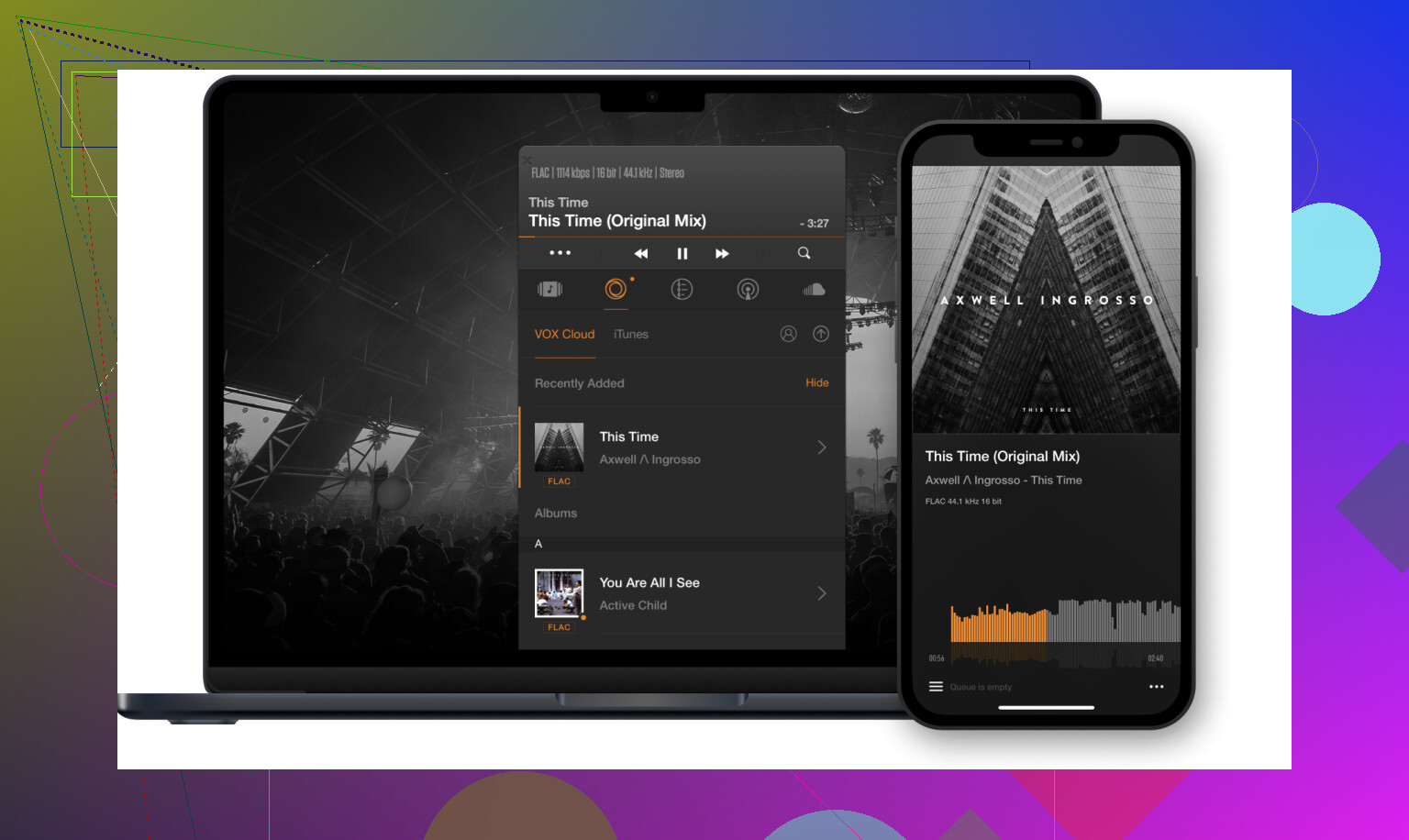
It sits in the menu bar or as a small floating window. Drag a FLAC album in, hit play, done. The interesting bit is their “Hog Mode.” When I turned it on with an external DAC and a few jazz recordings I know well, the stereo image felt more spread out and the noise floor a bit cleaner. I am not going to throw measurements at it, but my ears noticed small differences with sensitive headphones.
What I didn’t like:
Their cloud thing. VOX Cloud is everywhere in the app. Banners, buttons, upgrade suggestions. I triggered the trial button by accident more than once while trying to reach regular options. If you only want a lean offline player for local FLAC playback, the subscription upsell noise gets old fast.
Audirvana (Mac & Windows)
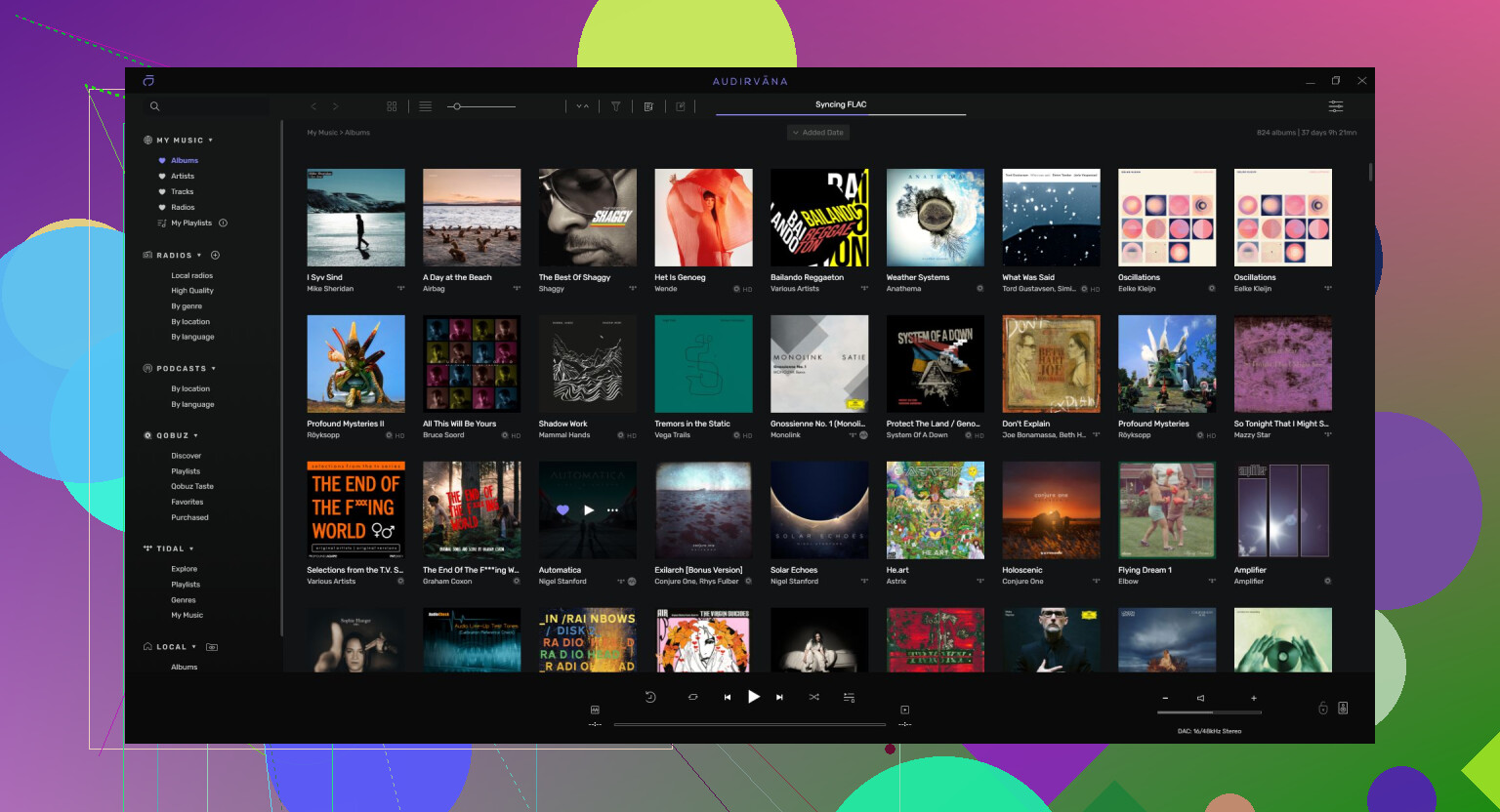
I tested Audirvana because enough people brought it up in threads that I felt I should check it at least once. It takes control of the audio path more aggressively than most players.
What I like the most:
On a Mac with an external USB DAC and Sennheiser open backs, it bypassed the macOS mixer and pushed audio directly to the device with its own engine. On a few reference albums, the low end felt tighter, with less smearing on kick drums and bass lines. Quiet acoustic tracks also felt cleaner on fades. It was not night and day, but it was repeatable enough that I noticed when switching back to more generic players.
What I didn’t like:
The pricing. You get a subscription option or an expensive one‑time license. If you have a large paid library and nice hardware, you might justify it. If you only play local FLACs a couple of hours a week, the cost feels hard to swallow, especially when free players already sound transparent for most setups.
Relevant topics
217 Likes
Short version, if you want one FLAC player on both Mac and Windows and you care about library management and not fighting the UI:
Use Audirvana if you are ok paying.
Use Foobar2000 + Elmedia Player if you want free and flexible.
You already got a lot of detail from @mikeappsreviewer, so I will avoid repeating the same walktroughs.
Here is a practical breakdown.
- Single app on both Mac and Windows
Audirvana
- Same app on both platforms.
- Strong sound path control, good with external DACs.
- Library handling is solid for large FLAC collections.
- Costs money, subscription or expensive license.
- Good if you listen a lot and own decent gear.
If you want one icon, one ecosystem, and you care about sound quality tweaks, Audirvana fits your use case best. The UI is not perfect, but it is less clunky than many “audiophile” apps once you learn it.
I disagree a bit with the idea that the pricing only makes sense for heavy use. If you want a consistent, polished cross platform setup and do not want to tinker with configs, the time saved has value.
- Free combo that feels consistent
You will not get one app on both OS for free with great UX on each. So you pick two that feel similar in use.
Windows: Foobar2000
- Extremely fast with large FLAC libraries.
- Tagging, sorting, custom views with components.
- You spend some time at the start, then it stays stable.
Mac: Elmedia Player
- Plays FLAC without drama.
- Simple interface, more relaxed than Foobar but not bloated.
- Good EQ, nice for shaping bad recordings.
- Pro unlocks AirPlay, which matters if you stream around the house.
If you keep Foobar on Windows and Elmedia Player on Mac, you get:
- Local FLAC playback stable on both.
- Light apps that do not get in your way once set up.
- Reasonable UI on both instead of a heavy “all in one” system.
- If your priority is library management
For big, messy collections, on Windows you will not beat MusicBee for free. On Mac there is no direct equivalent at that price.
What I would do in your position:
- Use MusicBee on Windows to fix tags and covers for the whole FLAC library.
- Store final files on a shared drive or NAS.
- Then point both Foobar2000 (Windows) and Elmedia Player (Mac) to that cleaned library.
- Let those two apps handle playback and light playlist work.
This splits “library maintenance” and “daily listening”, which keeps players simpler.
- Quick picks based on what bugs you
If the main pain is clunky interface:
- Try Audirvana first.
- If cost is too high, go Foobar on Windows and Elmedia Player on Mac.
If the main pain is bad library management:
- Use MusicBee on Windows for organizing.
- Then use whatever player you like on each system.
If you stream to AirPlay a lot from Mac:
- Elmedia Player Pro is worth it, since it gives you FLAC, EQ, and AirPlay in one spot.
You will not get a perfect cross platform unicorn, but Audirvana as one app on both, or Foobar2000 + Elmedia Player as a free pair, gets you close without much drama.
If you want one FLAC player on both Mac and Windows and don’t want to live inside settings menus for a week, I’d actually split a bit from what @mikeappsreviewer and @sognonotturno suggested.
They’re right that Audirvana is the cleanest “same app on both” answer, but I don’t think it’s the no‑brainer they make it sound like. The sound engine is great, but if your DAC and OS are set up correctly, you’re already very close to “transparent” with cheaper or free options. Paying that much just to avoid tweaking feels overkill unless you’re really deep into hi‑fi or listening daily.
Here’s how I’d approach it:
1. If you absolutely must have the same UI on both:
Audirvana is basically your only serious cross‑platform FLAC‑focused player right now that does proper library management. You get:
- Same layouts and shortcuts on Mac and Windows
- Bit‑perfect / exclusive output for external DACs
- Good for big FLAC libraries across multiple drives
Downsides: Price, and it’s still a bit opinionated about how it wants to organize things. If you hate subscriptions or “licensed per machine” vibes, it’ll bug you.
2. If you can live with similar instead of identical:
This is where I think the sweet spot is.
-
Windows: Foobar2000 for the heavy lifting
Use it as the big library brain. Brutally fast, handles huge FLAC folders, insanely configurable. Yes, the default UI looks like the IT department’s idea of “music,” but you really only need one decent theme and you’re done. You don’t have to go down the plugin rabbit hole unless you want to. -
Mac: Elmedia Player for actually listening
Elmedia Player is underrated for pure FLAC listening on macOS. It’s snappy, the interface is way lighter than full library apps, and the EQ is actually useful instead of gimmicky. If you go Pro, AirPlay support is solid, so your Mac can shoot FLAC playback around the house without drama. For daily use, it feels a lot less fussy than a full “audiophile suite.”
This combo avoids the clunky stuff you mentioned:
- Foobar handles the “giant library + precise sorting” part on Windows.
- Elmedia Player keeps playback on Mac simple and pleasant, and you don’t have to babysit a big library UI there if you don’t want to.
3. Library management specifically
Here’s where I disagree a bit with the “just use MusicBee to clean everything” angle. MusicBee is fantastic on Windows, yes, but if your tags are already decent, it can be overkill and a time sink.
If your FLAC collection is really messy, then yeah, spin up MusicBee on Windows one time, fix tags and covers, then retire it and let Foobar handle ongoing stuff. Otherwise, I’d skip that step and keep your toolset smaller.
4. Practical pick based on your pain points
-
If your main gripe is “clunky interface”:
- Try Elmedia Player first on the Mac side.
- On Windows, Foobar with a single clean theme. You can get something modern‑ish looking in 10 minutes and never touch it again.
-
If your main gripe is “library is a disaster”:
- One‑time cleanup in MusicBee on Windows.
- Then standardize on: Foobar2000 (Windows) + Elmedia Player (Mac), pointed at the same organized folder structure.
5. TL;DR choices
- Want one app on both and are ok paying: Audirvana
- Want free, fast, and not ugly once set up: Foobar2000 on Windows + Elmedia Player on Mac
- Want heavy library tools on Windows only: briefly use MusicBee, then move on
I’d personally go with Foobar2000 + Elmedia Player unless you really want that “same icon, same UI everywhere” feeling enough to justify Audirvana’s price.
If you want one FLAC setup that feels coherent across macOS and Windows, I’d lean into a “toolkit” rather than chasing a unicorn player.
A few points where I disagree a bit with @sognonotturno, @yozora and @mikeappsreviewer:
They all put a lot of weight on Audirvana as the cross‑platform answer. It is solid, but I think it solves a smaller problem than its price suggests, especially if your DAC is already running exclusive mode from system output.
Instead, I’d pick one side to be the library brain and the other to be the clean playback surface.
1. Mac side: Elmedia Player as the daily driver
Elmedia Player is actually a nice middle ground on macOS if you care more about playing albums than baby‑sitting a database.
Pros for Elmedia Player:
- Handles FLAC reliably without format drama
- UI is lightweight compared with big “audiophile” suites
- Built‑in 10‑band EQ is practical for fixing rough recordings
- Good with mixed content (audio + video) in the same folder
Cons for Elmedia Player:
- AirPlay locked behind paid tier, which gets annoying if you cast a lot
- Not a hardcore library manager, more of a folder/playlist player
- No deep “audiophile” routing tricks like some hi‑fi apps
So on Mac I would not try to make it your master library tool. Treat it like a clean playback front end. Keep your music in a well structured folder hierarchy and let Elmedia Player just open what you want to hear.
2. Windows side: real library control
Here I diverge from the idea that you must pick one Windows player and live with it forever.
- Use MusicBee briefly if your tags and artwork are a mess. It is still the most comfortable way to batch fix metadata.
- After that, I would move to Foobar2000 or even keep MusicBee if you like its layout more. Both do FLAC perfectly and give you robust library tools.
Where I disagree slightly with @mikeappsreviewer is the “MusicBee is overkill if your tags are decent” angle. Even with mostly clean tags, its Auto‑Tag can quietly correct years and track numbers. Ten minutes of that can save you future pain when you sync folders or rebuild libraries.
3. Cross‑platform “same feel” without paying for it
You will not get identical UI across both OSes unless you pay for something like Audirvana, and even then macOS and Windows builds never feel perfectly twins.
Instead, aim for:
- Same folder structure on both machines
- Same basic interaction pattern: folders / albums first, playlists second
- Lightweight player on Mac (Elmedia Player)
- Heavier library tool on Windows (Foobar2000 or MusicBee)
Once your folders are mirrored and tags cleaned, the visual differences between apps matter less. Double click an album, it plays, you forget about the interface.
4. Where Elmedia Player actually fits in the bigger picture
Compared to what @sognonotturno and @yozora suggested, I see Elmedia Player less as a compromise and more as a deliberate choice:
- Ideal if your Mac is your “listening couch” machine
- Pairs well with external DACs as long as you are not chasing exotic routing
- Lets you avoid the subscription nudging that VOX tends to throw at you
- Less fussy than heavy hi‑fi suites that want to own your whole audio stack
If, later, you find yourself obsessing over DSD, upsampling filters and exclusive modes, you can still jump to Audirvana. For a big but normal FLAC library, Elmedia Player on Mac plus a serious Windows library app is usually enough.
So:
- Use Windows for the grunt work and library hygiene
- Use macOS for pleasant listening with Elmedia Player
- Skip the urge to force one “perfect” app across both unless you really need that psychological symmetry
Skip hunting for a perfect cross‑platform player. Standardize your library instead.
-
Put all FLACs on a NAS or external drive in a simple structure:
/Music/Artist/Year - Album/Track - Title.flac -
Fix tags once using a tagger on either OS, like Mp3tag or Kid3.
-
On each machine, use whatever player feels nicest to you, even if they differ.
Your brain learns “open drive, pick album, play”.
The player matters less once your files stay clean and consistent.