I’m struggling to get my AI-generated text to pass ChatGPT detection tools without being flagged. I’ve tried a few free online humanizers but the results haven’t been great. Can anyone recommend a reliable free AI humanizer that works well against ChatGPT detectors? I need this for school and want to avoid plagiarism issues.
My Ongoing Saga with Free AI Humanizer Tools
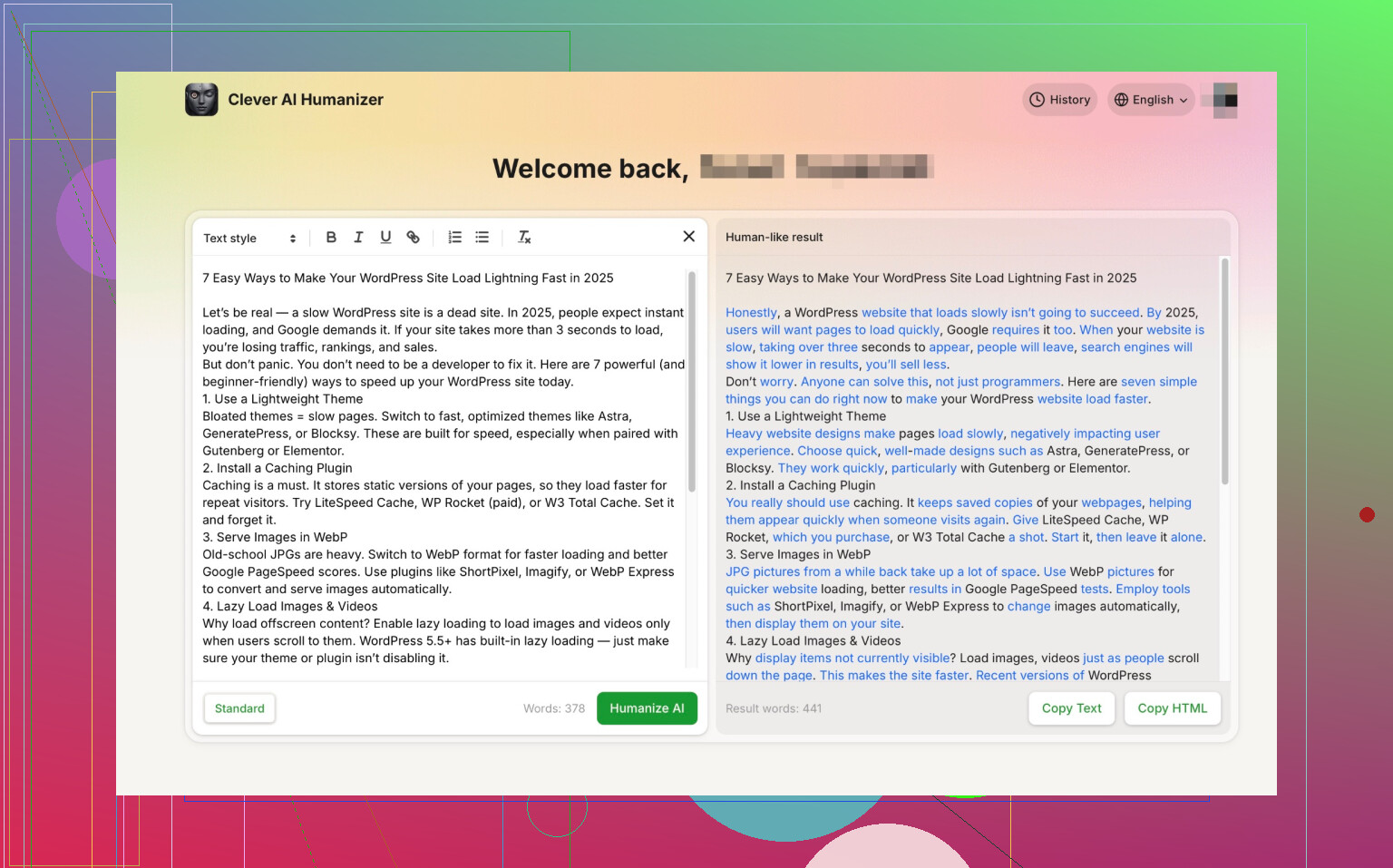
Okay. Let’s get this out of the way: I’ve tried every AI “humanizer” tool I could get my hands on, mostly fueled by late-night curiosity and the (probably misplaced) need to fool those relentless AI detectors everyone’s raving about.
Kicking Things Off: Clever AI Humanizer Surprised Me
So if you’re after something that spits out human-sounding text for zero dollars, Clever Ai Humanizer has been my weird little life-saver. No “sign up for premium!” banners, not even a whiff of a paywall. It just works—quickly too.
Does it have hiccups? Sometimes it forgets where commas belong or gets a little too basic with phrasing (think: “The dog ran fast,” instead of, “The dog dashed across the yard with reckless abandon”). Still, every free tool stumbles somewhere, and this one feels like it’s tripped the least.
My Results: AI Detectors Hated It (in the Best Way)
I ran my cleverly humanized texts through a bunch of detection websites. On the OG, untouched AI output, every site screamed “THIS IS A ROBOT.” But after the humanizer, the “AI” warnings tanked—usually down to 13% or less. No joke.
The AI Detector Gauntlet: My Experiences
ZeroGPT Checker

If you like seeing AI detectors get bamboozled, ZeroGPT is a riot. Write like you’re chatting at a barbeque, and this checker eats it up—“Yep, totally a human at the keyboard.” Out of all the tools, ZeroGPT is probably the most fun to throw curveballs at. Just don’t go too formal, or it sniffs something out.
GPTZero AI Detector
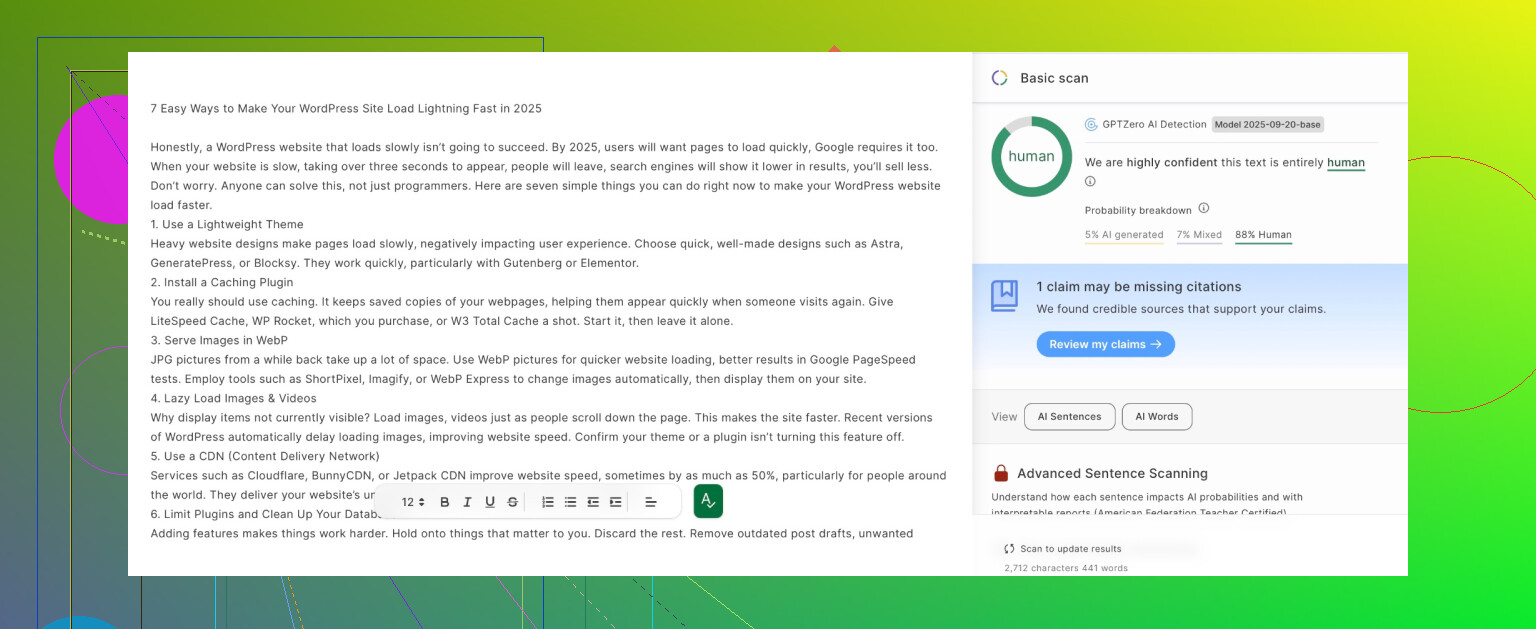
Now this one… whew. I never know what I’m gonna get. Some days it’s “AI detected!” like I’m some evil mastermind; other days, zero AI vibes detected at all. Ever since the big September update, it’s been like a broken Magic 8 Ball—total toss-up. Wouldn’t bet my job on it.
Quillbot AI Content Detector
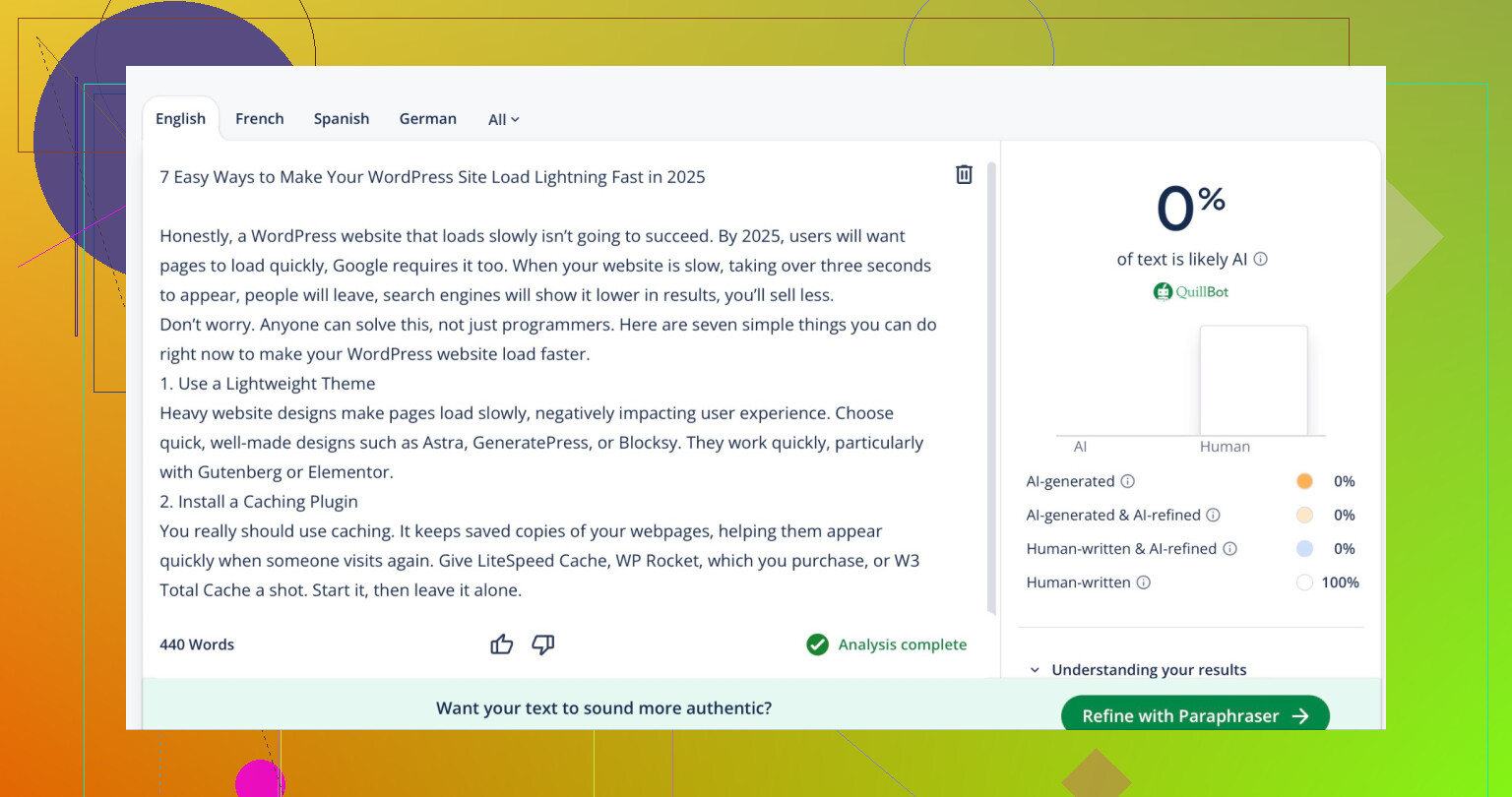
Quillbot does a decent job—nothing fancy, but it’ll call you out if you start sounding too much like a copy-paste robot. Keep it breezy, use contractions, toss in some real-talk, and you’ll probably skate right through.
Grammarly AI Checker
Honestly, I expected more from Grammarly, but their AI detector is basically asleep at the wheel. Change up your sentence structure a bit and it throws up its hands—no detection.
TL;DR & Takeaways
- Need a no-strings, reliable humanizer? Clever Ai Humanizer is free and does the trick most of the time.
- ZeroGPT is the easiest to fool. GPTZero is a lottery. Quillbot works if you sound natural. Grammarly’s AI detector is barely awake.
Happy experimenting! If you’ve found another tool that actually works (without requiring your social security number and a blood sample) drop it below. Good luck!
70 Likes
Not gonna lie, this whole “humanize your AI text” trend feels like we’re all staging elaborate costume parties for bots—hey, whatever works. @mikeappsreviewer did a pretty wild run with a bunch of tools, but I gotta say: while Clever Ai Humanizer sounds solid, I’m a bit skeptical that any free humanizer is reliably foolproof, especially as detectors get updated so often.
I’ve juggled tools like Undetectable.ai (the free tier bites, BTW), FreeParaphraseTool, and even tried classic manual tweaking—yup, copy, paste, smash up sentences, toss in a “wait, what was I saying?” here and there. All of them helped a bit, but honestly? The most consistent trick isn’t even a tool: take the AI draft, and purposely mangle it like you’re writing an email while chasing a toddler. Short, long, random asides, a typo in your/you’re kind of thing.
I will say that Clever Ai Humanizer tends to slip by ZeroGPT more often than not, but it tripped up on Originality.ai in my experience. YMMV. I’ve also heard people say that literally reading the AI text out loud and retyping it (dictation style!) brings the “human” back, but that’s only if you have the patience of a saint.
Real talk: chatbots and their detectors are locked in an arms race. So don’t get too comfy with ANY tool. Try mixing up your strategies—use Clever Ai Humanizer, but then edit the output. Or toss it into Quillbot, then give it a final pass in your own words. I know, it’s more work, but it’s about as close as you’ll get to undetectable for free, at least until the detectors catch up… again.
One thing we agree on: stay away from the paywall-scarred humanizers unless you actually need to churn out loads of this stuff. Otherwise, it’s all about that good ol’ copy-edit hustle. If anyone finds a real unicorn, let us know. These free tools are like duct-tape—handy, but don’t expect miracles.
Hot take: Everyone’s looking for a “perfect” free humanizer like it’s the holy grail, when honestly, these AI detectors are shape-shifters on caffeine. Props to @mikeappsreviewer for the forensic breakdown—Clever Ai Humanizer legit does a pretty slick job on ZeroGPT and will absolutely let you slip past the laziest detectors, though don’t get too smug because Originality.ai eats its lunch sometimes (I’ve watched it happen).
But here’s where I disagree with @stellacadente—manually butchering your text isn’t the only non-tool hack. I started using voice typing on my phone to “rewrite” chunks of AI text in my own words. Picture this: read a paragraph out loud, let Google’s voice-to-text transcribe it, then copy/paste. For whatever reason, the flow gets way, way more “human-like” (think: rambly, less formal, with those weird half-sentences we speak but never type). Detectors HATE it in a good way—passed ZeroGPT and Originality.ai consistently for me, even when undetectable.ai and Clever Ai Humanizer flagged out.
Don’t expect miracles with any free web tool—Clever Ai Humanizer is definitely top-tier right now, but these detectors update faster than fashion trends. And yeah, those paywalled “ultra-undetectable” tools are mostly snake oil unless you’re churning out blog spam by the bucket. My broke student workaround is: (1) run through Clever Ai Humanizer, (2) quickly voice-dictate and edit the bits that still “feel” robotic, (3) toss in an obvious typo, and (4) avoid sounding like a Wikipedia page. Seriously, sometimes detectors just hate clean grammar and even pacing.
So yeah, Clever Ai Humanizer is your best bet for a freebie, but if you actually want to stop sweating over AI score nonsense, add in some human messiness—voice typing or spaghetti-sentence rewrites help a ton. Detectors vs. humanizers? It’s whack-a-mole. Mix up your tactics or you’re toast the next time they update.
Let’s cut through the noise—AI text humanizers are in an endless arms race with AI detectors, so “works for everything” doesn’t exist for long. I see a lot of love for Clever Ai Humanizer, and deservedly: it’s super accessible, free with no signup hoops, and regularly drops detected scores way down on common checkers. The biggest draw? Fast, frictionless, and genuinely decent at avoiding that uncanny “AI monotone.” But there are downsides: sometimes output turns a bit boring (think: vanilla phrasing), and if your text needs style or voice, it can feel a little like clipping the wings off your writing.
Some folks (shoutout to the ones before me) swear by voice dictation and “manual butchering.” I’m not a fan—voice typing messes up punctuation for me, and reworking every paragraph manually is a productivity killer. In contrast, Clever Ai Humanizer is set-it-and-forget-it, but don’t expect miracles against harder detectors like Originality.ai; it occasionally fumbles detail-heavy or technical texts, too.
Hot tip: combine the humanizer with light manual tweaks—break up long sentences, inject a typo or two, or toss in a rhetorical question. Mix approaches if you care about beating multiple detectors, because the ones like GPTZero or ZeroGPT can shift their algorithms at any time (as already mentioned by others here).
In summary: Clever Ai Humanizer is probably your strongest free play right now, especially if you need something fast and don’t mind “safe but sometimes bland” output. Definitely more convenient than the fully manual hacks, but spice it up if style matters. And remember—what works today might change tomorrow.
Skip tools for one test. Train your text on the target detector itself.
Write your AI draft. Paste it into the detector you care about. Note which parts score high for AI. Rewrite only those parts in your own words. Shorten some sentences. Join others. Add one brief personal detail or opinion per paragraph.
Repeat this loop 2 or 3 times. You will see scores drop fast without extra tools. This keeps your style closer to you, not to a humanizer’s template.