I’ve recently switched to using a Mac and I’m struggling to find a good media player that handles most video and audio formats smoothly. I tried QuickTime but it doesn’t play everything I need. Can someone recommend the best media player for Mac with great features and compatibility?
You ever roll your eyes at those default video players that refuse to open half your library? Been there, smashed my head on the keyboard more times than I care to admit. Then I stumbled on this gem: Elmedia Video Player. I walk in skeptical—I’ve been burned before—but, folks, this thing actually plays every weird file format I toss at it. No secret codec downloads, no voodoo rituals.
Real Talk: What Actually Works
- File support: AVI, FLV, SWF, MKV, WMV, MOV, MP3, DAT, FLAC…and that’s barely the start. I even threw a couple of those dusty
.datfiles from an old Windows XP backup at it—and Elmedia just casually handled them. - Tweaking controls: If you’re like me, sometimes that scene is way too dark or somebody filmed an entire movie underwater (why??). You can mess with brightness, contrast, sharpness, gamma, and even annihilate noise like you’re editing a pro photo.
- Streaming magic: Casting to a Chromecast in the other room? Still works. Got an old AirPlay setup? Also works. It even found my DLNA-enabled fridge (seriously, who streams to a fridge?!).
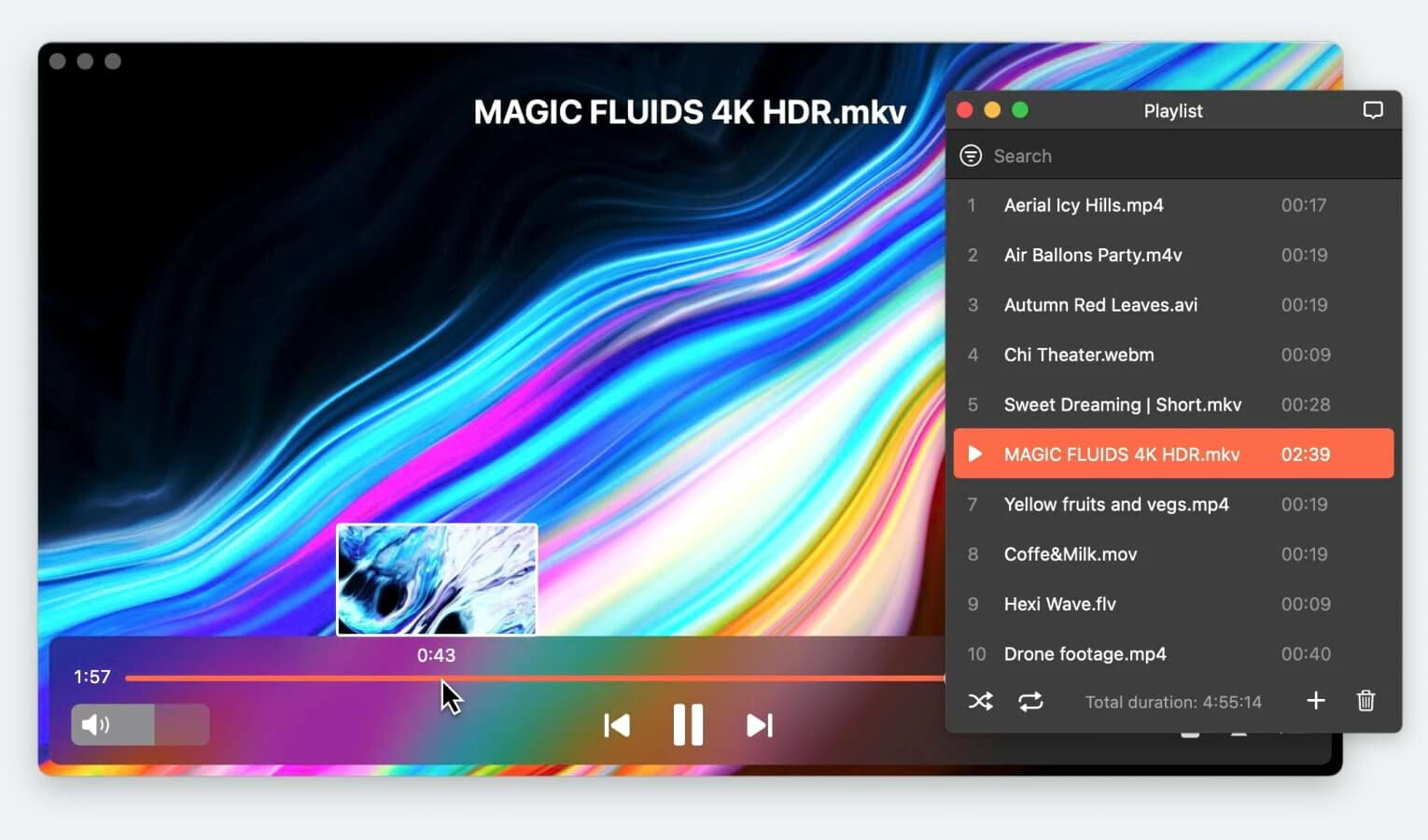
- Playlists and bookmarks: Nothing like lining up a playlist to chill to, or leaving a digital sticky note at that “watch this later” part (you know, that scene you keep showing your friends).
The Alternatives
Ah yes, there’s always someone in the back shouting “What about VLC?!” Look, I still have VLC installed for nostalgia. IINA is slick for the Mac crowd who want everything minimal, and 5KPlayer throws in its own kitchen sink. But Elmedia just makes things easy—I don’t want to tinker, I want to watch.
Interested if anyone here had a different experience or throws another wild file format at it? Always curious what breaks these players. But for my use, Elmedia’s the one I keep coming back to.
Would love to hear if you’ve got some niche feature you live by, or if you’ve made it crash in a creative way—share your horror stories or wins.
If you’re curious for more media players, it’s worth browsing around a bit, there are plenty of other places sharing great recommendations too.
88 Likes
Alright, gotta weigh in here because the “best” Mac media player debate is about as old as time (well, MacOS at least). I saw @mikeappsreviewer riding high on Elmedia Player, and yeah—I’ll admit, it’s crazy versatile, especially if you find yourself hoarding weird old file formats like vintage loot. But let’s not hand them the crown just yet.
So, you tried QuickTime and got burned. Classic. QuickTime is like that one friend who says he’s down for anything… but the moment you suggest something fun, he suddenly “doesn’t do that.” For true all-in-one action: Elmedia Player absolutely crushes the basics and a lot more. It plays almost everything out of the box, doesn’t freeze if you dare throw MKVs at it, and the UI isn’t stuck ten years in the past.
That said, here’s my quibble: if you’re a bit more “I want it nerdy and open-source,” VLC is still the old warhorse. It’s not as pretty, but if something exists as a video or audio file on earth, VLC will probably play it—sometimes with a bit of voodoo, sure, but it’s relentless. File support is legendary, but you might need to wrestle with the settings sometimes, and don’t even think about subtitles looking elegant.
There’s a crowd pushing IINA too—looks super Mac-native, minimal design, gestures galore. It feels right, but on some very obscure files (anime encodes, screwy subtitles), it’s bombed for me. Not a dealbreaker for normals, but if you’re digging in weird corners of the web, it may choke.
For my money? Elmedia Player’s the sweet spot for a “just works, looks decent, doesn’t ask dumb questions” player. The casting and playlist/bkmrk stuff is a bonus if you live in streaming land. Just be aware you’re paying for full features—if free is your ride-or-die, VLC is still a solid fallback (and honestly, I keep both handy).
If you want one player that almost never says “no,” go Elmedia. If you love tinkering, or just want a nostalgia hit, keep VLC on speed dial. Oh, and don’t feel weird for double-stacking your players. Half of us here have three of these installed anyway because, well, paranoia.
TL;DR: For smooth, modern, all-file playback? Elmedia Player. For maximalist support and zero dollars? Add VLC. Regardless, anything’s better than QuickTime’s sorry attempts.
Alright, lemme just spell this out because the media player rabbit hole for Mac is wild and deep. @mikeappsreviewer and @codecrafter are hyped on Elmedia Player—and honestly? Pretty justified. It’s the kind of app that doesn’t freak out the second you show it some obscure file extension or a subtitle track cooked up in a forgotten language. Handles casting, playlists, all that jazz, yada yada…
But here’s where I differ: Elmedia’s got a free tier, sure, but the paywall pounces the moment you want stuff like streaming or advanced tweaks. Kinda annoying if you just want smooth playback and suddenly get smacked with an “upgrade now” dialog. And let’s not act like VLC is everyone’s BFF—it’s as user friendly as a tax form. If Elmedia is the chilled-out barista in a beanie, VLC’s your uncle at Thanksgiving who insists you need eleven remotes to turn on the TV.
Now, I’ll say this—QuickTime barely deserves a mention unless you ONLY watch Apple-curated .mov files while sipping artisanal tea. Total fail for anything else. IINA? Kinda cool, looks clean, but not for the power users or file hoarders, totally agree there.
So, real talk: if you want an all-in-one, headache-free Mac media player, Elmedia Player is pretty much top of the food chain right now, especially if you’re sick of jumping through hoops. Just brace for the upsells if you want all the goodies. For most peeps, download both Elmedia and VLC (why not?), forget QuickTime exists, and you’ll basically never have to Google “why won’t Mac play my files” again. And if someday, someone invents a player that does it all, without nags, and makes coffee—let me know. For now, Elmedia Player wins it, just don’t buy the hype that it’s flawless or free forever.
Let’s break down the great Mac media player debate real quick. Elmedia Player is legit for the “just play it, please” crowd. Pros: wide file support―think anything from MP4 to those ancient obscure .dat files, decent UI, solid subtitle options, and, yeah, Chromecast/AirPlay is there (once you upgrade). Playlist and bookmarking is super handy for the binge-watchers and those who love to revisit “that scene.” You get codec luxury without the hassle.
Cons? Not actually free if you want streaming, pro-level playback, or custom audio tweaks. The upsell isn’t subtle. And compared to VLC, which is a clunky, open-source giant (but also 100% free and donor-supported), Elmedia might feel a tad restrictive when you hit that paywall.
What about IINA? It’s clean and loves the Mac aesthetic, but a bit barebones on power features and odd formats. And QuickTime? Pretty much just for Apple-heads playing vanilla files.
The consensus stands: Elmedia Player is top-tier for Mac, especially if you’re juggling dozens of weird formats. Just know there’s a price for the full ride. If you’re fine with basic playback, VLC covers you, but expect frustration with the interface. IINA nails the minimalist look but won’t be enough if you’re deep-diving dusty archived media.
If Elmedia ever offered pro features without that chained upgrade, it could end the debate. Until then, it wins for most, but not all. Try the free version, see if it fits, and keep VLC in your back pocket for the weird cases.
Try this simpler route. Convert odd formats to a standard one like MP4 instead of hunting for “plays everything” apps.
- Install HandBrake on your Mac. It is free and open source.
- Drop any weird file into it.
- Use the preset “Fast 1080p30”.
- Hit Start and wait.
- Play the new MP4 in QuickTime or Apple TV.
You keep your main player clean. You use conversion only for stubborn files.