I’m thinking about using Mountain Duck to access cloud storage like Google Drive, Dropbox, and S3 as a local drive, but I’m not sure if it’s reliable enough for daily use. I’ve seen mixed feedback about speed, syncing, disconnects, and file access, so I need help figuring out if it’s actually worth paying for or if there’s a better alternative for cloud storage access on Windows or Mac.
Quick Take
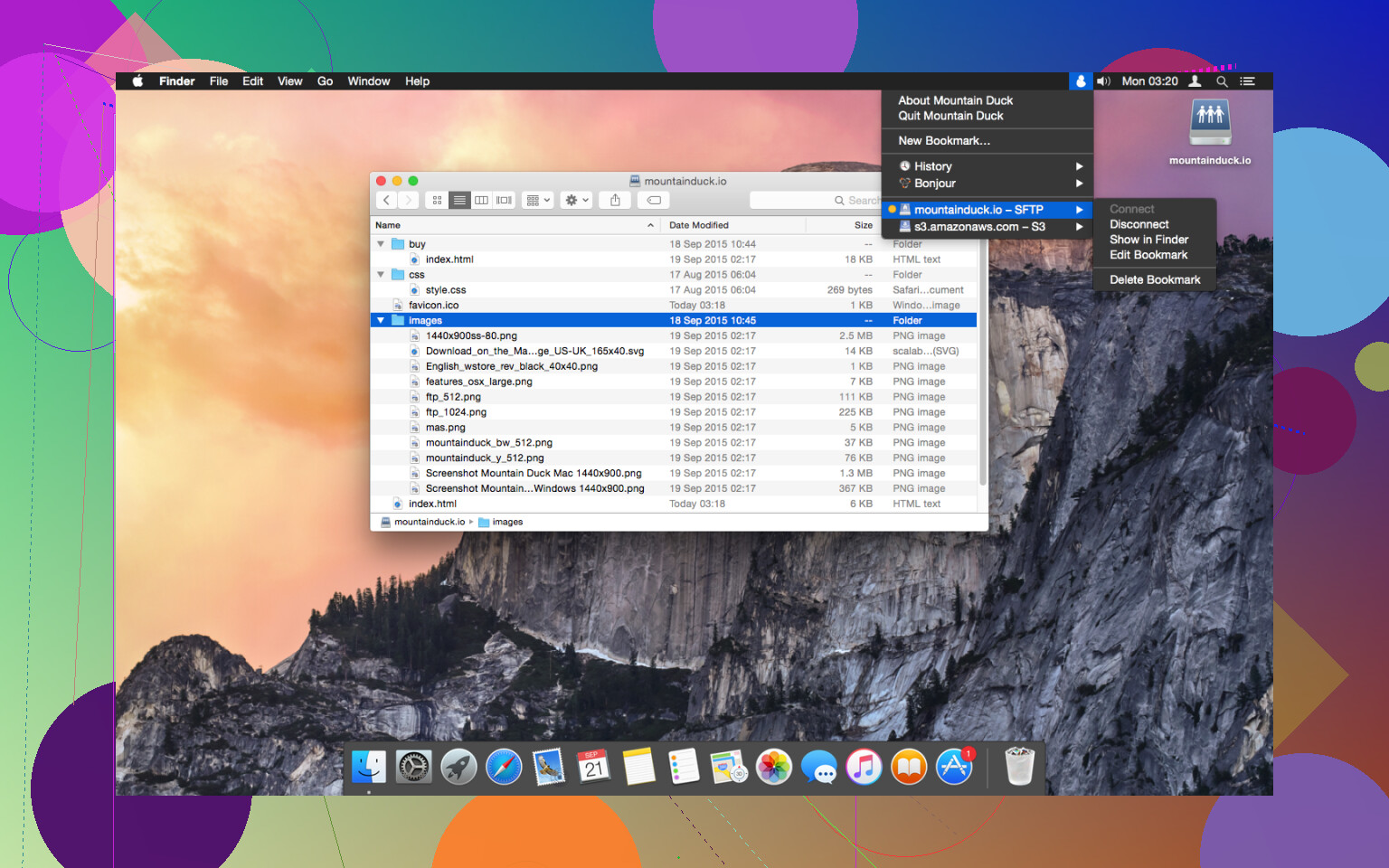
I’ve used Mountain Duck on and off for a while, mostly as a way to mount cloud storage and remote servers directly into Finder (on macOS) so they show up like regular drives. The idea is pretty straightforward: instead of constantly uploading/downloading files through a browser or separate client, you just access everything as if it’s already on your computer. In practice, it mostly does what it promises but there are a few things that stood out to me over time.
The Good
- What I noticed pretty quickly and what a lot of people seem to like about it is how natural it feels once it’s set up. Mounting a remote server or cloud storage directly in Finder or File Explorer just makes things simpler. You’re not jumping between apps or syncing entire folders unnecessarily. You just open a drive and start working, which is nice.
- I’ve used it with a mix of protocols like SFTP and WebDAV, and it handled those without much trouble. It also supports a bunch of cloud services, so you’re not locked into one ecosystem. That flexibility is something people bring up a lot, especially if they’re dealing with different clients or servers.
- Another thing I appreciated is that you don’t have to download everything first. You can work with files more or less on demand, which matters when you’re dealing with larger files or limited local storage. In my experience, this is where Mountain Duck makes the most sense when you want lightweight access rather than full sync.
- It also integrates well with the system file manager. That sounds basic, but it makes a difference. Drag-and-drop works, apps can open files directly, and overall it behaves like a regular drive most of the time.
The Not-So-Great Part
One real snag some people hit is slow performance with large file collections, and I’ve definitely run into this myself.
It’s not something you notice right away. If you’re working with a small or medium-sized folder, things feel fine. But once you connect to something bigger, say a server with hundreds or thousands of files things can start to drag a bit.
For example, I connected it to a directory with a large number of images, and browsing through folders became noticeably sluggish. Opening directories took a few seconds longer than expected, and sometimes it felt like Finder was just waiting on Mountain Duck to catch up.
Practical Tips
A couple of things I and others have found helpful:
- If you’re dealing with large file collections, it helps to avoid opening massive directories all at once. Breaking things into smaller folders makes a noticeable difference in responsiveness.
- I also found that limiting the number of active mounts at one time helps keep things smoother. When I had several connections open, performance dipped more often.
- Using faster, more stable connections (like a solid SFTP server rather than a slower WebDAV endpoint) seemed to improve the experience overall.
Worth Knowing About
If you’re exploring alternatives, one that comes up pretty often is CloudMounter.
In my experience, it’s the closest alternative if you want that same “mounted drive in Finder” approach, but with a slightly different focus.
CloudMounter supports a range of services and features, including:
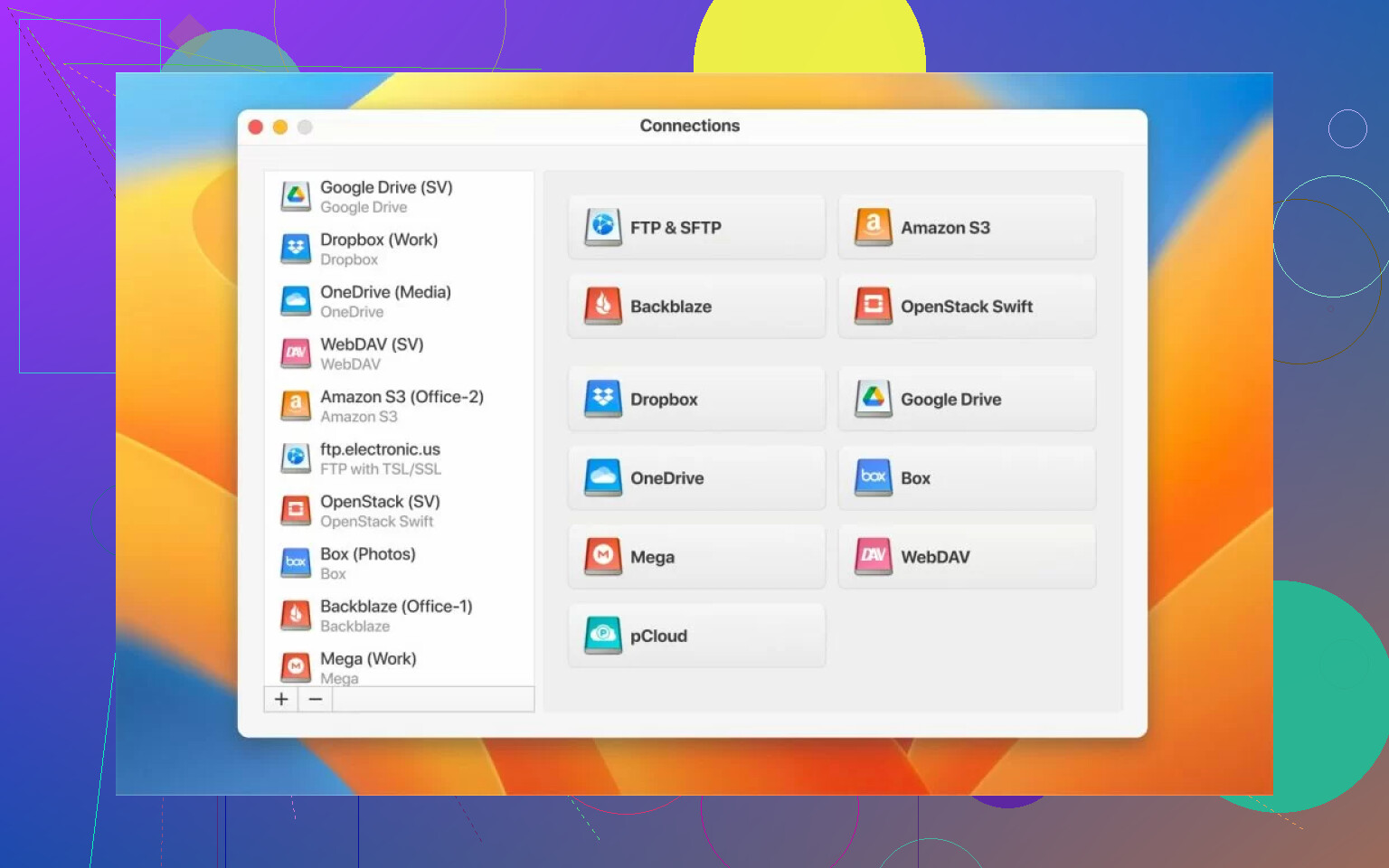
- Amazon S3, Dropbox, Microsoft OneDrive, Google Drive, MEGA
- Simple login with credentials once connected, files show up directly in Finder
- Built-in encryption (you can turn it on and files are encrypted before upload, then decrypted when accessed)
- Works on both macOS and Windows with similar features
- Offline mode, so you can work on files without an active connection and sync later
What stands out and what people often mention is that it tends to handle large file collections a bit more smoothly than Mountain Duck. The slowdown issue doesn’t seem to hit as hard in those scenarios.
That said, there are trade-offs. Pricing and licensing differ, and depending on your setup, you might find Mountain Duck’s protocol support or behavior fits better. It’s less about one being strictly better and more about which one fits your workflow.
Bottom Line
So is Mountain Duck “worth it”? In my experience, it really depends on how you plan to use it.
If you want a simple way to mount remote storage and work with files directly from Finder or File Explorer, it does that job reasonably well. For smaller setups or occasional access, it feels pretty natural and convenient.
But if you’re dealing with large, complex file structures on a regular basis, that slowdown becomes hard to ignore. It doesn’t break the experience, but it can make things feel slower than they should.
What I’ve noticed and what others seem to echo is that it works well for some setups but struggles with others. If your workflow is lighter or more focused, it makes sense. If you’re constantly navigating huge directories, you might want to compare it with alternatives like CloudMounter before committing.
21 Likes
Mountain Duck is fine if your goal is access, not sync.
I use tools like this for three jobs. Open files from cloud storage. Move files around. Avoid storing full copies localy. For those jobs, Mountain Duck does the job. Its Finder and Explorer integration is the main value.
Where I disagree a bit with @mikeappsreviewer is reliability. I think it is reliable enough for daily use if your workflow is simple and your network is stable. The bigger issue is responsiveness. You click into a large folder, and it feels slow. You save a file over a weak connection, and it feels risky even when it works.
A few practical points.
- Best use case: S3 buckets, server access, light Google Drive browsing.
- Worst use case: giant photo libraries, team folders with tons of nested files, heavy live editing.
- Sync is not its strength. It is a mounted drive tool first.
- Offline work is limited compared with sync-first apps.
If your workday depends on cloud storage feeling close to native, I would look at CloudMounter too. It tends to feel smoother for common cloud drives, esppecially for people who live in Dropbox, Google Drive, and OneDrive all day.
My take. Worth using, yes. Worth trusting as your only cloud workflow, no. Use it when you want mounted access. Pick CloudMounter if you want a cleaner daily driver feel.
I’d say Mountain Duck is worth using, but only if you’re buying it for the right reason.
For me, the key question is not “is it good at cloud storage?” but “do you want mounted access or true sync?” Those are not the same thing. Mountain Duck is solid as a mount tool. It is less convincing as the center of your whole cloud workflow.
I partly agree with @mikeappsreviewer and @voyageurdubois, but I’m a little less negative on daily reliability. In my experience, it usually does not break. It just gets annoying. That’s an important difference. If your internet is decent and you’re opening normal folders, it can be pretty dependable. The pain starts when you expect remote storage to behave exactly like an internal SSD. It won’t.
A few things people gloss over:
- Google Drive and Dropbox through mount apps can feel weirder than S3 or SFTP because those services were really built around sync clients first.
- Save operations from apps matter more than simple browsing. Reading is one thing, writing directly from Photoshop, Office, or video apps is where you can get those “uhhh did that actually save?” moments.
- File locking and collaboration are not great in these setups. If multiple people touch the same files, I wouuld be careful.
So yeah, for occasional edits, browsing, moving files, and not filling your local disk, Mountain Duck is useful. For heavy daily production work, huge folders, or anything mission critical, I would test before committing.
Honestly, if your main targets are Google Drive, Dropbox, and S3, CloudMounter is also worth a serious look. It tends to feel a bit more natural for the mainstream cloud-drive use case, while Mountain Duck still feels more like a power-user utility.
Short version: worth using, yes. Worth blindly trusting, nah.
I’d split it like this: Mountain Duck is a good bridge tool, not a great “set it and forget it” cloud workspace.
I slightly disagree with @voyageurdubois and @reveurdenuit on one point. I think Mountain Duck can be perfectly fine for daily use if your pattern is mostly browse, grab, upload, done. Where it starts to wobble is not reliability so much as predictability. Small actions feel fine until one day Finder hangs on a big folder or an app save takes long enough to make you nervous.
For Google Drive and Dropbox specifically, I’m less enthusiastic about Mountain Duck than for S3, SFTP, or WebDAV. Those consumer cloud services tend to feel more natural in tools built around cloud drives first. That is where CloudMounter is worth a look.
CloudMounter pros:
- Usually feels smoother for mainstream cloud drives
- Clean Finder integration
- Handy if you use multiple services side by side
- Offline mode is useful
CloudMounter cons:
- Still not magic with huge remote directories
- Another paid app in a category where setup details matter a lot
- Depending on workflow, native sync clients may still be safer
So, is Mountain Duck worth it? Yes, if your goal is mounted access without local copies. No, if you expect native-drive responsiveness or serious sync behavior. @mikeappsreviewer was right to flag scale issues. I’d demo both Mountain Duck and CloudMounter with your actual folders before committing.